

Kustenklar
Inspiring
June 30, 2024
Answered

How to use "Space before" when paragraph (heading) starts on next page?

  • June 30, 2024
  • 1 reply
  • 473 views

I want my chapter headings to start on a new page and begin four lines down from the top of the text frame. I know how to use “Keep options” and “Start paragraph on next page”, but I read in the InDesign guide that “If a paragraph begins at the top of a column or frame, InDesign does not honor the Space Before value.” It continues: “In such a case, you can increase the leading of the first line of the paragraph or increase the top inset of the text frame in InDesign.” I don’t understand what this means, it doesn’t seem to work for me. 

I should add that I want to be able to activate this in a paragraph style, not just on a specific page.

Grateful for any help.
This topic has been closed for replies.
Correct answer rob day

I should add that I want to be able to activate this in a paragraph style, not just on a specific page.


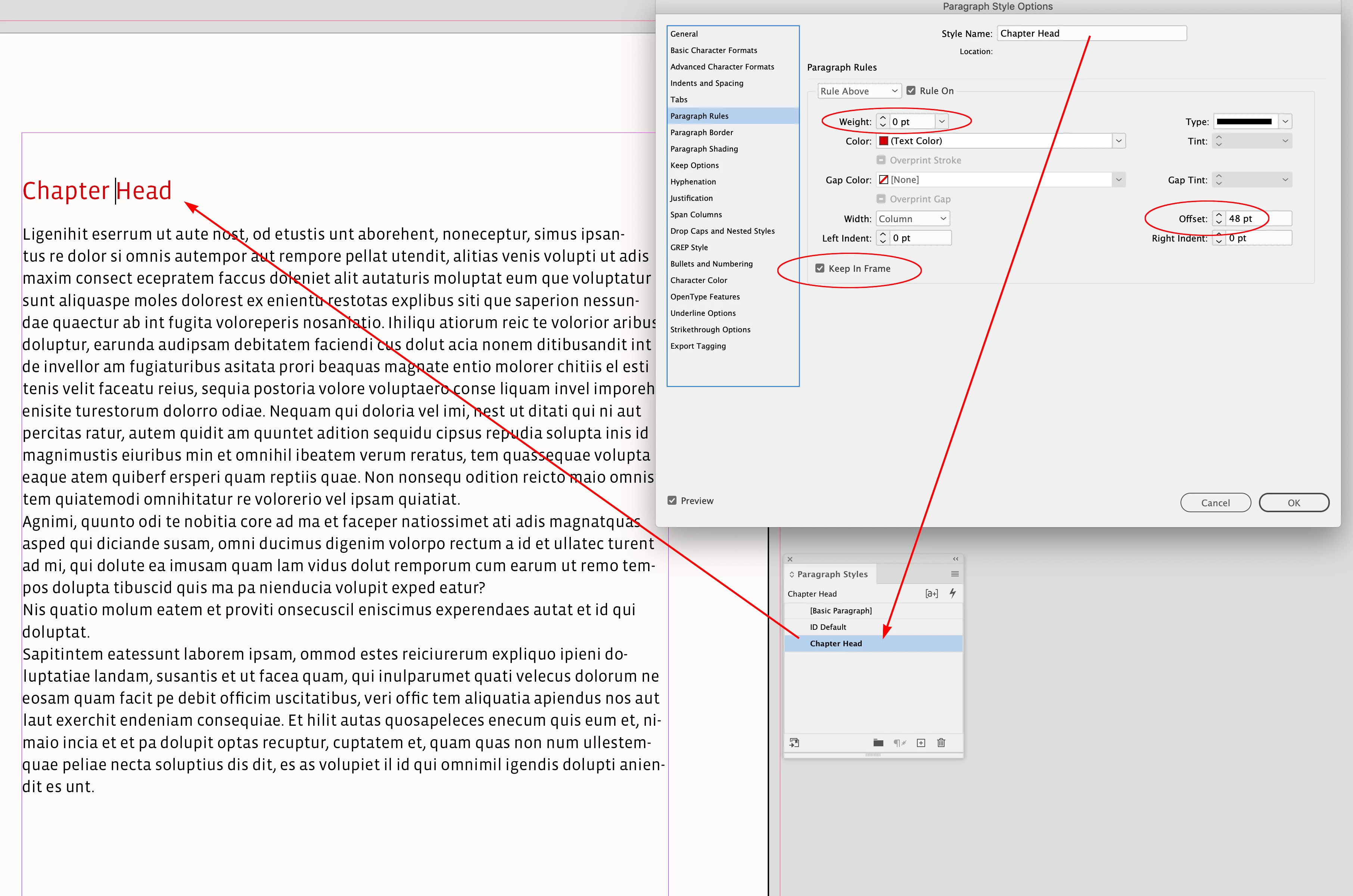
Hi @Kustenklar , A Paragraph Style could have a Rule Above kept inside the frame, with its Weight set to 0 and a desired Offset to imitate 4 lines:


1 reply

rob day
Community Expert
rob dayCommunity ExpertCorrect answer
Community Expert
June 30, 2024

I should add that I want to be able to activate this in a paragraph style, not just on a specific page.


Hi @Kustenklar , A Paragraph Style could have a Rule Above kept inside the frame, with its Weight set to 0 and a desired Offset to imitate 4 lines:


Kustenklar
Inspiring
July 1, 2024

It works! Thank you so much! I've had sleepless nights over this.