Answered
html tags to paragraph styles
I have a Word doc with some simple html tags, ie. <CT> for the chapter title. Is there a way for me to globally change the paragraph following the tag to a existing paragraph style?
I have a Word doc with some simple html tags, ie. <CT> for the chapter title. Is there a way for me to globally change the paragraph following the tag to a existing paragraph style?
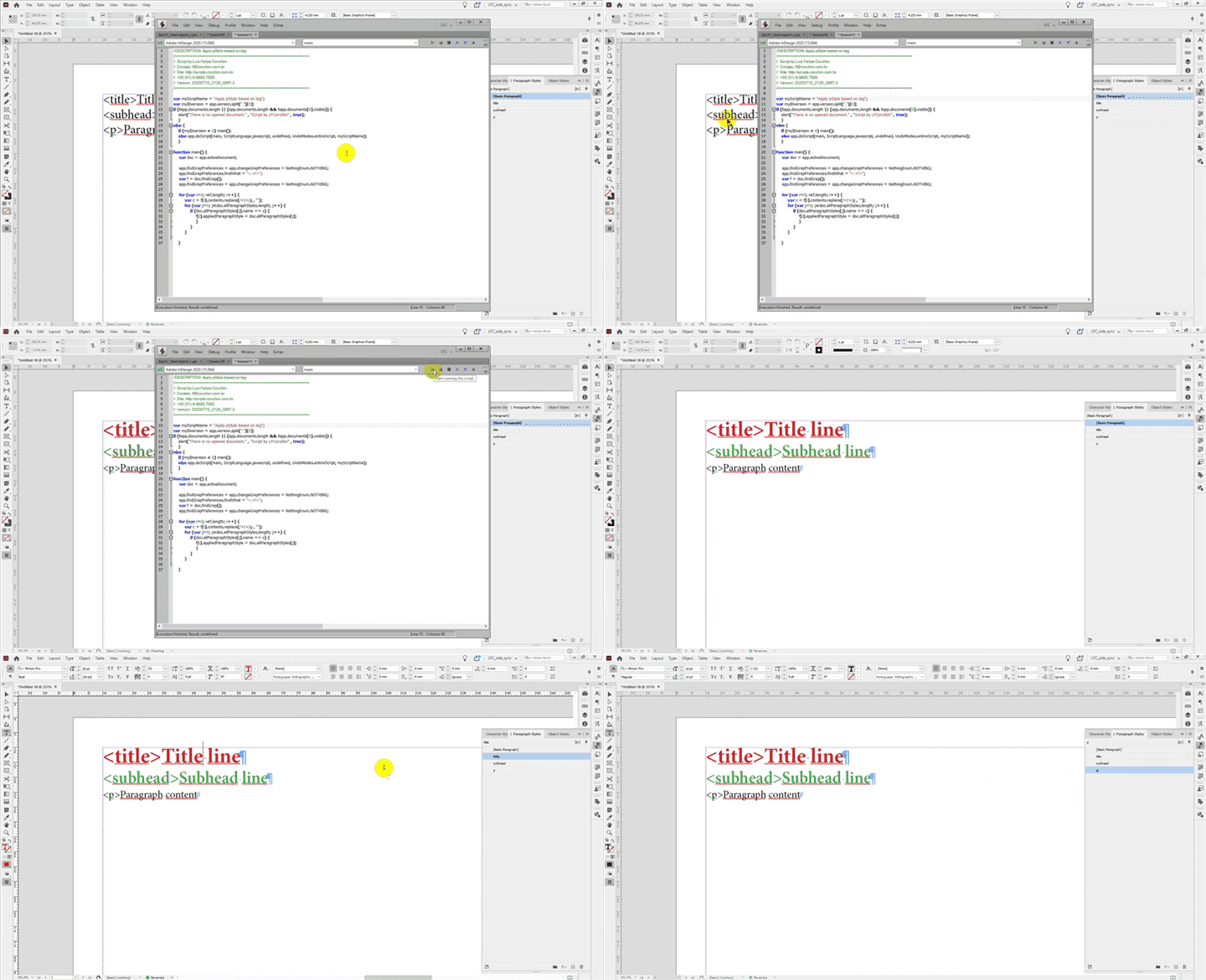
Brian is right. Find/Change will do the job. You can also use a script to do this.
Does the paragraph styles names the same of the tag content?
If yes, you can use this:
//DESCRIPTION: Apply pStyle based on tag
//=============================================================
//  Script by Luis Felipe Corullón
//  Contato: lf@corullon.com.br
//  Site: http://scripts.corullon.com.br
//  +55 (51) 9-9685.7565
//  Version: 20200715_2128_GMT-3
//=============================================================

var myScriptName = "Apply pStyle based on tag";
var myIDversion = app.version.split(".")[0];
if (!app.documents.length || (app.documents.length && !app.documents[0].visible)) {
    alert("There is no opened document." , "Script by LFCorullón" , true);
    }
else {
    if (myIDversion < 6) main();
    else app.doScript(main, ScriptLanguage.javascript, undefined, UndoModes.entireScript, myScriptName);
    }

function main() {
	var doc = app.activeDocument;

	app.findGrepPreferences = app.changeGrepPreferences = NothingEnum.NOTHING;
	app.findGrepPreferences.findWhat = "<.+?>";
	var f = doc.findGrep();
	app.findGrepPreferences = app.changeGrepPreferences = NothingEnum.NOTHING;

	for (var i=0; i<f.length; i++) {
		var c = f[i].contents.replace(/<|>/g , "");
		for (var j=0; j<doc.allParagraphStyles.length; j++) {
			if (doc.allParagraphStyles[j].name == c) {
				f[i].appliedParagraphStyle = doc.allParagraphStyles[j];
				}
			}
		}

    }
Already have an account? Login
Enter your E-mail address. We'll send you an e-mail with instructions to reset your password.
 AdChoices