
Participant
January 30, 2025
Answered

HTML5 Export Issue in InDesign V20.1

  • January 30, 2025
  • 1 reply
  • 420 views

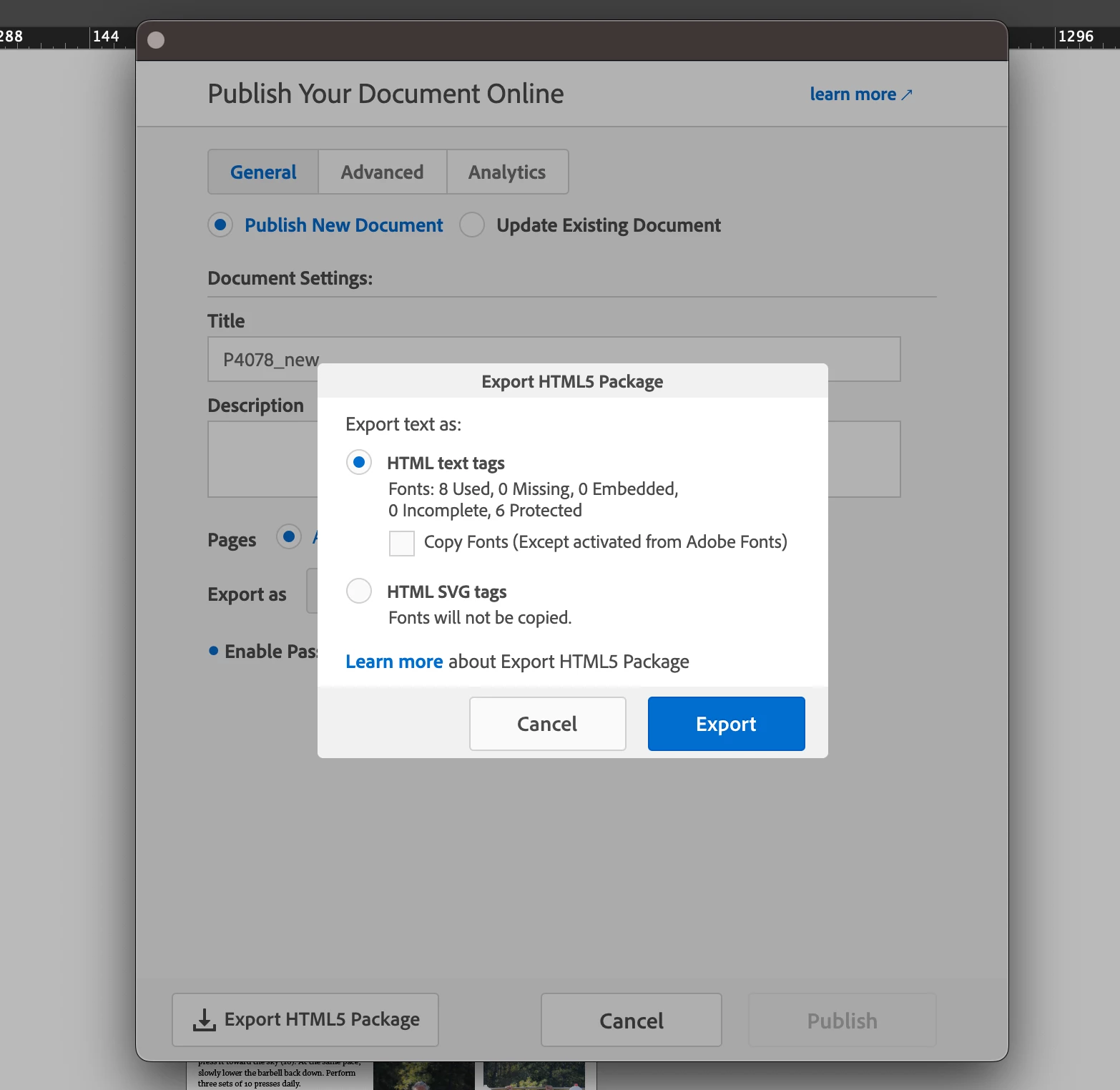
With the latest version of InDesign, I’m encountering an issue. When I choose the export option for HTML5, it directly opens the "Export HTML5 Package" overlay, bypassing the "Publish Your Document Online" pop-up. Does anyone know what might be causing this? (See image below.) This happened with both V20.0 and V20.1. 
 

Correct answer James Gifford—NitroPress

This, I'm pretty sure. "HTML5 Export" is Publish Online without the hosting support or lock to the Adobe server. It's up to you to manage what you do with the export files.

1 reply

Community Expert
January 30, 2025

If you select File > Publish Online, this will get you to the popup where you then could export html5 package or Publish. I don't believe any of the settings will apply to html5 export, only Publish Online. 

James Gifford—NitroPress
Legend
January 30, 2025

This, I'm pretty sure. "HTML5 Export" is Publish Online without the hosting support or lock to the Adobe server. It's up to you to manage what you do with the export files.

MEP-MSUAuthor
Participant
January 30, 2025

Thank you very much.
