licral83685769
Inspiring
October 2, 2017
Question

Huge problem with greyscale images

  • October 2, 2017
  • 2 replies
  • 608 views

Hello,

I'm having a big issue with indesign, trying to import an image, in greyscale, from photoshop. It's exported into jpg as greyscale, and imported into indesign, as a linked document.

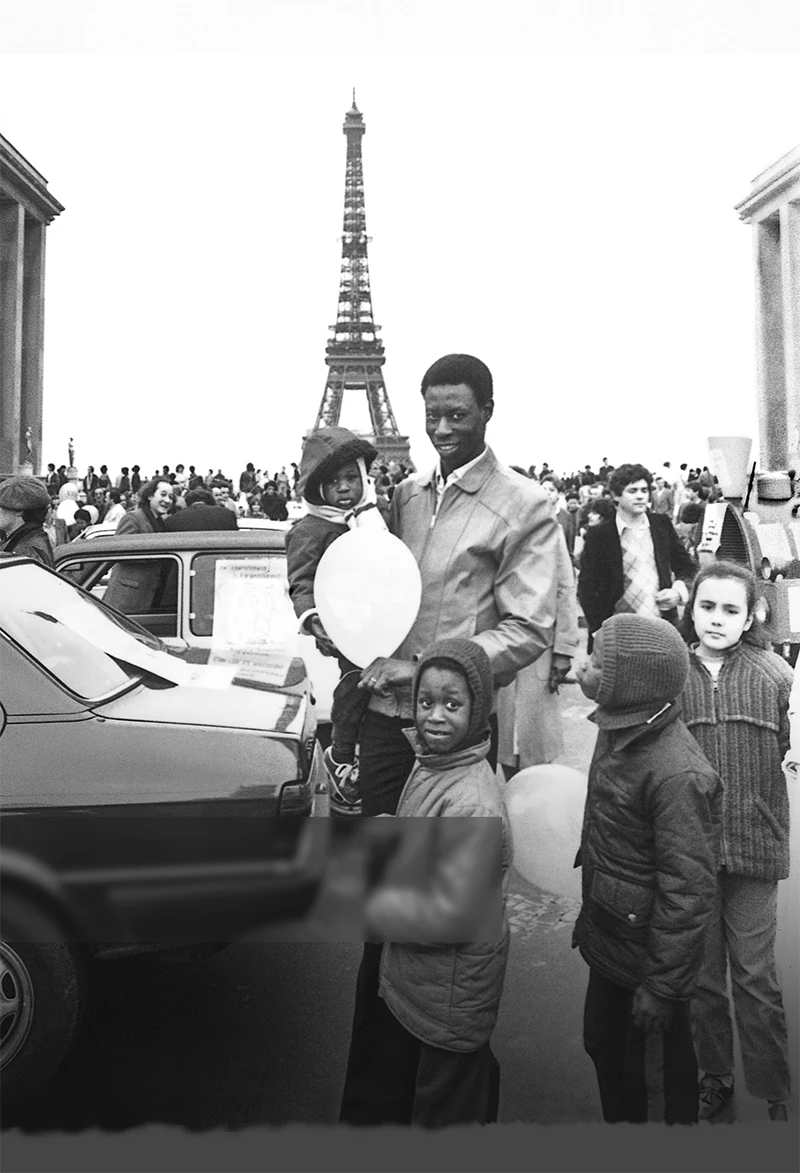
Problem : the contrast is totally messed up in indesign :

How the image in photoshop looks :
How it looks in Indesign :
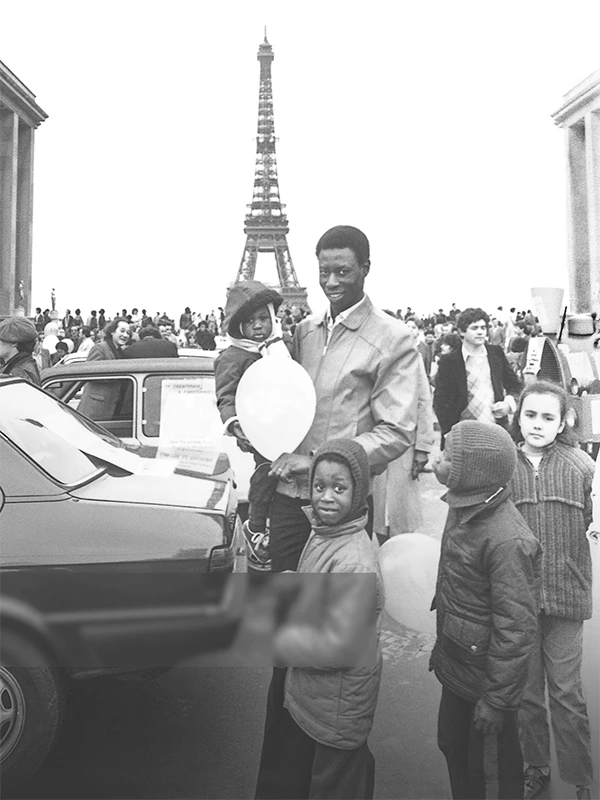
Note that the colo profile of my workspace is the same in photoshop and indesign, and that the image has a greyscale profile on both.

What is going on ?

Thanks

    This topic has been closed for replies.

    2 replies

    Participating Frequently
    October 2, 2017

    May be a dumb answer, are you viewing in High Quality Display?

    rob day
    Community Expert
    Community Expert
    October 2, 2017

    Display Perfomance setting has no affect on Color Management. There are a number of settings that do affect the preview of a grayscale. If you are not designing for print, setting the Transparency Blend Space to RGB and turning off Overprint Preview displays the grayscale as sGray ( 2.2 Gamma).

    If you are designing for print, setting he Blend Space to CMYK and turning on Overprint Preview displays the grayscale via the document's CMYK profile as it would print on the K plate. Indesign has no grayscale space and ignores embedded gray profiles.

    rob day
    Community Expert
    Community Expert
    October 2, 2017