
Inspiring
May 5, 2026
Question

Extra Dot Appearing in Hyperlink When Copying Link from Tagged PDF in InDesign

  • May 5, 2026
  • 3 replies
  • 81 views

All,

While creating PDF with hyperlink extra [dot] appearing in the link, when a paragraph having no enddot.

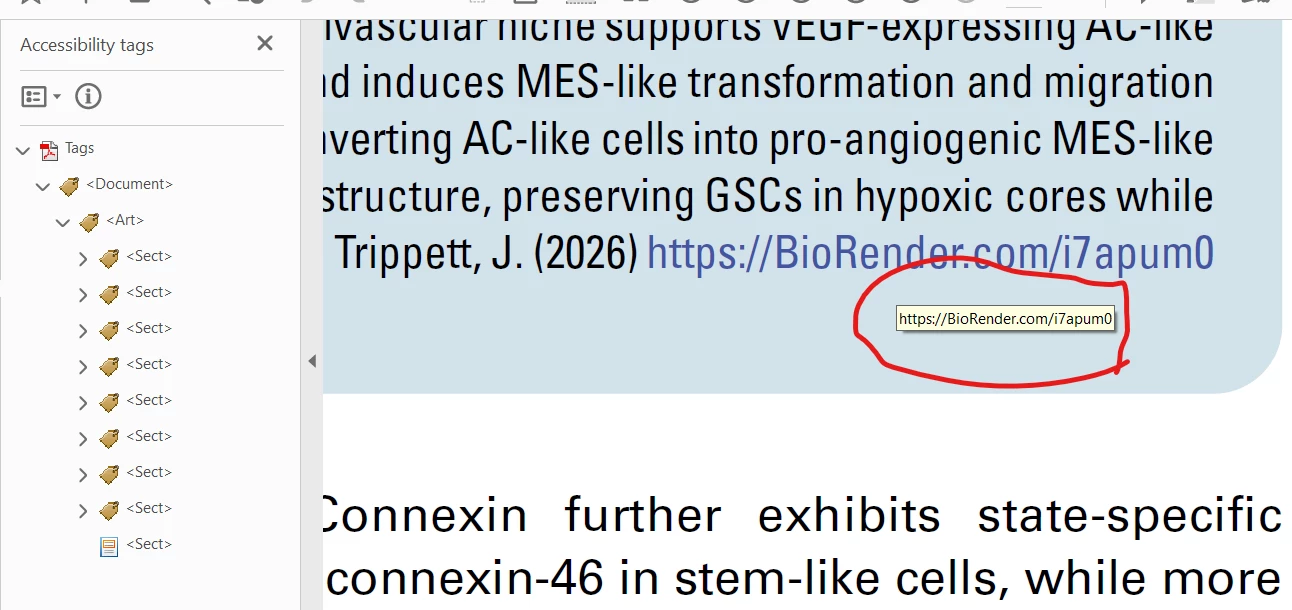
Screenshot 1: There were no [dot] in the hyperlink.
 

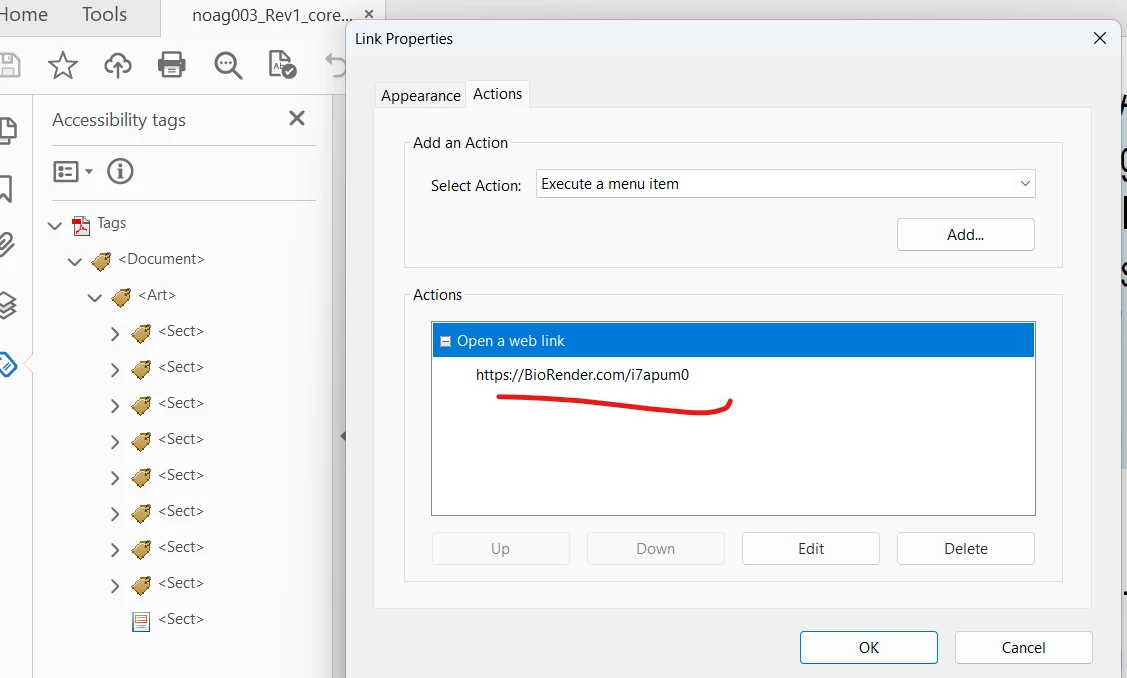
Screenshot 2: Checked link Property as well, there were no [dot]
 

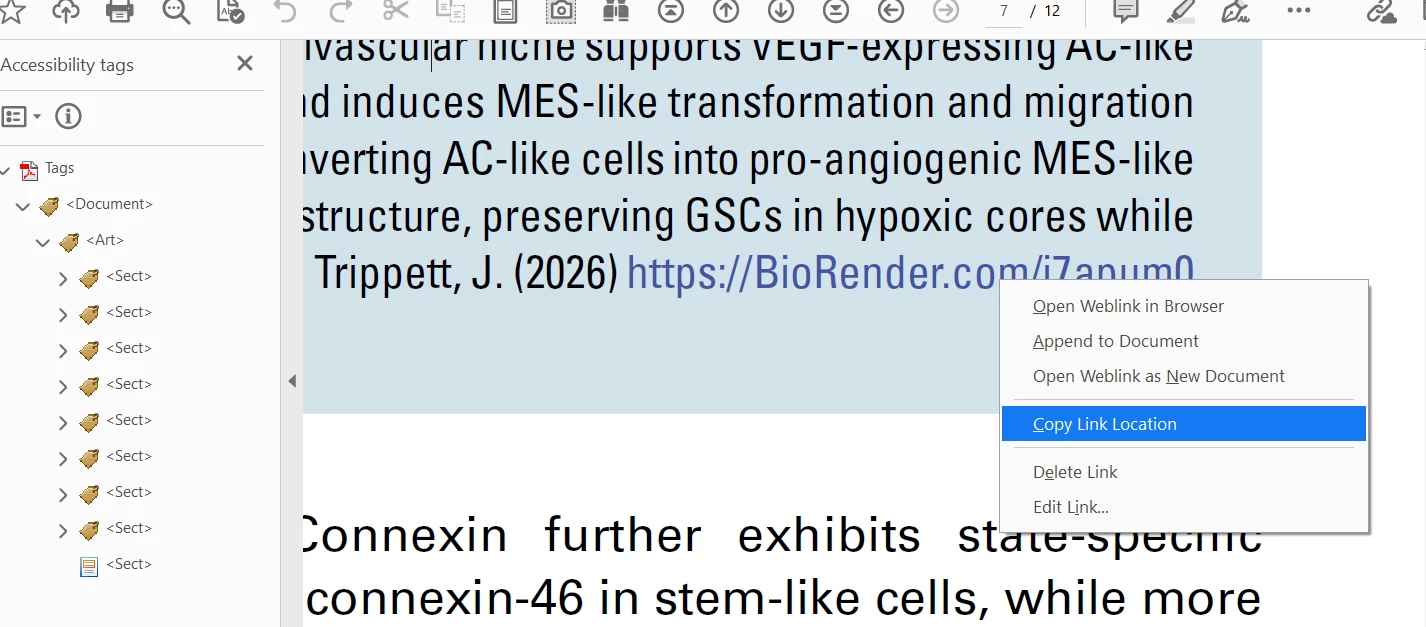
Screenshot 3: When I use copy link location, [dot] appearing.
Anyone came across these type of issue, kindly suggest.

Its tagged PDF, is that accessibility feature adding the end paragraph [dot] if there were not [dot].

Shaji

    3 replies

    Inspiring
    May 11, 2026

    How are you generating this link, and then how are you adding it to the PDF?

    When I click the link in test.pdf, it appends the UTF-8 Byte Order Mask to the end of the URL:

    https://www.biorender.com/48aft2g%EF%BB%BF

    Copying the URL, removing ‘%EF%BB%BF’ and then replacing the link in the PDF fixed the issue, so it seems as though there may be an invisible character creeping in at some point in your process:

    %EF%BB%BF is an percent encoded byte sequence of ZERO WIDTH NON-BREAKING SPACE(aka BOM in UTF-16/UTF-32). In UTF-8, it's just an extra character.

    Inspiring
    May 11, 2026

    Will do that and let you know.

    Abhishek Rao
    Community Manager
    Community Manager
    May 5, 2026

    Hi ​@Shaji25230243251z,


    Thanks for reaching out, and sorry to hear you’re experiencing this.

    I tested this on InDesign 21.3 on Windows 11 and was not able to reproduce the issue on my end. To help narrow this down further, could you please confirm the exact version of InDesign you’re using along with your OS details?

    Also, if possible, please share the InDesign file by packaging it via File > Package and uploading it here or via DM if the file is confidential. You can use any cloud sharing service like Google Drive or Dropbox. This will help me investigate the issue more closely on my side.


    Looking forward to your update.

    Abhishek

    Inspiring
    May 6, 2026

    Thanks for your response.

    We are using InDesign 2024 and our InDesign Server 2024.

    OS is Window Server 2019.

    Our process is XML based workflow. We are unable to send the file, since its company policy data security of customer.

    Shall I send you one page PDF of the issue.

    Shaji

    Abhishek Rao
    Community Manager
    Community Manager
    May 7, 2026

    Hi ​@Shaji25230243251z,


    Thanks for the update and for clarifying the workflow details. Since you’re unable to share the original file due to company policy, could you please try creating a new simple sample document that reproduces the same issue using a placeholder hyperlink and dummy content that is safe to share externally. If the issue still occurs there, that should help us investigate this further.

    Could you also please test exporting the same content twice, once with Tagged PDF enabled and once with Tagged PDF disabled and then compare whether the extra dot still appears when using “Copy Link Location” in Acrobat.

    If possible, please package and share the new sample document along with the exported PDFs so I can test the exact behavior on my end. You can share it here or via DM using any cloud sharing platform if needed.

    Lastly, please test this on the latest InDesign version 21.3 as well and let me know whether the same behavior persists there.


    Looking forward to your update.
    Abhishek
