
Participant
August 9, 2022
Answered

Hyperlinks don't work if they contain brackets

  • August 9, 2022
  • 2 replies
  • 262 views

I have a handful of hyperlinks containing brackets in the URL. They work fine in my browser. When I add them to an InDesign document as a hyperlink, they generate a 500 error. Is there another format I should be using? I don't have any control over the website itself, but I need to make these hyperlinks work in my document.
This topic is closed to new replies. Start a new post to keep the conversation going.
Correct answer J E L

Hi @Capri Ella, you should be able to determine what the URL is without the brackets. Then replace the string in InDesign. For example, if the URL looks like this: {"https://www.adobe.com/"} or this: (https://adobe.com), rewrite it as https://www.adobe.com.


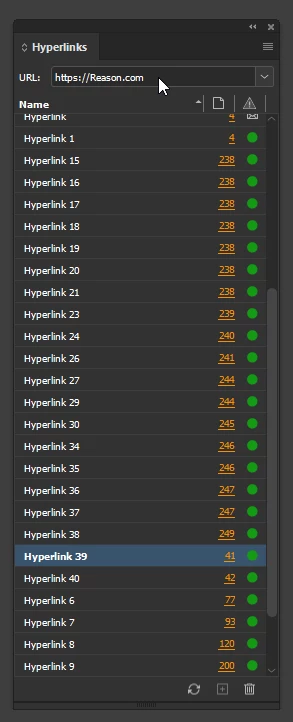
URLs won't work if a bracket character is in the middle of the address. Check to see how the URL shows up as written in your Hyperlinks panel. If you have a different issue, and want to post the URLs here or send them to me by direct message, I'll take a look at them for you.


2 replies

J E L
Community Expert
J E LCommunity ExpertCorrect answer
Community Expert
August 9, 2022

Hi @Capri Ella, you should be able to determine what the URL is without the brackets. Then replace the string in InDesign. For example, if the URL looks like this: {"https://www.adobe.com/"} or this: (https://adobe.com), rewrite it as https://www.adobe.com.


URLs won't work if a bracket character is in the middle of the address. Check to see how the URL shows up as written in your Hyperlinks panel. If you have a different issue, and want to post the URLs here or send them to me by direct message, I'll take a look at them for you.


James Gifford—NitroPress
Legend
August 9, 2022

Use the equivalent character code for each bracket in the URL (e.g. spaces are encoded as %20).


FWIW, it's workable but bad practice to use pretty much anything besides alphanumerics in URLS. Happens with encoded document names, but they should use the numeric encoding, not the characters.