

Shlomit Heymann
Inspiring
May 14, 2020
Answered

Hyperlinks not showing in Hyperlinks window

  • May 14, 2020
  • 5 replies
  • 3951 views

Hello,

I've created some manual hyperlinks in my document by selecting  text, then select new hyperlink from the hyperlinks panel, and paste the destination in dialog box as you can see in the screenshot.
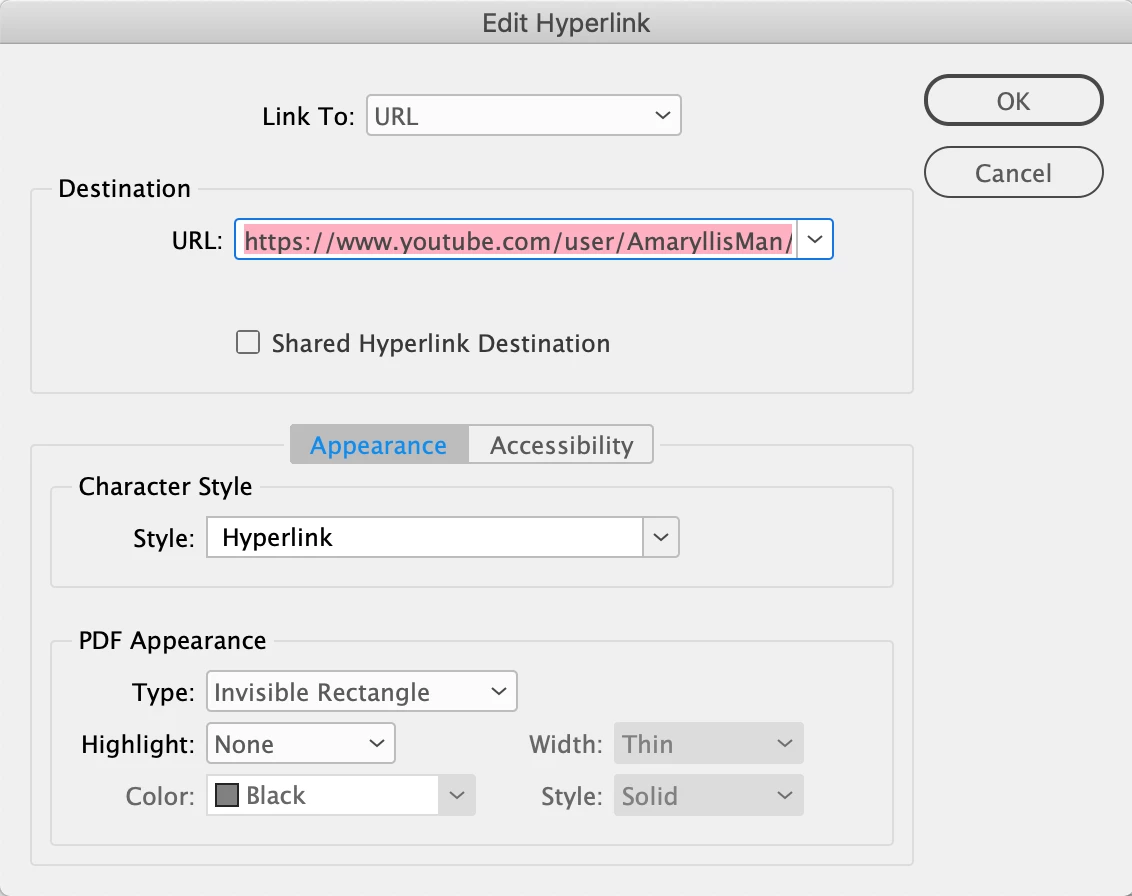
The hyperlink was created, it's working and can be edited but will not show in the hyperlinks pannel (see screedshot).


Info:
Mac, OS Mojave 10.14.6
InDesign 15.0.2 (Middle Eastern)


Any idea why? Is this a bug?

good day,

shlomit

Correct answer Shlomit Heymann

Dear All,

The problem was solved after the last update 15.0.3.

thank you,

Shlomit

5 replies

Inspiring
January 14, 2025

Hi ,  I am having the same problem: Hyperlinks that are visible within the doc: text > Hyperlinks > edit hyperlinks pane  are not shown in the Window > Interactive > Hyperlinks pane. (see screen shot)
The links within the doc work.
However, when compiling this doc with others to create a complete book (.indb), the links don't work.  

Prior versions of this very long doc was working , but I recently upgraded computer & OS & Adobe CC apps.
I'm on Mac OS  Sequoia 15.1.1
InDesign v20.0.1


So how can the links be restored to appear in the Window>Hyperlinks Pane?
Urgent help needed, please.  I have already re-saved as idml & updated the doc.

Thanks,

Angela


Known Participant
January 14, 2025
Inspiring
January 14, 2025

Thanks for responding Milkrow,

Unfortunately, those links do not address my problem.

I am able to find all the links (there are lots!) within the doc (which work in InD), but they are not listed in the Hyperlinks pane. And when compiling this doc with others into an indb book, the cross-links between chapters no longer work when made into an interactive PDF. 
It is not sustainable to re-link within Acrobat as updates to the source doc would require repeating that process with each new generation of PDF.

Inspiring
June 4, 2023

I am having this same problem. I'm on a Mac and am using IND version 18.3. I have a bunch of hyperlinks, but I cannot edit them, because they do not appear in the Hyperlinks window. Any suggestions on how to fix this?

Known Participant
February 2, 2024

I'm on a MAC using IND 18.5 and using option-h to create a hyperlink...and it doesn't appear in the hyperlinks palette. Shouldn't all hyperlinks appear there?

Inspiring
February 3, 2024

In the end, I could not resolve this issue. But luckily, my coworker was working on a PC and she was able to see the hyperlinks and edit them. Seems like a bug on Macs.

Shlomit Heymann
Shlomit HeymannAuthorCorrect answer
Inspiring
May 19, 2020

Dear All,

The problem was solved after the last update 15.0.3.

thank you,

Shlomit

Community Expert
May 14, 2020

Hi Shlomit,

opened your document in my German InDesign 2020 version 15.0.3.422.

The hyperlink is showing in the Hyperlinks panel:


Perhaps you discovered a bug?

Did you quit InDesign and opened the document again?

Perhaps the Hyperlinks panel has an update issue with listing links?


Regards,
Uwe Laubender

( ACP )

Shlomit Heymann
Inspiring
May 14, 2020

Dear Uwe,

Of course i checked it. I opened and closed and even saved as idml and reopen. 

Most of my issues needs to be tested on an ME version as all problems usually happens there and not on the US version. 

Thank you so much ofr always trying to help 🙂

I really appeiciate that.

Shlomit 

Geоrge
Legend
May 14, 2020

Download your example page as package to some dropbox/yadisk and then somebody here will check it your file. 

Remember, never say you can't do something in InDesign, it's always just a question of finding the right workaround to get the job done. © David Blatner
Shlomit Heymann
Inspiring
May 14, 2020