



Participant
June 24, 2021
Answered

Hyperlinks Not Working in PDF Downloaded From InDesign Document Published Online

  • June 24, 2021
  • 3 replies
  • 2711 views

Hi. Question... When I download a PDF from an InDesign document's Publish Online webpage, some of the hyperlinks in the PDF work while others don't. See attached PDF. Note: all of the hyperlinks work just fine in the online version: https://indd.adobe.com/view/1dd47208-4565-462a-ba3c-4148f780812c

Thoughts?

    This topic has been closed for replies.
    Correct answer Steve Werner

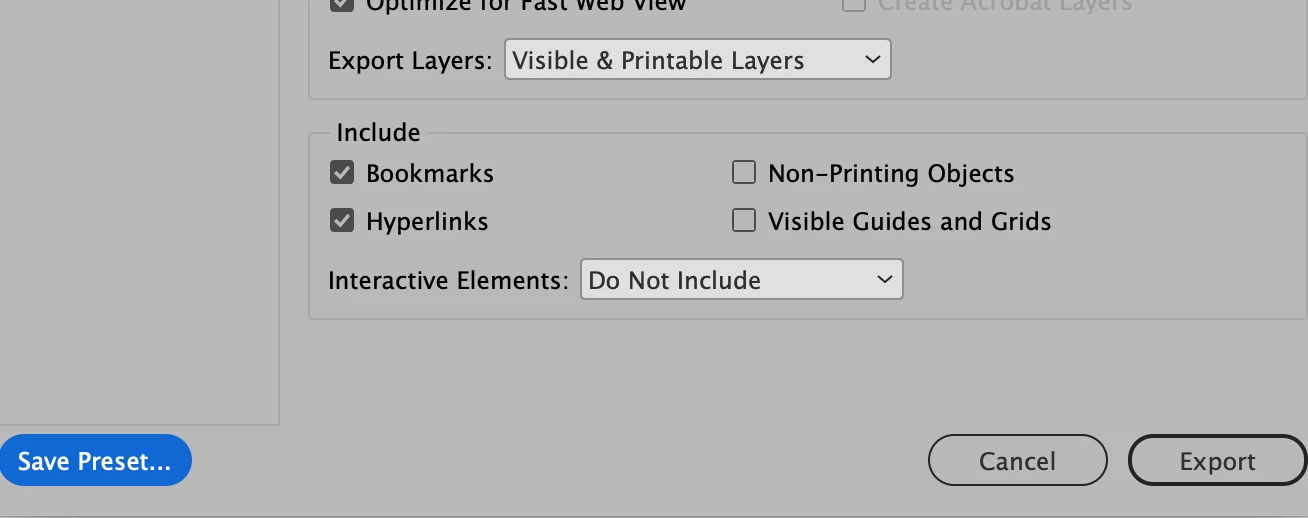
    You need to create a PDF preset which includes turning on the Hyperlink option at the bottom of the Export Adobe PDF dialog
     

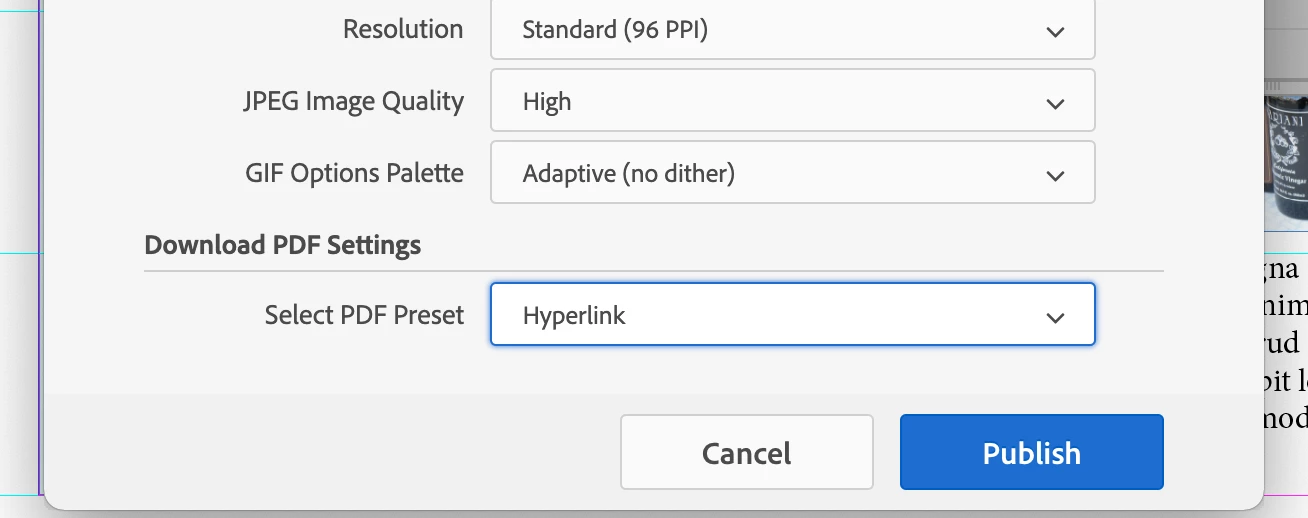
    Then when uploadimg you INDD file for Publish Online, turn on the option to allow readers to download the document as PDF  (Print). In the Advanced settings, select the PDF Preset you've created to use for PDF export.
     

    3 replies

    Participant
    October 17, 2024

    The 'corect answer' doesn't work for me!  Here's a screenshot of my print set up (Windows / INDD 20.0 x64) which does not include the hyperlink option – neither does it pop up in any of the choices from the drop down on the left.


    When I print a PDF (to Acrobat Pro 2024.003.20180) hyperlinks work if typed out (e.g. www.buzzassociates.co.uk) but not if 'created' as a hyperlink with the text (e.g. 'Continues on page 15').


    Grateful for advice on how to remedy this.


    BobLevine
    Community Expert
    Community Expert
    October 17, 2024

    That is a print dialog, not an export dialog.

    Participant
    October 17, 2024

    Thank you Bob – and, yes it works!  When I first opened 'Export'* [control c] it opens the folder where the PDF is to be saved – only by clicking on 'Save' is the dialog box opened, which is the opposite to how the 'Print' function works.


    BTW, I'm very new to InDesign, having spent 30 years using QuarkXPress.


    * In Windows there is no 'Export Adobe PDF' option

    Steve Werner
    Community Expert
    Steve WernerCommunity ExpertCorrect answer
    Community Expert
    June 24, 2021

    You need to create a PDF preset which includes turning on the Hyperlink option at the bottom of the Export Adobe PDF dialog


    Then when uploadimg you INDD file for Publish Online, turn on the option to allow readers to download the document as PDF  (Print). In the Advanced settings, select the PDF Preset you've created to use for PDF export.


    Participant
    June 25, 2021

    Amazing Steve! The hyperlinks in the PDF work perfectly - that's a real game changer. I can't thank you enough for your help!

    Peru Bob
    Community Expert
    Community Expert
    June 24, 2021

    I've moved this from the Using the Community forum (which is the forum for issues using the forums) to theInDesign forum so that proper help can be offered.


    Participant
    June 24, 2021

    Awesome! this is my first time here so thanks for the help!