Participating Frequently
June 6, 2019
Answered

Hyphenation Check Box

  • June 6, 2019
  • 1 reply
  • 1376 views

Hello. Just getting used to the newest version of InDesign after years in CS5.

Can someone tell me how to get the convenient Hyphenation on/off check box into the Control Strip at the top of InDesign?

I know I can access is by clicking on the hamburger then scrolling down to hyphenation then clicking on hyphenation then selecting on/off, but that little checkbox in the upper right corner was much simpler and easier to access.
    This topic has been closed for replies.
    Correct answer Grant H

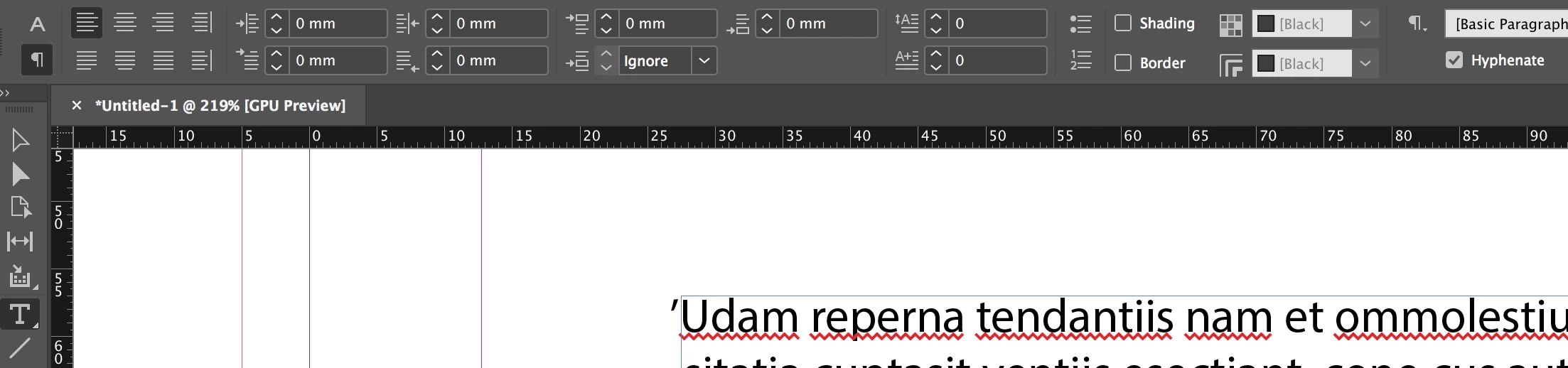
    Hi. It should appear when you have the Text/paragraph UI buttons selected:

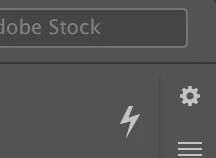
    just for what it is worth, you can customize the control panel over here (the gear icon):

    But Hyphenation is not an option and should appear as described above

    /G

    1 reply

    Grant H
    Community Expert
    Grant HCommunity ExpertCorrect answer
    Community Expert
    June 6, 2019

    Hi. It should appear when you have the Text/paragraph UI buttons selected:

    just for what it is worth, you can customize the control panel over here (the gear icon):

    But Hyphenation is not an option and should appear as described above

    /G

    withwordsAuthor
    Participating Frequently
    June 6, 2019

    Thanks Grant. LOVE the gear/customize tip!

    Unfortunately, I still can see or find the Hyphenation checkbox.

    Grant H
    Community Expert
    Community Expert
    June 6, 2019

    Hi, you have the character icon selected, click the Paragraph one