Answered
I can't export RGB no matter what settings I try
I find since the last update that I can't export my PDFs as RGB and I've tried everything imaginable so worry it's a bug. Can anyone confirm or provide a workaround?
Cheers
I find since the last update that I can't export my PDFs as RGB and I've tried everything imaginable so worry it's a bug. Can anyone confirm or provide a workaround?
Cheers
An Interactive PDF export converts all color to sRGB even when the placed files are CMYK.
For Print PDFs, the Destination set in the Output tab determines the color space of the PDF objects.
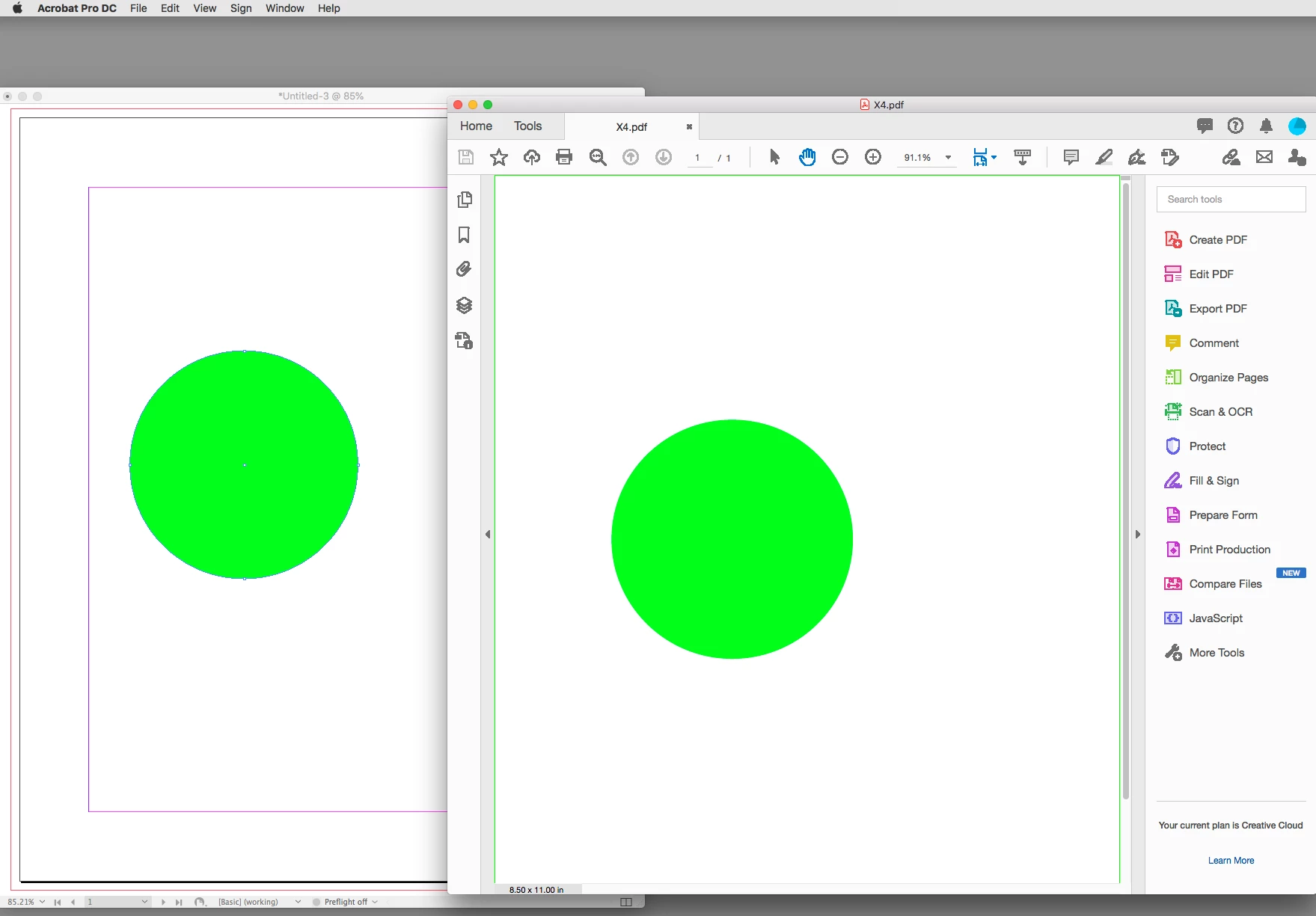
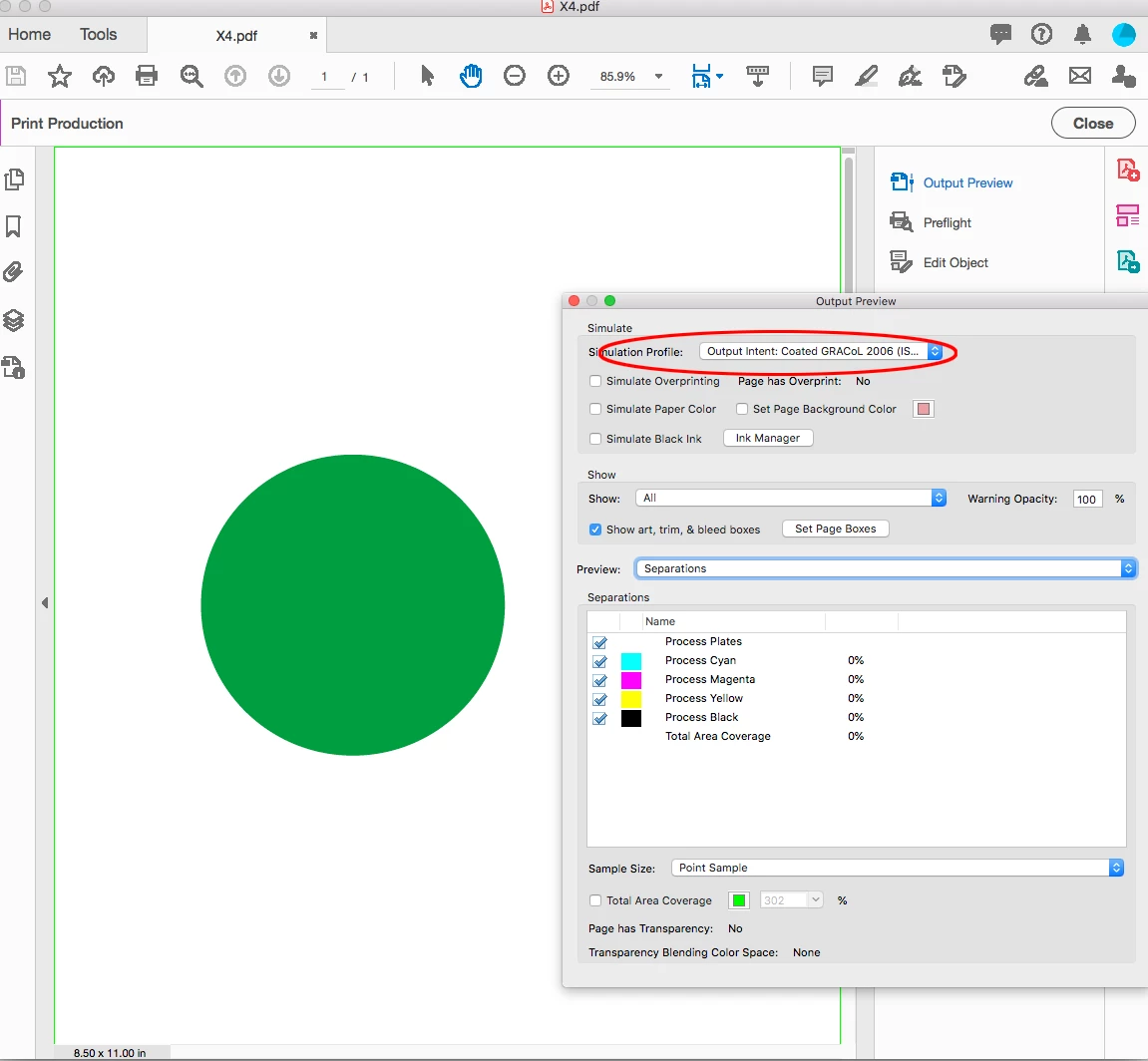
Acrobat Reader or Pro might display out-of-gamut RGB color as CMYK if your Display Preference is set to Overprint. A PDF/X-4 with Output Preview on, would always display RGB color in the CMYK Output Intent profile:
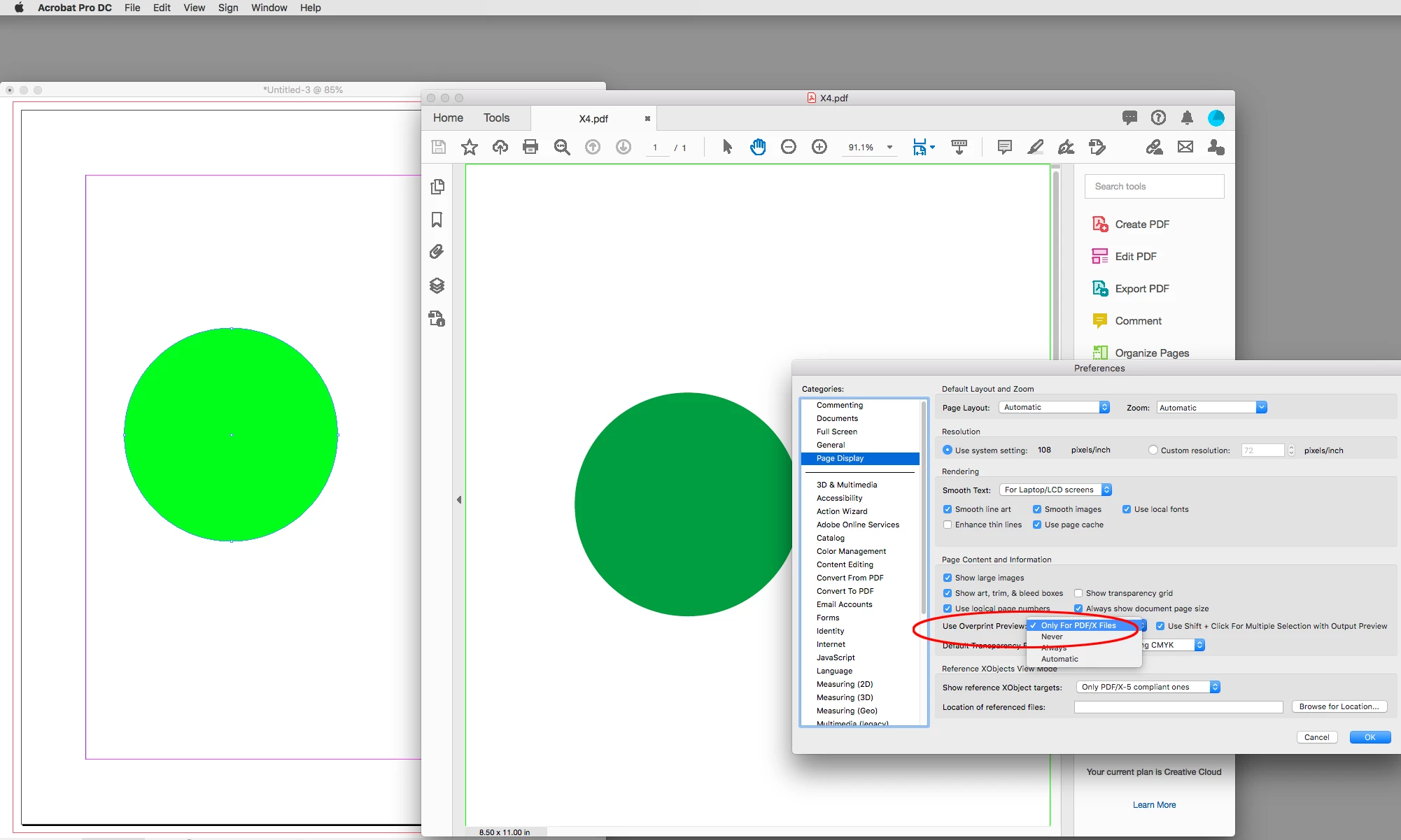
With the Overprint Preference set to Never:
PDF/X defaults to the Output Intent Profile for the Simulation:
Already have an account? Login
Enter your E-mail address. We'll send you an e-mail with instructions to reset your password.
 AdChoices