Inspiring
September 2, 2020
Answered

I can't lock items anymore

  • September 2, 2020
  • 1 reply
  • 339 views

My options for locking page items have been greyed-out and I have no idea why.

https://streamable.com/d3tpd7


I'm on InDesign 15.1.1

This topic has been closed for replies.
Correct answer rob day

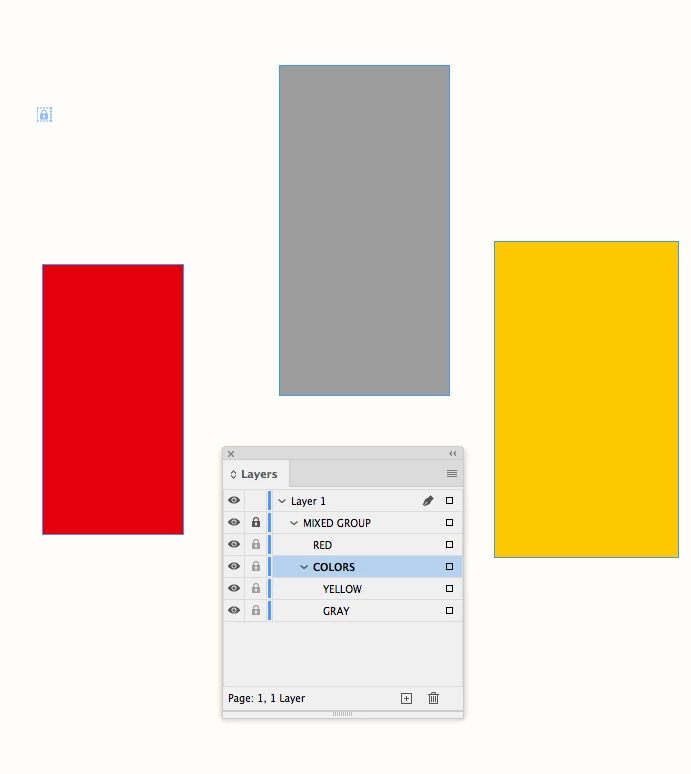
I think it is because the object you have selected is inside of a group. You should be able to select and lock the group container
 

1 reply

rob day
Community Expert
rob dayCommunity ExpertCorrect answer
Community Expert
September 2, 2020

I think it is because the object you have selected is inside of a group. You should be able to select and lock the group container


Inspiring
September 2, 2020

Thank you so much Rob

I figured it out eventually.


But has this always been the case or have I spent too much time in Illustrator ?

sure there are scenario's where it makes perfect sense to lock certain objects within a group and not the entire group ?

rob day
Community Expert
Community Expert
September 2, 2020

This is from CS6
