Answered
I can't seem to fill the entire textframe when working in Indesign.
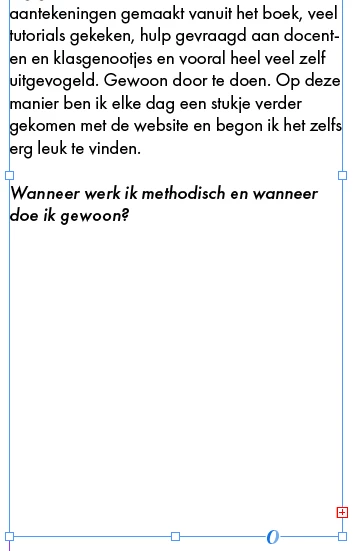 I get this overset text symbol, but there is so much space left? I tried a lot of different things but it won't work. Can someone help me? I really appreciate it!!

I get this overset text symbol, but there is so much space left? I tried a lot of different things but it won't work. Can someone help me? I really appreciate it!!
Een hoop 'lege' returns dus, tja, dat is óók tekst. Misschien tijd om eens een (basis)training InDesign te gaan volgen gezien je vragen - die echt heel erg basic zijn namelijk? 😉 🧐
Already have an account? Login
Enter your E-mail address. We'll send you an e-mail with instructions to reset your password.
 AdChoices