
Participant
January 22, 2024
Answered

I desperately need a GREP search for applying styles between tags

  • January 22, 2024
  • 1 reply
  • 352 views

Hi, I have searched very hard for a while and not found an answer. I'm not good with any form of coding and am finding this very difficult so am grateful for any help.


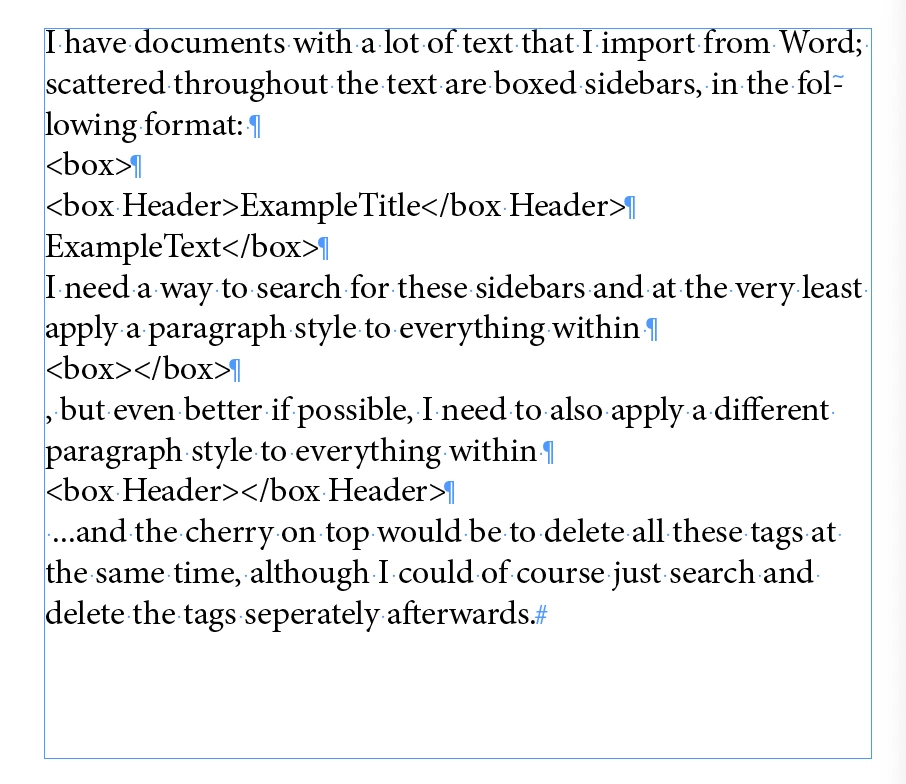
I have documents with a lot of text that I import from Word; scattered throughout the text are boxed sidebars, in the following format: <box><box Header>ExampleTitle</box Header>ExampleText</box>


I need a way to search for these sidebars and at the very least apply a paragraph style to everything within <box></box>, but even better if possible, I need to also apply a different paragraph style to everything within <box Header></box Header> ...and the cherry on top would be to delete all these tags at the same time, although I could of course just search and delete the tags seperately afterwards.


I found a GREP at one point that would apply the style across the whole document, between the first <box> it found and the last </box> it found - not ideal. Obviously I need this to work in seperate bits scattered throughout the document.
 

This topic has been closed for replies.
Correct answer m1b

Hi @Shaira, I will try to give you a quick answer, but you may find you need a more detailed answer. Here is what I would try first:


1. Use find/change to make sure that <box> starts a line, and </box> ends a line (so put carriage returns before and after if necessary.


2. Now do same as that for <box Header> — it must start and end on its own line.

Your paragraphs should look like this:

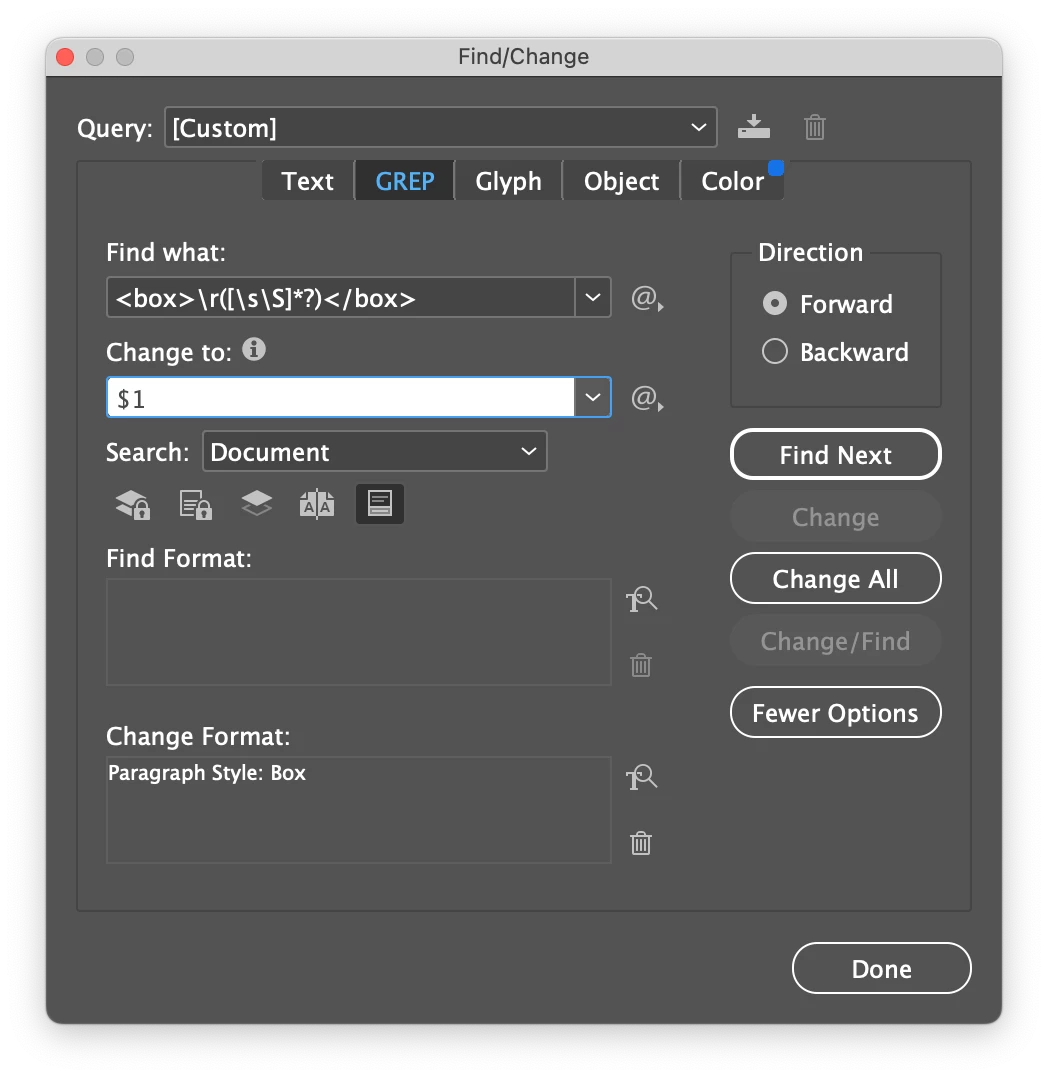
3. Now do Find Grep: 

<box>\r([\s\S]*?)</box>

Change To:

$1

Change paragraph style to:

[select your "Box" paragraph style].

4. Then another find grep:

<box Header>([\s\S]*?)</box Header>$


Change To:


$1


Change paragraph style to:

[select your "Box Header" paragraph style].


See if that is any use. It may need more refinements.

- Mark

1 reply

m1b
Community Expert
m1bCommunity ExpertCorrect answer
Community Expert
January 22, 2024

Hi @Shaira, I will try to give you a quick answer, but you may find you need a more detailed answer. Here is what I would try first:


1. Use find/change to make sure that <box> starts a line, and </box> ends a line (so put carriage returns before and after if necessary.


2. Now do same as that for <box Header> — it must start and end on its own line.

Your paragraphs should look like this:

3. Now do Find Grep: 

<box>\r([\s\S]*?)</box>

Change To:

$1

Change paragraph style to:

[select your "Box" paragraph style].

4. Then another find grep:

<box Header>([\s\S]*?)</box Header>$


Change To:


$1


Change paragraph style to:

[select your "Box Header" paragraph style].


See if that is any use. It may need more refinements.

- Mark

ShairaAuthor
Participant
January 22, 2024

You have absolutely nailed it, thank you!!!!!!!!!!!!!!!!

m1b
Community Expert
Community Expert
January 22, 2024

Great! 👍