

I gotta be missing something - using the hand tool makes all the images turn to gray boxes...
Ok, I don't know if this is a new "features" to cut down on memory usage or what, but it's driving me nuts. When I scroll using the hand tool, Image boxes turning to gray boxes. Somtiems it's right away and they stay as gray boxes until I let go of the hand tool. Other times, the images get "wiped" when I'm pulling accross the page to reveal/hide parts of the page.
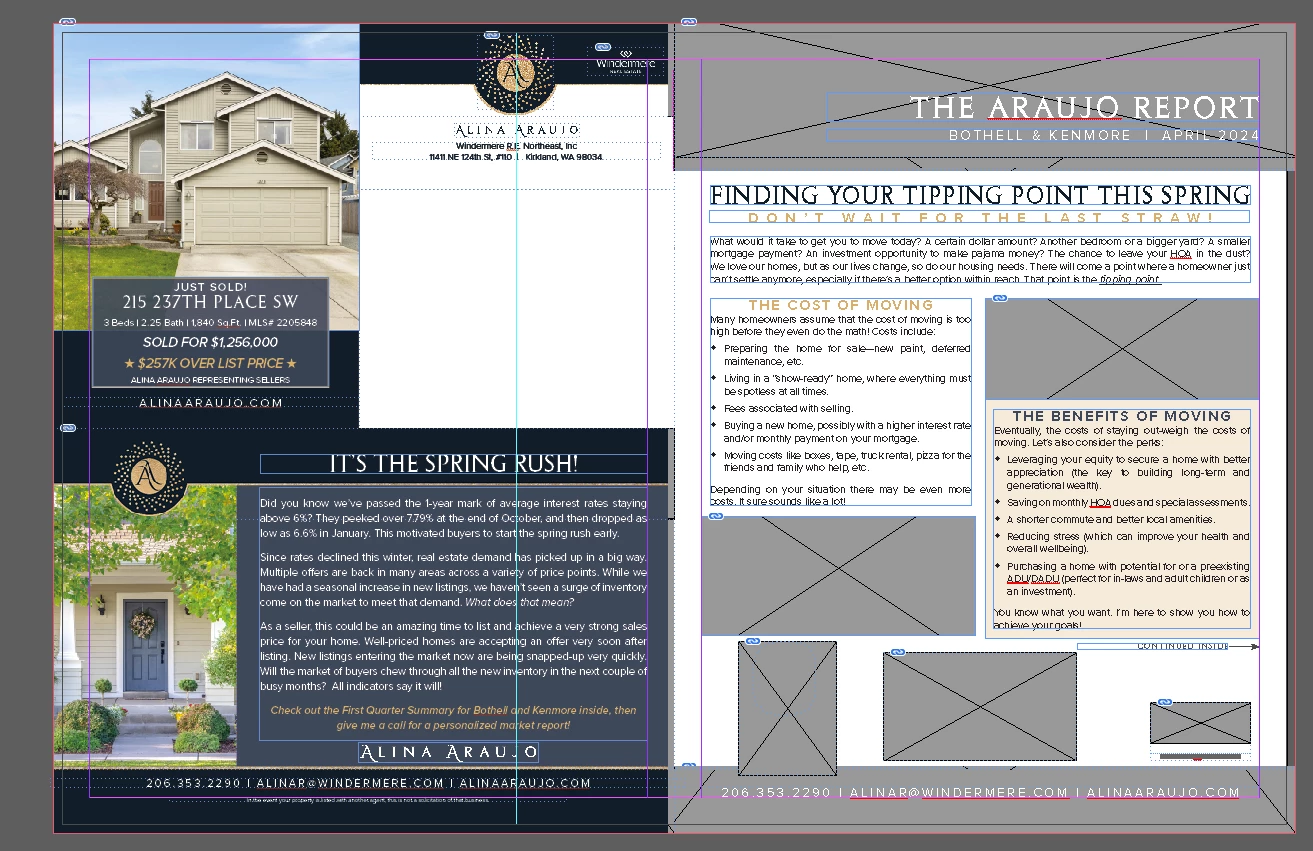
No, I'm not in "fast display." I use typical display, and I've checked and rotated thru the settings to see if one of them fixes it, but nope! I've checked all my settings, and nothing is different or off. InDesign is totally up to date, and so are my other programs, my graphics card, and my Windows 10 computer.
Please--what am I missing? Is this a feature? A bug? My computer desperately signaling its DNR as I grind through another 30 to 40 files in a day?
 AdChoices