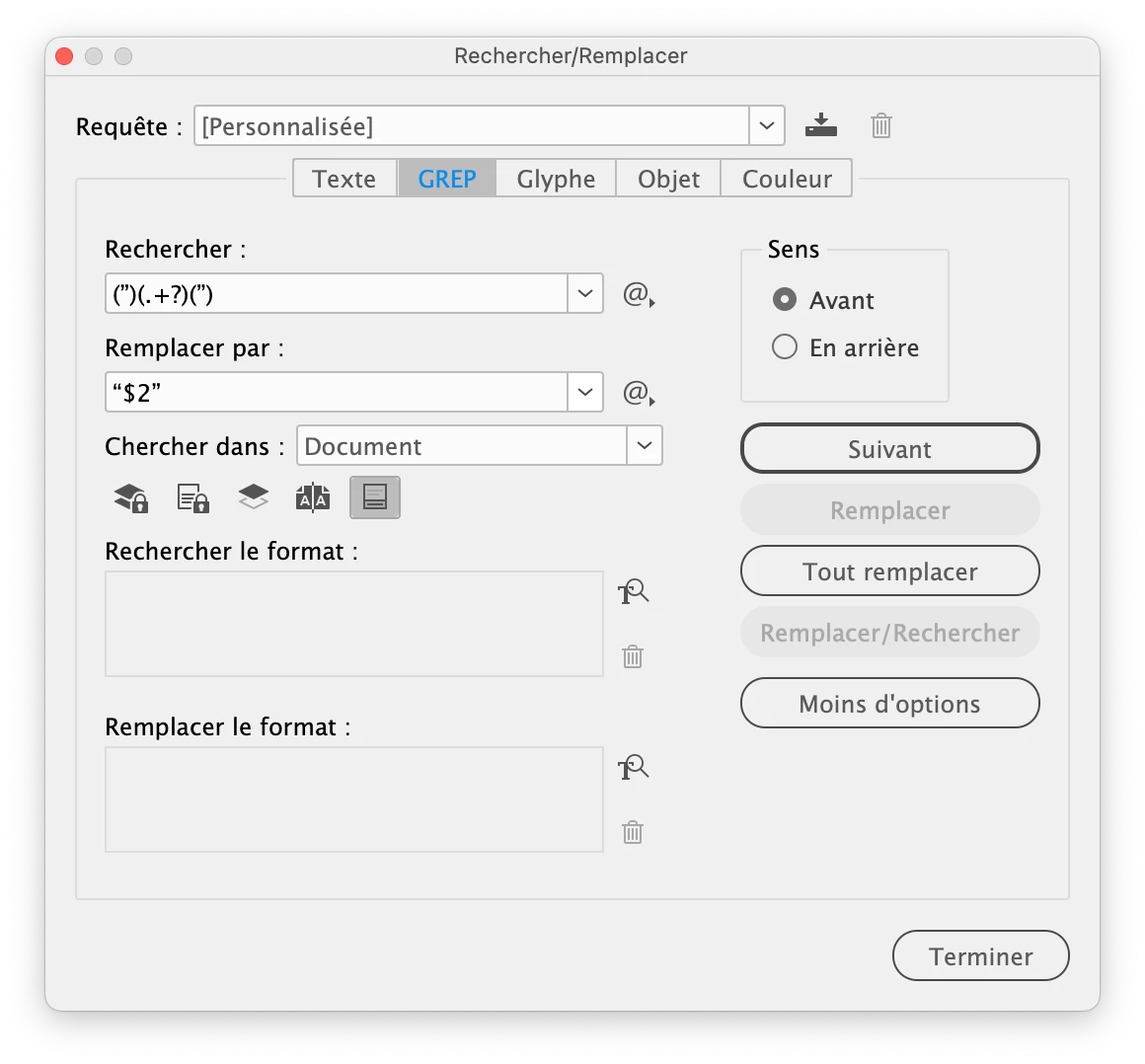
I have an Indesign document where the qoutation marks are done incorrectly. They have been made like this: 99 99. And they should be like this: 66 99. Is there a way to change this for instance by using search and replace?
I have an Indesign document where the qoutation marks are done incorrectly. They have been made like this: 99 99. And they should be like this: 66 99. Is there a way to change this for instance by using search and replace?
Worked like a charm!!! I cannot thank you enough! Can I trouble you with one detail more? :) If I do the same trick for the single quotation marks, like this: ‘Jmlevy’ - the search and find engine grabs the single quotation marks inside numbers. For instance: 1960’s. See attached. Is there perhaps a clever workaround for this too? :)
Sweet Jesus, you have saved me. THANX a million! Is there also a clever trick to avoid situations like this - see attached - where the FIND / CHANGE function reads your great code and thinks the last quotation mark of the previous quote is part of the next quote - so to speak? :) A Immense gratitude for helping me out!





 AdChoices