
Participant
September 23, 2023
Question

I'm trying to create 2 brochures in one 8.5x11 paper - IMAGE example included..

  • September 23, 2023
  • 2 replies
  • 615 views

I want to print 2 brochures on 1 piece of 8.5x11in paper.

Both front and back would be used of course.

I subscribed to InDesign because a youtube video looked like it may work, but I've been trying to make a template for 3 weeks.  Are there any templates to get me on the road easily or tutorials?  I also like seeing both the front and back on my screen to edit.  Is that artboard?  That would be a great part of the template too.  Or maybe there is actually an easier tool, maybe not even adobe!?


Here's an example of 1 of the 2 brochures from the the 8.5x11 quarter fold type brochure I want below:
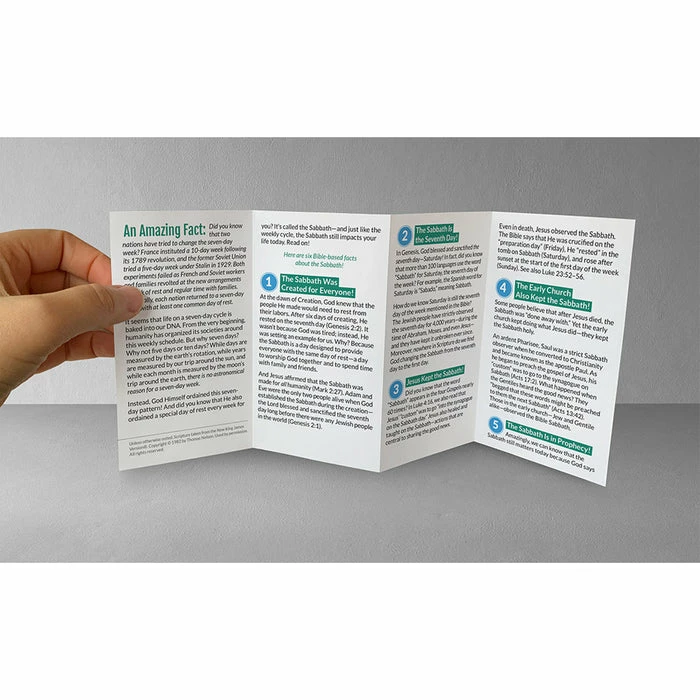
https://www.afbookstore.com/cdn/shop/products/MS-RYL-best-day-of-your-life-tract-3D-spread_700x.jpg?v=1682131162

This topic has been closed for replies.

2 replies

Community Expert
September 24, 2023

You will need 8 pages setup in a spread of 4 pages.


It's 11inches wide - so 11/4 is 2.75 inches per page. 


You can actually type 11/4 into the measurements
I've kept the margins as the default - that's up to you - you should keep all text within the margins. 

And if you need any colour or images to go right to the edge of the page you will need to Bleed them off the side into the artboard - called the Bleed area (you can look that up)


This is the bleed setting


Go to Window>Pages and  you will see the Pages Panel


Should look something like the above


Select all the pages in the Pages panel

Right click and choose to turn off the selection of allow document pages to shuffle (no tick beside it)


Select pages 2-3 and move them beside page 1

And do the same with pages 6,7,8 and move them beside Page 5


Your document now looks like this


5-8 are the inside pages (bottom) - which are actually Pages 2,3,4,5
Page 1 is the top right


Get some paper fold it up like that and write your page numbers on them.

Then follow it. 


Barb Binder
Community Expert
Community Expert
September 24, 2023

Hi @Christopher32487628href:


These two are available to license using stock.adobe.com.

https://stock.adobe.com/Search?ff_4815162342=true&k=four%20fold%20brochure&locale=en_US&x-product=IDSN%2F18.4&x-product-location=CCXStart-fnft%2Fundefined&x-radarSession=undefined&x-appSession=1C21966C-4D7B-4866-BA45-BAA4F86B6047&ute=true&filters%5Bcontent_type:template%5D=1&filters%5Btemplate_type_id%5D%5B%5D=3&as_channel=adobe_apps&as_source=app&as_campclass=brand&as_campaign=templates_IDSN


You can also create one on your own by dividing an 8.5" x 11" page into four columns. 


In either case, to see the front and back at the same time, right click page 1 in the Pages panel and start page numbering at  2 in Numbering & Section Options. 


~Barb

~Barb at Rocky Mountain Training