Participant
October 27, 2017
Question

I'm trying to fill a shape with text but make it fit perfectly

  • October 27, 2017
  • 3 replies
  • 253 views

Hi everyone,

I'm trying to make a cover for my class, but I'm having trouble trying to get the text to fit perfectly into the shape.
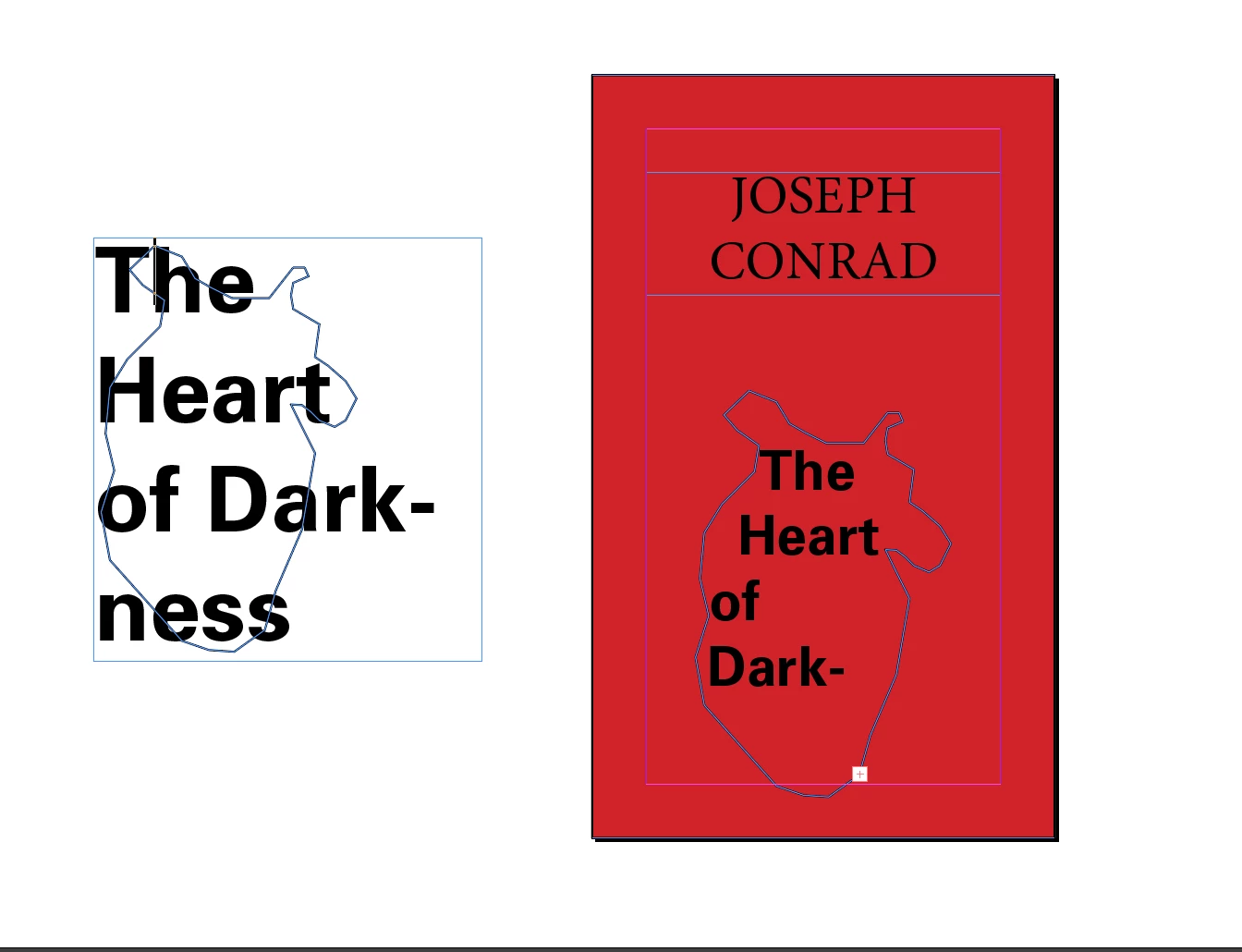
What I want to do is have the text fit perfectly into the heart outline, but I don't know how. Any help would be greatly appreciated

    This topic has been closed for replies.

    3 replies

    barbara_a7746676
    Community Expert
    Community Expert
    October 27, 2017

    As Jongware suggested, Illustrator would be a better choice. The shape is very irregular, so it's going to be a challenge fitting text to it. In fact, I would work with the text separately from the shape itself so that you have more control over shaping the text.

    If you have access to Illustrator, you could use the Gradient Mesh feature to warp the text into the shape you want. If you fill the shape with a color it will help to give the impression that the type is filling out the whole shape, even though it isn't. If you try to fit the text to the shape exactly, it may become unreadable.

    Quick example using gradient mesh on text. It will require a lot of tweaking to make it just right, which I didn't take the time to do. But this will give you the general idea.

    amaarora
    Inspiring
    October 27, 2017

    Hi,

    OR... you could make the text shape with the text automatically. But i doubt it will be a good idea with the shape you are having trouble with.

    Anyway, select the text frame and open text frame options(ctrl+b). Go to Auto size and choose any of the sizing settings.

    -Aman

    Jongware
    Community Expert
    Community Expert
    October 27, 2017

    Make the font smaller until it fits, that's really all there is to it. I don't really see how you could manually fit these words either (for a certain snugly definition of "fit"), but of course you can cut up the text frame into separate words and see if you can do better by hand.

    You may find Illustrator Is slightly more geared to what you want to do. Not in the tools or functions per se – as it doesn't have a "fit this text into any shape at all" function either – but it's more, generally speaking, targeted for illustrations rather than for page layout.