

Answered
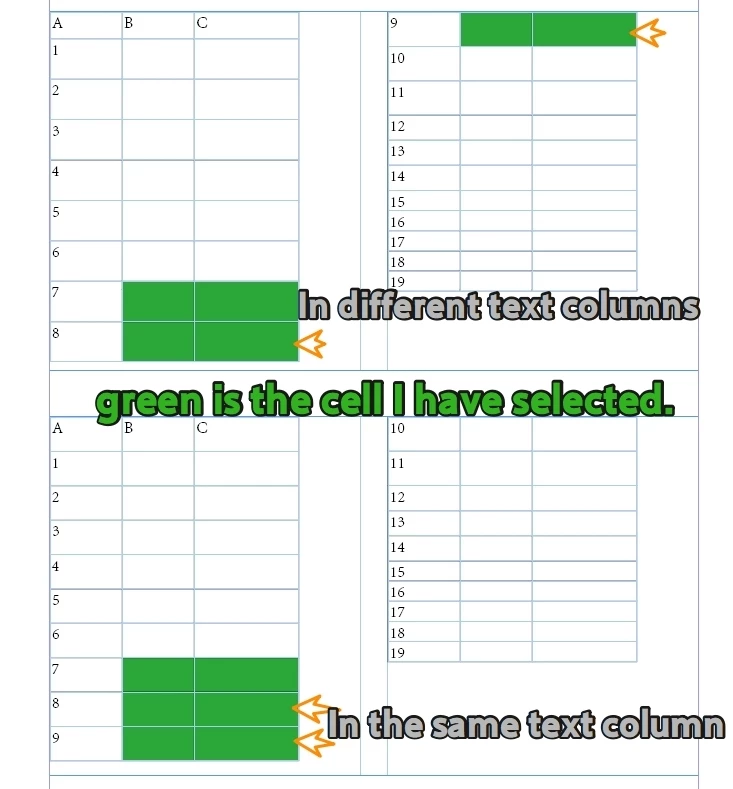
I still can't distinguish whether these two cells belong to different text columns.
Hello everyone.
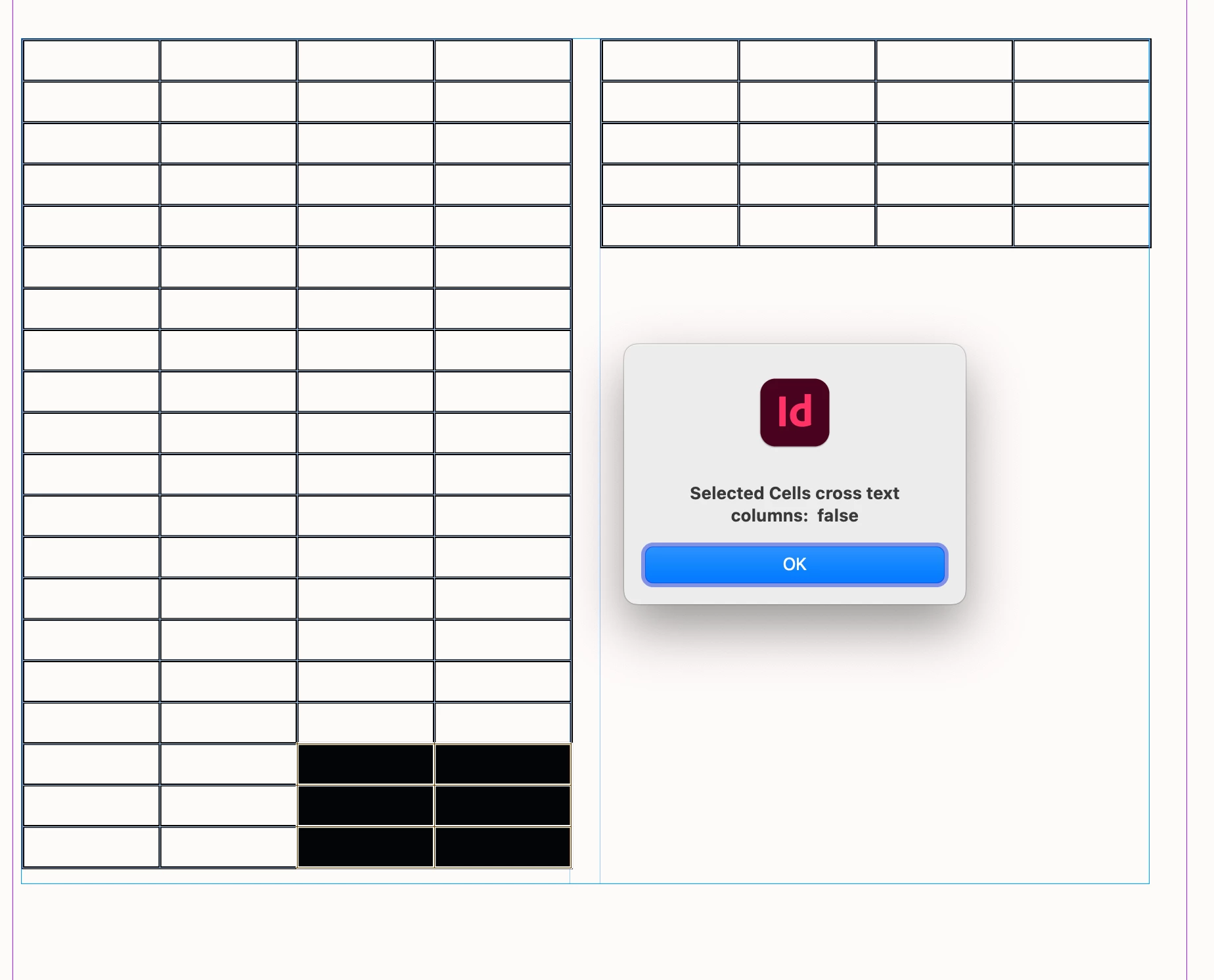
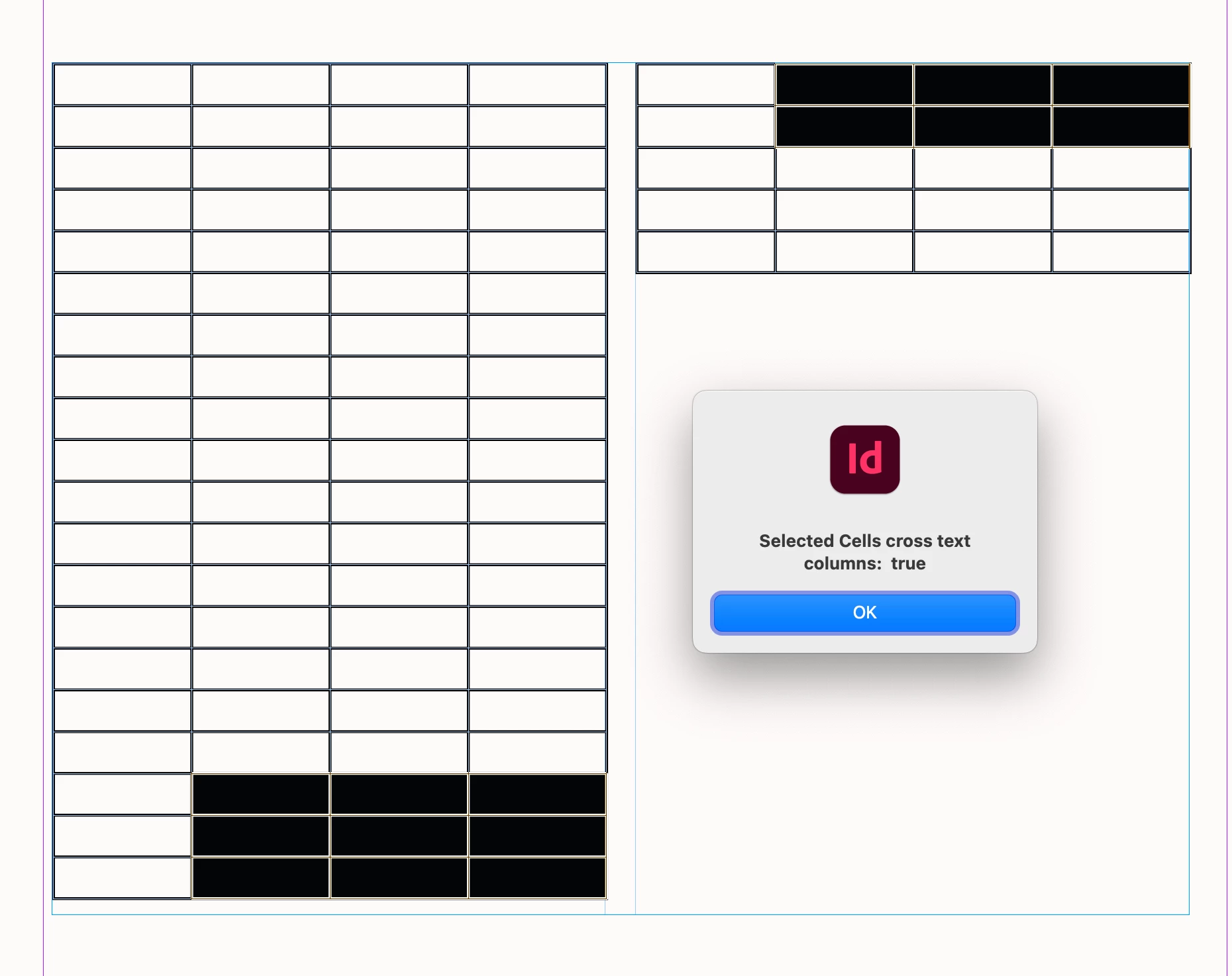
When this table spans two columns of text, I need to distinguish whether the last two rows of the cells I have selected are in the same or diffrent text column.
It seems that it is necessary to calculate the width of the text box, the width of the table, and the offset value of text [0] for each cell in order to determine.
The following method seems to be only applicable when tables cross text boxes. Among them, the selected row can be directly processed using the
var d = app.activeDocument;
var item = app.selection[0];
var selRows = getRows(d.selection[0]);
curFrame = item.texts[0].parentTextFrames[0];
var le = selRows.length;

var leftColumnOffset = selRows[le - 2].cells[0].insertionPoints[0].parentTextFrames[0];
var rightColumnOffset = selRows[le - 1].cells[0].insertionPoints[0].parentTextFrames[0];

//var leftColumnOffset = selRows[le - 2].cells.everyItem().getElements();
//var rightColumnOffset = selRows[le - 1].cells.everyItem().getElements();

//Are they always true?
alert(leftColumnOffset == rightColumnOffset)


//------------------The following is the getRows function-------------------

/**
 * Given cells, returns the cells' rows.
 * @author m1b
 * @version 2025-07-19
 * @param {Cell|Cells|Array<Row>} cells - the cells to get rows from.
 * @param {RowTypes} rowType - the desired row type.
 * @param {Boolean} [includeMergedRows] - whether to include merged rows (default: false).
 * @param {Table} [table] - the rows' table.
 * @param {Function} [isUnique] - private function to check for uniqueness.
 * @returns {Array<Row>}
 */
function getRows(cells, rowType, includeMergedRows, table, isUnique) {
    var rows = [],
        isUnique = isUnique || uniqueChecker();
    if (!cells)
        return;
    if ('function' === typeof cells.getElements)
        cells = cells.getElements();
    if (
        'Array' === cells.constructor.name
        && cells[0].hasOwnProperty('cells')
    ) {
        // to handle the case of expanding an array of rows to include merged rows
        for (var i = 0; i < cells.length; i++)
            rows = rows.concat(getRows(cells[i].cells, rowType, includeMergedRows, table, isUnique))
        return rows;
    }
    if (
        cells.hasOwnProperty('cells')
        && cells.cells.length > 0
    )
        cells = cells.cells;
    if (
        !cells.hasOwnProperty('0')
        || !cells[0].hasOwnProperty('parentRow')
    )
        // can't get rows from `cells`
        return [];
    var table = table || cells[0].parent;
    while (
        'Table' !== table.constructor.name
        && table.hasOwnProperty('parent')
    )
        table = table.parent;
    for (var i = 0, row; i < cells.length; i++) {
        spanLoop:
        for (var j = 0; j < cells[i].parentRow.rowSpan; j++) {
            row = table.rows[cells[i].parentRow.index + j];
            if (
                undefined != rowType
                && rowType !== row.rowType
            )
                continue spanLoop;
            if (includeMergedRows)
                rows = rows.concat(getMergedRows(row, isUnique));
            else if (isUnique(row.index))
                rows.push(row);
        }
    }
    return rows;

};


/**
 * Returns a function that, given a String, will
 * return true if that String has not been seen before.
 *
 * Example:
 *   var isUnique = uniqueChecker();
 *   if (isUnique(myThing))
 *     // do something with myThing
 *
 * @author m1b
 * @version 2025-05-01
 * @returns {Function}
 */
function uniqueChecker() {
    var unique = {};
    return function (str) {
        if (unique[str])
            return false;
        unique[str] = true;
        return true;
    };
};

 AdChoices