
Participant
May 30, 2024
Answered

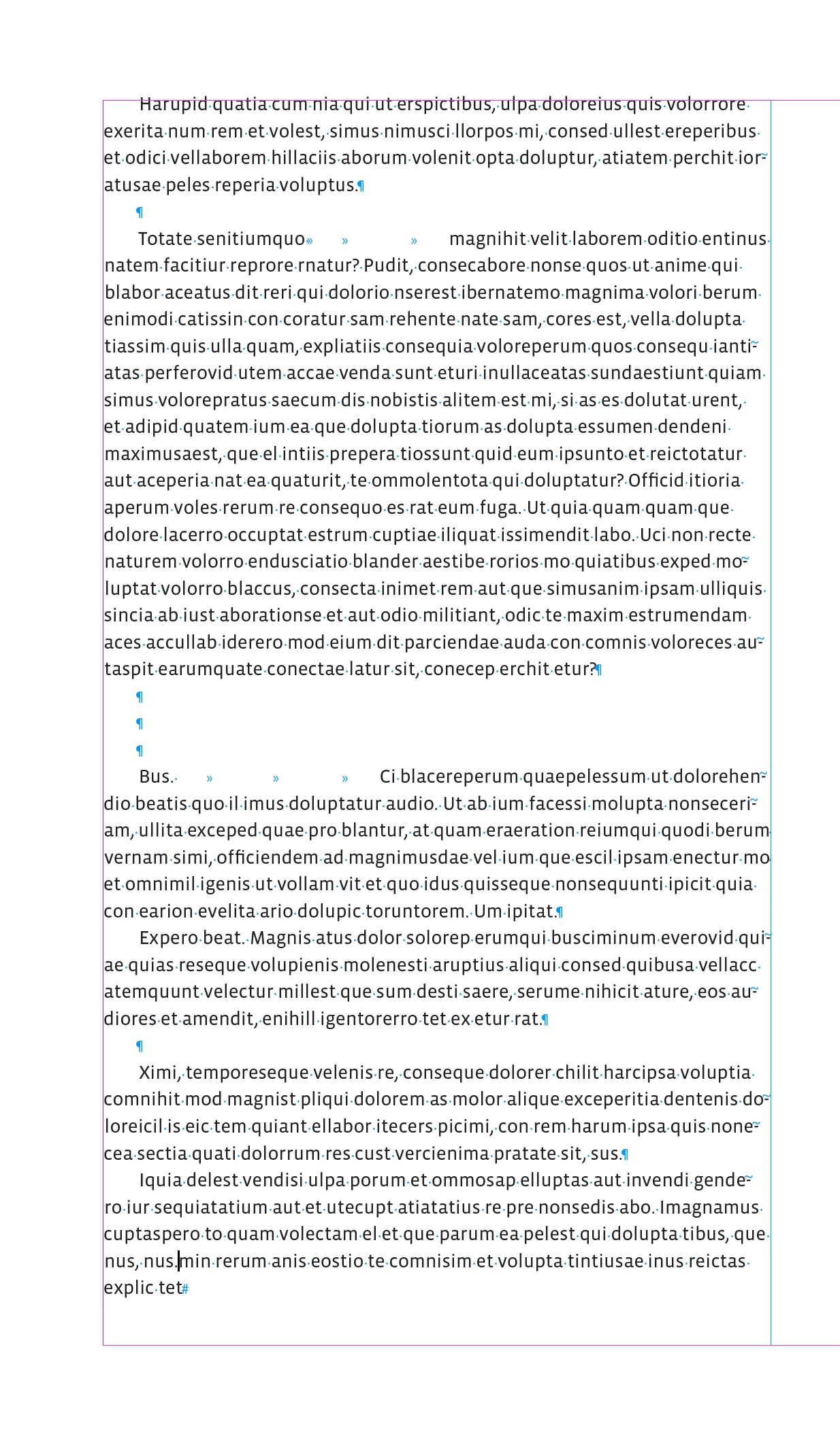
I want to remove the empty paragraph mark using GREP search?

  • May 30, 2024
  • 1 reply
  • 717 views

I am using the following code to find the empty paragraph mark the code finds the search but replace is not done perfectly.


Dim Occurances


indesignApplication.FindGrepPreferences = InDesign.idNothingEnum.idNothing
indesignApplication.ChangeGrepPreferences = InDesign.idNothingEnum.idNothing
indesignApplication.FindChangeGrepOptions.includeFootnotes = False
indesignApplication.FindChangeGrepOptions.includeHiddenLayers = False
indesignApplication.FindChangeGrepOptions.includeLockedLayersForFind = False
indesignApplication.FindChangeGrepOptions.includeLockedStoriesForFind = False
indesignApplication.FindChangeGrepOptions.includeMasterPages = False

indesignApplication.FindGrepPreferences.findwhat = "\r(?=\r)"

Occurances = indesignApplication.ActiveDocument.FindGrep()
indesignApplication.ChangeGrepPreferences.changeto = ""
If Occurances.Count <> 0 Then
For foundindex As Integer = 1 To Occurances.Count
Dim foundItem = Occurances.Item(foundindex)
Dim insertionPoint As InsertionPoint = foundItem.InsertionPoints.FirstItem
foundItem.Select()
foundItem.showtext

indesignApplication.Selection(1).ChangeGrep()
Next

End If


indesignApplication.FindGrepPreferences = InDesign.idNothingEnum.idNothing
indesignApplication.ChangeGrepPreferences = InDesign.idNothingEnum.idNothing

This topic has been closed for replies.
Correct answer rob day

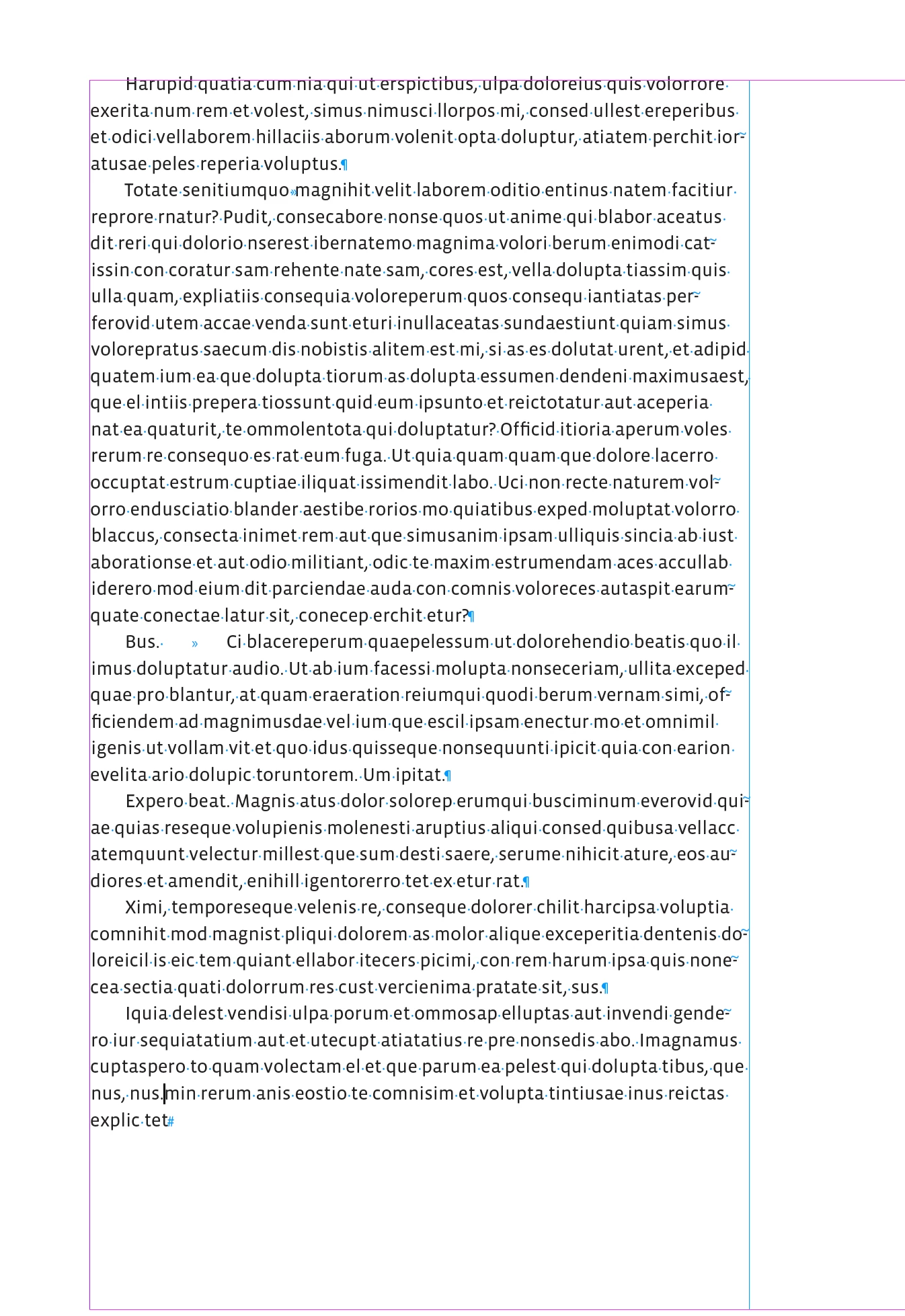
Hi @AyshaIsmail , I use this function for find and change—it‘s ExtendScript (not sure what your code is?)


//replaces multiple returns with single return
grepSearch("\\r+", "\\r");
//replaces multiple tabs with single tab
grepSearch("\\t+", "\\t");


/**
* Document Grep find and change 
* @ param f the find grep string 
* @ param c the change grep string
* @ return void 
*/
function grepSearch(f,c){
    app.findGrepPreferences = app.changeGrepPreferences = app.findChangeGrepOptions = null;
    app.findChangeGrepOptions.properties = {includeFootnotes:false, includeHiddenLayers:false, 
        includeMasterPages:false, includeLockedStoriesForFind:false, includeLockedLayersForFind:false} 
    app.findGrepPreferences.findWhat = f;
    app.changeGrepPreferences.changeTo = c;
    app.activeDocument.changeGrep( true )
}


Before and after:


1 reply

rob day
Community Expert
rob dayCommunity ExpertCorrect answer
Community Expert
May 30, 2024

Hi @AyshaIsmail , I use this function for find and change—it‘s ExtendScript (not sure what your code is?)


//replaces multiple returns with single return
grepSearch("\\r+", "\\r");
//replaces multiple tabs with single tab
grepSearch("\\t+", "\\t");


/**
* Document Grep find and change 
* @ param f the find grep string 
* @ param c the change grep string
* @ return void 
*/
function grepSearch(f,c){
    app.findGrepPreferences = app.changeGrepPreferences = app.findChangeGrepOptions = null;
    app.findChangeGrepOptions.properties = {includeFootnotes:false, includeHiddenLayers:false, 
        includeMasterPages:false, includeLockedStoriesForFind:false, includeLockedLayersForFind:false} 
    app.findGrepPreferences.findWhat = f;
    app.changeGrepPreferences.changeTo = c;
    app.activeDocument.changeGrep( true )
}


Before and after:


Bevi Chagnon - PubCom.com
Legend
May 30, 2024

You can also remove empty (blank) paragraphs with a common search and replace.


  • Edit / Find Change
  • Find what: ^p^p

— (note that ^p is the standard computer metacharacter for paragraph marks)

— Search for 2 in a row and replace with 1.

  • Change to: ^p


|&nbsp;&nbsp;&nbsp;&nbsp;Bevi Chagnon &nbsp;&nbsp;|&nbsp;&nbsp;Designer, Trainer, &amp; Technologist for Accessible Documents ||&nbsp;&nbsp;&nbsp;&nbsp;PubCom |&nbsp;&nbsp;&nbsp;&nbsp;Classes &amp; Books for Accessible InDesign, PDFs &amp; MS Office |