

Answered
I was working on my project and suddenly my texts looked like that
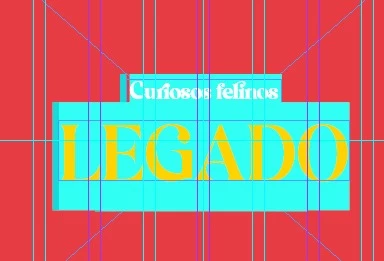
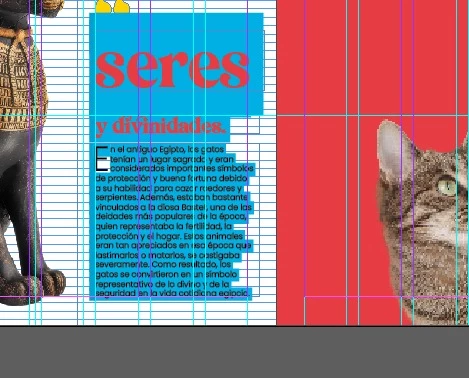
I don't know what happened and how to fix it, I need help asap 😞

I don't know what happened and how to fix it, I need help asap 😞
Already have an account? Login
Enter your E-mail address. We'll send you an e-mail with instructions to reset your password.



 AdChoices