Participant
July 14, 2026
Answered

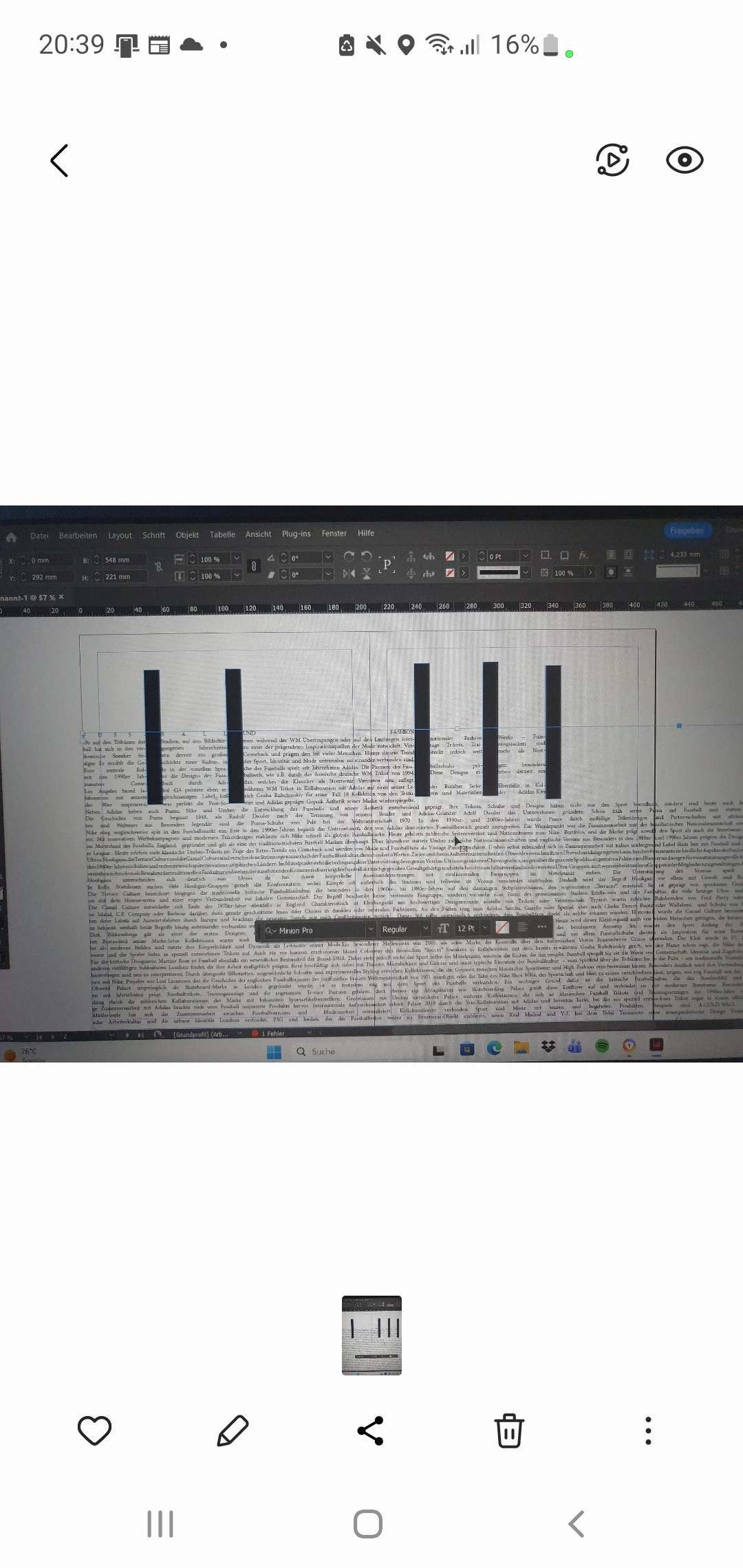
Iam creating a layout where I have 5 vertical lines dividing my text. After the 4th line the text is not wrapping around it anymore. I changed the syllable division. Made all the lines one objekt and changed the Distance.

  • July 14, 2026
  • 3 replies
  • 58 views


    Correct answer Abhishek Rao

    Hi ​@Sonnenscheine69,


    Thanks for your patience while we looked into this.

    We checked this behavior further with the product team, and it appears to be a limitation in how InDesign composes text when there are multiple text-wrap interruptions on the same line. With several adjacent wrapped objects, the text composer may not always place words into every remaining visible gap, even if it appears that there is enough space.

    We understand this functionality would be useful. If you'd like to see it improved, please consider submitting a feature request on Adobe InDesign UserVoice: https://indesign.uservoice.com/. Once you've created it, feel free to share the link here so other users can upvote it. This helps our team better prioritize future enhancements.


    Feel free to reach out if you have any other questions. We're happy to help!

    Abhishek

    3 replies

    Abhishek Rao
    Community Manager
    Community Manager
    July 15, 2026

    Hi ​@Sonnenscheine69,


    Thanks for reaching out. To help us better understand what's happening, could you please share a screenshot of the Text Wrap panel with the last vertical object selected?

    Also, could you try reproducing the issue in a new InDesign document? For example, create a new file, add a text frame with some sample text, create the vertical boxes, apply Text Wrap to them, and check whether the text wraps correctly around all of them. This will help verify that the issue isn't related to any paragraph or character styles or document-specific settings.

    If the issue still occurs in the new document, or if possible, please share the sample InDesign file (.indd) (or a simplified version that reproduces the issue) with us. That will help us investigate the behavior further.


    Looking forward to hearing back. 

    Abhishek

    Abhishek Rao
    Community Manager
    Abhishek RaoCommunity ManagerCorrect answer
    Community Manager
    July 17, 2026

    Hi ​@Sonnenscheine69,


    Thanks for your patience while we looked into this.

    We checked this behavior further with the product team, and it appears to be a limitation in how InDesign composes text when there are multiple text-wrap interruptions on the same line. With several adjacent wrapped objects, the text composer may not always place words into every remaining visible gap, even if it appears that there is enough space.

    We understand this functionality would be useful. If you'd like to see it improved, please consider submitting a feature request on Adobe InDesign UserVoice: https://indesign.uservoice.com/. Once you've created it, feel free to share the link here so other users can upvote it. This helps our team better prioritize future enhancements.


    Feel free to reach out if you have any other questions. We're happy to help!

    Abhishek

    Community Expert
    July 15, 2026

    Hard to know frmot he screenshot - there’s no paragraph or character settings shown and the Text Wrap panel is not active with the last item selected.


    My guess is the last object has an increased text wrap on the right side.