
vvv---vvv
Known Participant
June 16, 2025
Question

ICC profile used, seen as „DeviceCMYK“ in PDF. Why?

  • June 16, 2025
  • 2 replies
  • 451 views

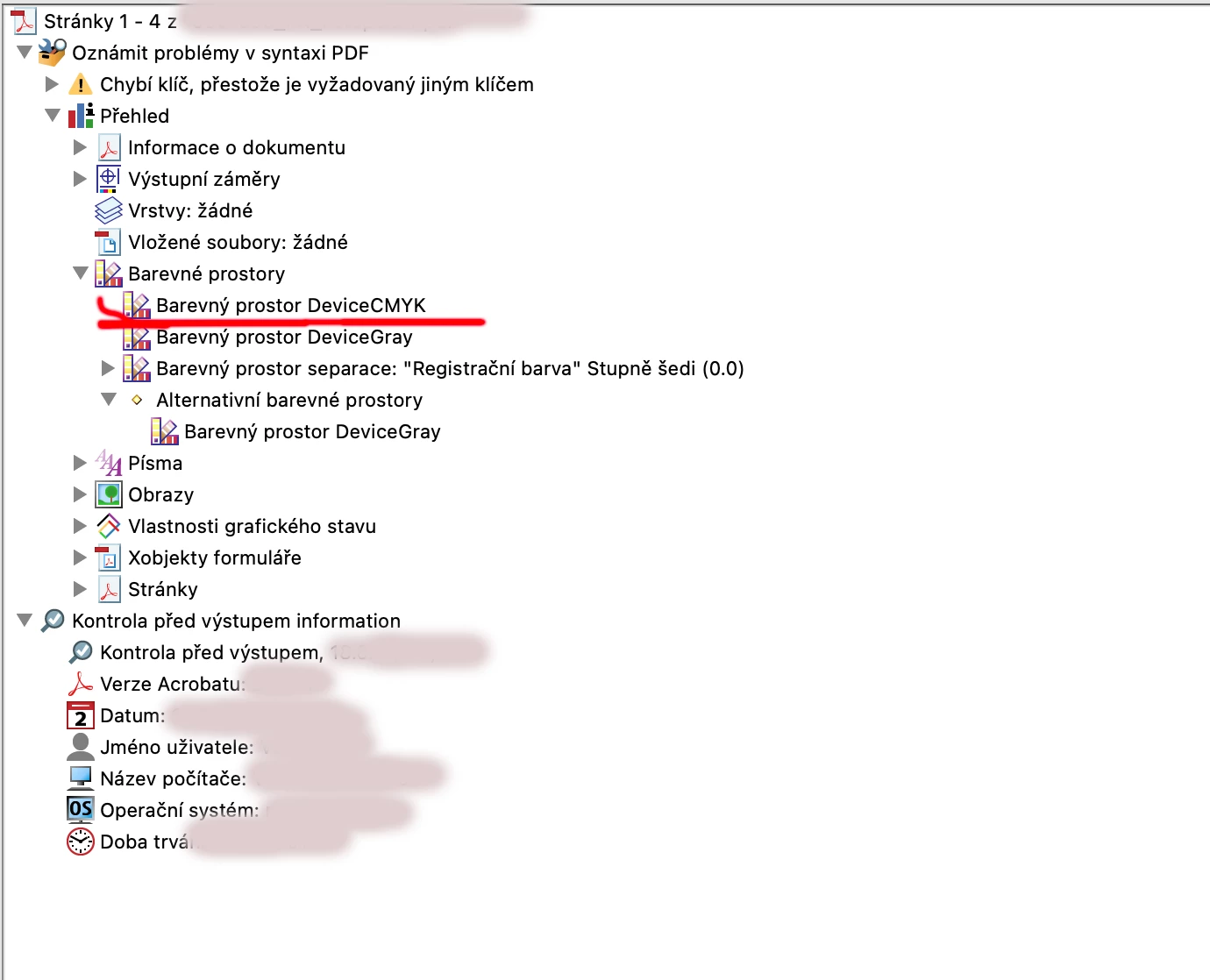
Hi, I'm using Fogra 51 ICC profile in my Indesign, everything is correct while exporting but after a while, when I was possibly able to find where to find the info about ICC in PDF, I found only „DeviceCMYK“. Why I can't see PSO Coated over there, as it is done from INDD by export? („Barevny prostor“ means „color space“). Thank you for any possible explanation.
    2 replies

    Brad @ Roaring Mouse
    Community Expert
    Community Expert
    June 16, 2025

    What are your PDF export settings, especially for Output?

    If you are looking for your Document Intent, that would be here:

    ...assuming you've exported your PDF using a setting that includes Document Intent.

    The area you indicate shows any profiles that have been added to the file, like for any placed images. However, InDesign by default ignores any embedded CMYK profiles (which is a good thing, actually), so you won't see any there. You can override this by selecting Options > Color in the Place dialog when you place such an image, but there should be a realy good reason to so so. 

    You can also change your Color Settings to Preserve Embedded Profiles for CMYK images (*which will only affect any new documents AFTER you make the change)

    vvv---vvv
    vvv---vvvAuthor
    Known Participant
    June 23, 2025

    Thank you. I'm not sure I understand well. It is quite common practice for print, profile is necessary – for the specific paper. It is common to add for example Fogra 51 (PSO_coated3) into the Adobe (or at least InDesign) and export files with this profile. It should stay in PDF. It's desirable, needed. There is no „good reason“ to ignore such a profile. I believe you mean something different than I need to solve.


    rob day
    Community Expert
    Community Expert
    June 23, 2025

    Hi @vvv---vvv , To get everything tagged, set the Standard to None and Profile Inclusion Policy to Include All Profiles


    This would export all CMYK color with a profile, but in that case you run the risk of black only text converting to 4-color if there is a conflict at output.


    If the tagged black text conflicts with the output profile there will be a conversion to 4-color even for small, black only text


    John T Smith
    Community Expert
    Community Expert
    June 16, 2025

    You need to ask program questions in the forum for the program you are using
    To ask in the forum for your program please start at https://community.adobe.com/
    Moving from Using the Community (which is about the forums) to the InDesign forum