
Werbepaula
Participant
October 8, 2017
Answered

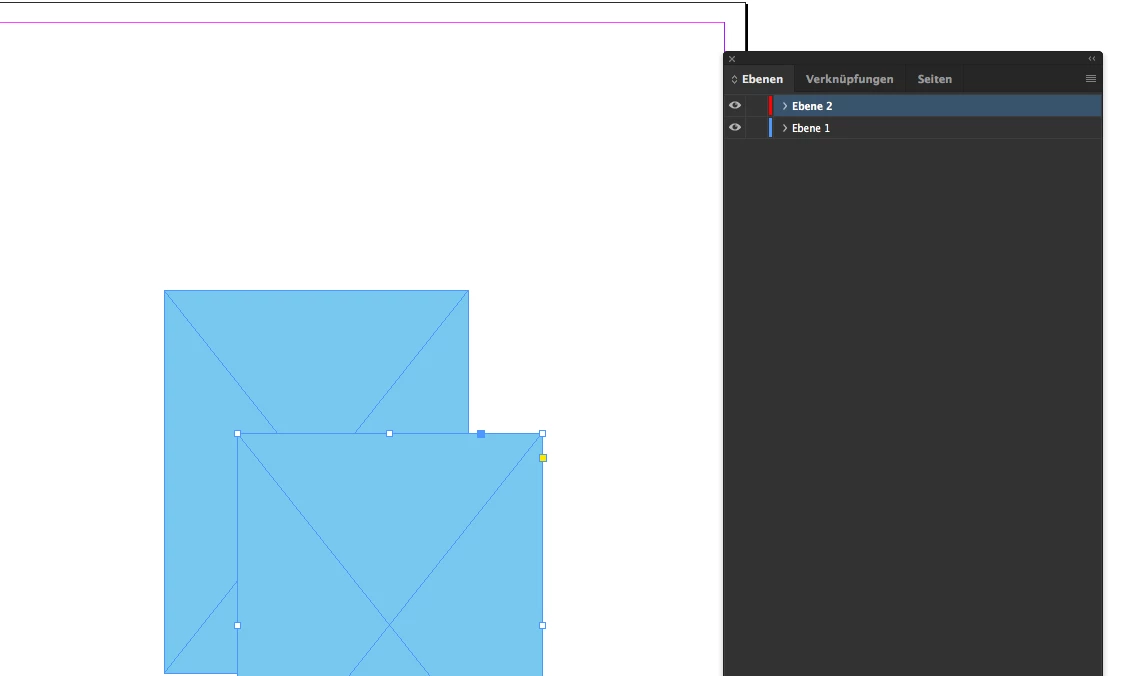
Ich kann neuerdings keine Objekte auf Ebenen verschieben. Es fehlt das kleine "Quadrat" das ich auf eine andere Ebene schieben kann. Im Srennshot ist zwar die Rote aktivier, aber auch die Blaue ändert nichts. Weiß jemand Rat? Danke
  • October 8, 2017
  • 2 replies
  • 1115 views

This topic has been closed for replies.
Correct answer winterm

It happens.

Definitely, you need to trash your preferences.

https://forums.adobe.com/thread/526990

2 replies

Bill Silbert
Community Expert
Community Expert
October 8, 2017

You can bring back the squares in the layers panel by trashing your InDesign Cache files.

To do so:

For Macintosh Users: With InDesign closed launch a Finder Window in column view and click on your home folder. With the Option Key pressed choose Library from the Finder Go Menu. Within the Library folder find the “Caches” folder. Within the Caches folder find and delete the entire file “Adobe InDesign”. I find that deleting the cache file completely leads to a lasting change. 

For Windows Users: Follow the path to C:\Users\[User Name]\AppData\Local\Adobe\InDesign\Version [#]\en_US\Cache.

Werbepaula
Participant
October 9, 2017

Thank You.

winterm
wintermCorrect answer
Legend
October 8, 2017

It happens.

Definitely, you need to trash your preferences.

https://forums.adobe.com/thread/526990

Werbepaula
Participant
October 9, 2017

Thank you.