
Answered
ID 2022 not honoring space before
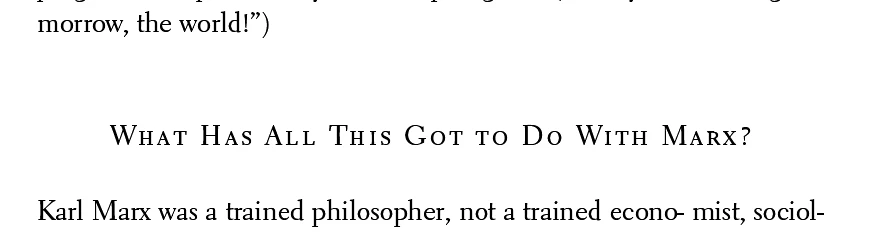
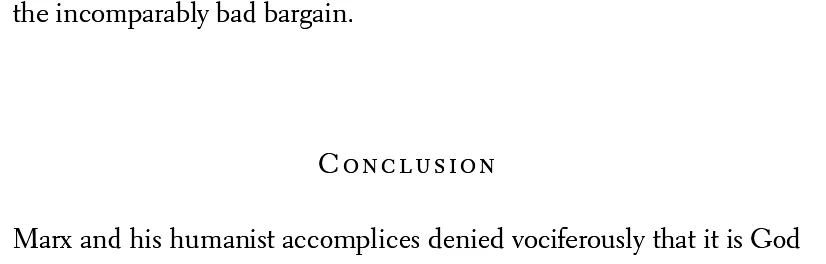
Hey folks, I have a super weird issue. InDesign is messing up the space before on a specific style. The space before is set to 2p6 on this header. A few issues happen.
- InDesign will sometimes add quite a bit of extra space before, well more than 2p6 (and this is not from the previous paragraph style, which has 0p0 of space after).
- When I hit enter and start typing, the first few characters will . . . simply not affect the heading position at all; after a few characters, it'll bump the heading down to the incorrect amount (see videos).
- Sometimes when I hit enter and start typing, it will initially bump the heading down exactly as expected, but then after a few characters bump it down an additional amount.
Very bizarre, and it does not happen in ID 2019 which I am using. But I need to use ID 2022 if at all possible.
I created a new InDesign 2022 document and carefully recreated every style I needed just in case there was some random paragraphy style somewhere messing with stuff; no dice. The problem popped up. The problem occurs across other InDesign files using the same font and paragraph styles; the problem persists even when I change fonts, too.
Any ideas? I've attached a bunch of stuff.
CORRECT SPACING - 2P6:
INCORRECT SPACING - 2P6 + ??? :


 AdChoices