
Inspiring
March 10, 2025
Question

ID crashes: replacing color

  • March 10, 2025
  • 2 replies
  • 331 views

It would have been a nice  feature: replacing a color.

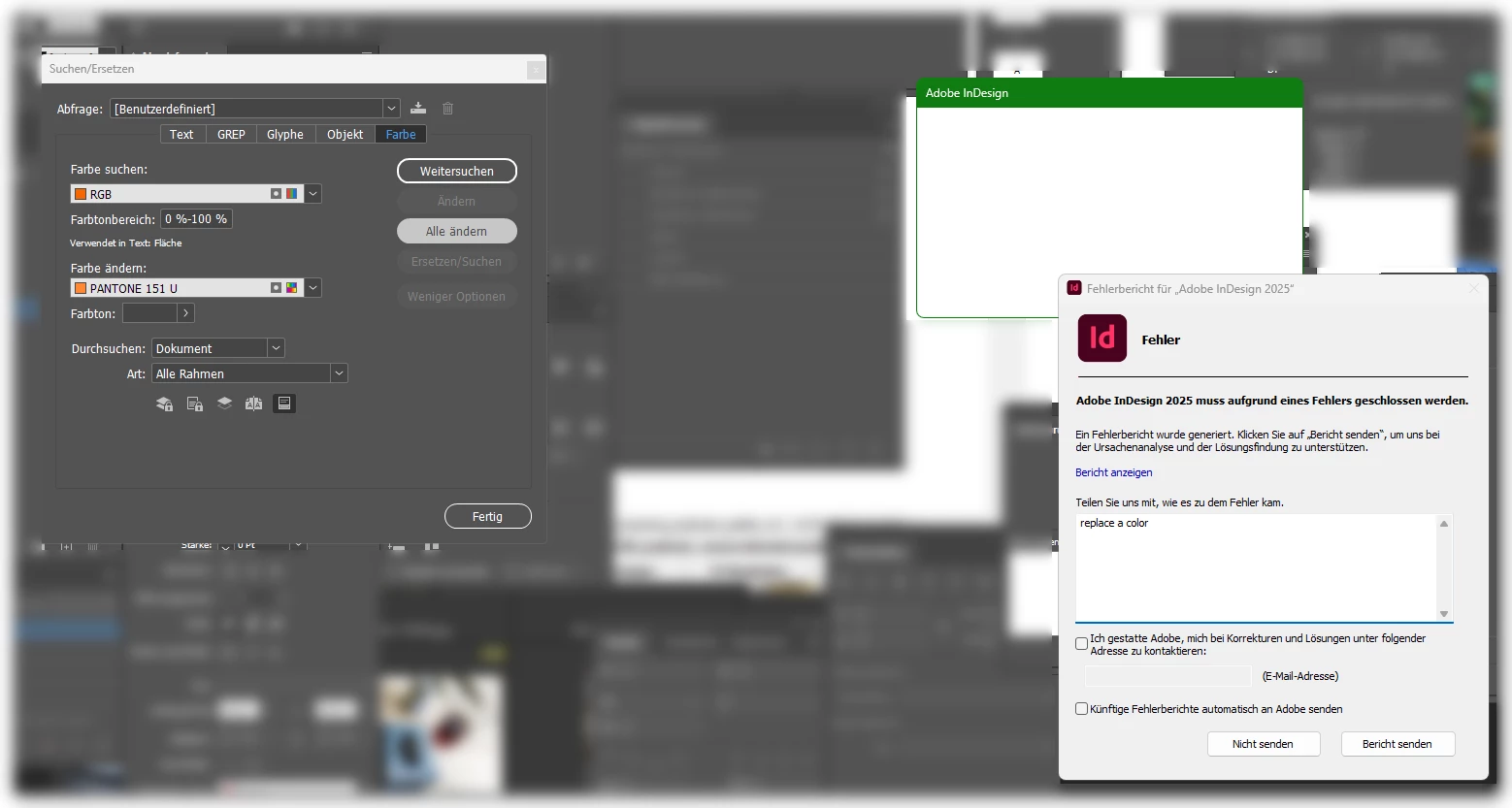
But I had to do this by handy. ID – latest version on Windows – crashes each time. Aber hitting "change all" the blank window titled "Adobe InDesign" appears. Then nothing happens for some seconds – and the ugly error message appears.
 

2 replies

Abhishek Rao
Community Manager
Community Manager
March 11, 2025

Hi @my cc,  


I saw that a crash report was submitted with your community email address, and I’ll be checking it with the product team. In the meantime, could you try Robert’s latest workaround of creating a new document and moving all pages there?  

Let me know how it goes! I’ll update you as soon as I hear back from the team.  


^

Abhishek

Abhishek Rao
Community Manager
Community Manager
March 13, 2025

Hi @my cc,  


I checked with the product team, and they’d like to investigate further. Could you share the exact steps you follow before the crash occurs? Also, if possible, please provide the InDesign file where this happens (along with any assets). Reference: https://adobe.ly/43PHdPk
A short screen recording of the issue would also help us reproduce it internally.  

Looking forward to your update! I’ll keep you posted on any findings from the team.  


^

Abhishek  

my ccAuthor
Inspiring
March 17, 2025

Can you please send me an internal email adress of your service team? I do not want to publish my screen recording in this forum

Robert at ID-Tasker
Legend
March 10, 2025

Maybe your file is corrupted. 


Try IDMLing - export as IDML, open, save with a new name - do not overwrite your original file. 


If it doesn't help - please check this thread: 


https://community.adobe.com/t5/indesign-discussions/reset-indesign-preferences-and-other-troubleshooting/td-p/11990234 


my ccAuthor
Inspiring
March 11, 2025

Okay, then always the same procedure.

Robert at ID-Tasker
Legend
March 11, 2025
quote

Okay, then always the same procedure.


By @my cc


A few weeks ago a lot of people reported problems on Windows 11 after latest updates - to Windows. 


The solution was to remove / roll back / repair some of the KBxxxxxxx updates.