

dublove
Legend
December 1, 2022
Question

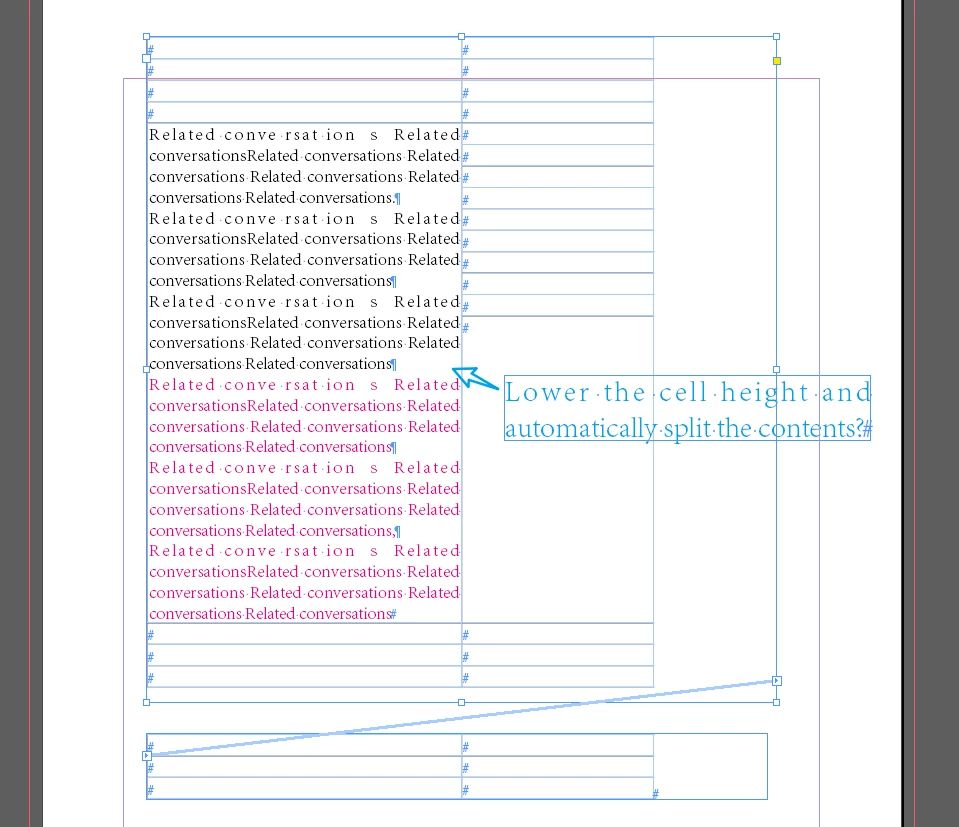
If there is too much content in a cell, how can I automatically split part of the content to next?

  • December 1, 2022
  • 3 replies
  • 308 views

If there is too much content in a cell, how can I automatically split part of the content to the next page?


I know that Word can automatically split the content to the next page.

It seems that there is no feasible way to use ID, only manually?
 

This topic has been closed for replies.

3 replies

JR Boulay
Community Expert
Community Expert
December 2, 2022

This free script might help you:

http://eugenyus.rudtp.ru/en/splitTRowByPars

Acrobate du PDF, InDesigner et Photoshopographe
James Gifford—NitroPress
Legend
December 1, 2022

Word is, in the end, a very different tool from InDesign. Things like very long tables with large, multipage cells are inherent and necessary in office documents, but must be manually managed and limited in a layout app. It's just a fact of the different usage — Word's a fairly lousy layout tool, and ID a mediocre text editor. 🙂


Steve Werner
Community Expert
Community Expert
December 1, 2022

That feature is not in InDesign.

This has been a frequently requeted feature. You can vote for it in InDesign User Voice:


https://indesign.uservoice.com/forums/601021-adobe-indesign-feature-requests/suggestions/33854788-option-to-split-table-rows-across-pages