Inspiring
August 5, 2022
Answered

Illustrator to InDesign to PDF: Transparency Export Issues

  • August 5, 2022
  • 6 replies
  • 666 views

I'm having trouble exporting a PDF in InDesign. In the Workspace, the graphic appears normal, like so:
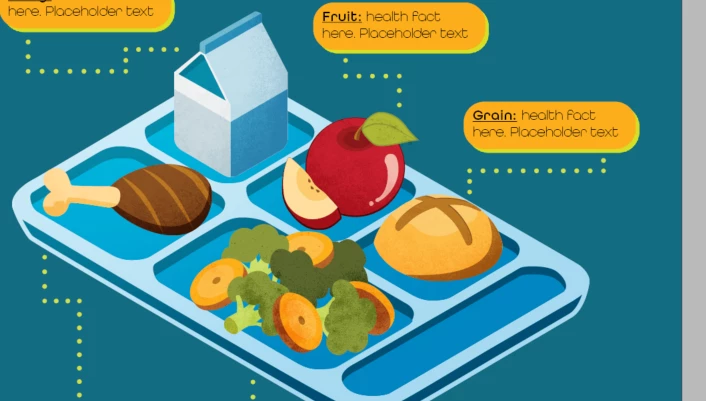
However, when I export, the design shows the clipping mask on the graphics I made in Illustrator, despite the texture mask being clipped to the graphic. (Apologies if that sounded confusing)


I've tried editing my Transparency Blend settings from CMYK to RBG and changing my output destination in the same way, but I still have the issue.


Has someone dealt with this export issue before and know how to solve it?

This topic has been closed for replies.
Correct answer chaelac971014

Solved: re-exported each graphic as a PNG

6 replies

Inspiring
August 8, 2022

if your assets mix RGB and CMYK, your masks will appear clearly - just an FYI. Keep it all CMYK and you will be fine in the future.

Community Expert
August 8, 2022

@chaelac971014 said:

"Also, I created these graphics in Illustrator, then clicked and dragged them into my CC Library. Then pulled them from my library to the InDesign Document"


Did you try to place the AI graphic without using the CC Library?

I would try this.


Regards,
Uwe Laubender
( Adobe Community Professional )

Peter Spier
Community Expert
Community Expert
August 5, 2022
Willi Adelberger
Community Expert
Community Expert
August 5, 2022

What file types did you use to place the mask and graphics?

In what programs they were created?

Inspiring
August 5, 2022

I created the graphics in Illustrator and then added them to my CC library. I pulled them into the InDesign doc from there

Willi Adelberger
Community Expert
Community Expert
August 5, 2022

What file type did you save them?

BobLevine
Community Expert
Community Expert
August 5, 2022

Exported using what settings?

Inspiring
August 5, 2022

Adobe PDF (Print)
[High Quality Print]

Convert to Destination: Document RGB - sRGB IEC61966-2.1; also tried Document CMYK - U.S. Web Coated (SWOP) v2


Also, I created these graphics in Illustrator, then clicked and dragged them into my CC Library. Then pulled them from my library to the InDesign Document

Inspiring
August 5, 2022

I'm not sure why the second screenshot didn't upload. Let me try again:


chaelac971014AuthorCorrect answer
Inspiring
August 5, 2022

Solved: re-exported each graphic as a PNG