
dmsduco
Inspiring
July 24, 2019
Question

Image color settings lost in IDML conversion

  • July 24, 2019
  • 3 replies
  • 879 views

I have a document with some local color settings applied to the image using Graphics > Image Color Settings...

The images are set to sRGB... After a round trip to IDML, this is set back to Use Document Default.
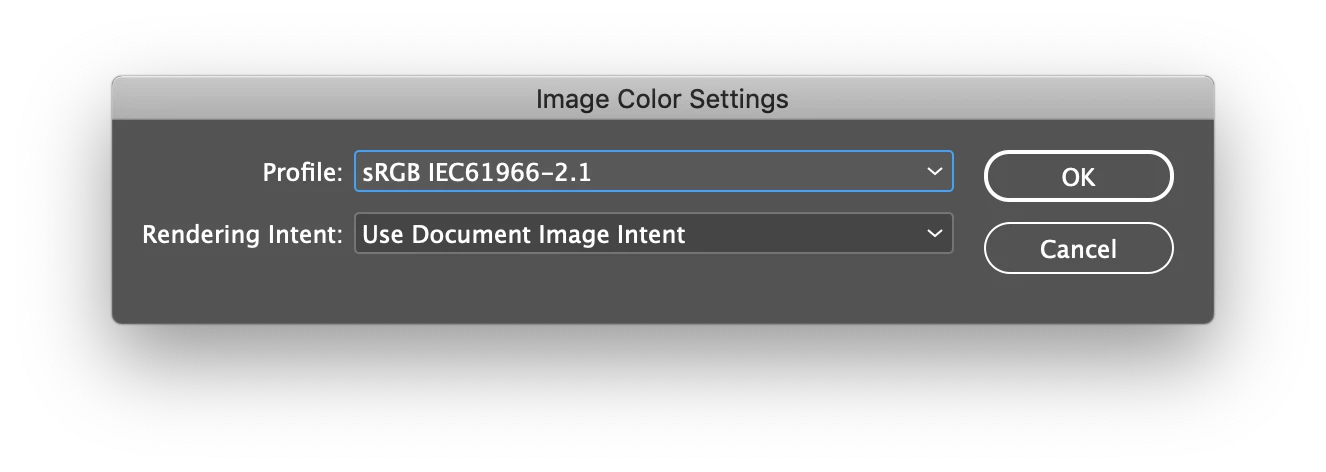
Am I overlooking something here, or is this a bug?

The IDML is used for translatation of the document. Because of this issue, I noticed color changes in a translated document.

This topic has been closed for replies.

3 replies

rob day
Community Expert
Community Expert
July 24, 2019

I'm seeing the same as Uwe, an image setting override is kept with an INDD to IDML to INDD round trip. It does sound like the IDML xml is being edited and resaved? If that's the case it is probably happening during the edit.

Are you trying to re-assign a profile to an image that has another profile assigned, or are you assigning a profile to an RGB image that has no embedded profile? If it's the later, you shouldn't need to use Object>Image Color Settings. RGB images with no embedded profile automatically get the document‘s RGB profile assignment. So if you want an untagged image to get sRGB assigned, just make sure the ID doc is assigned sRGB via Edit>Assign Profiles...

dmsduco
dmsducoAuthor
Inspiring
July 25, 2019

Ok so here’s a little more info.

  • Generated and opened in the same InDesign installation (14.0.2 on macOS)
  • The issues happens even without translating the IDML, so our translation software isn’t the culprit.

Application color settings:

Document color settings:

Note that this is an old document with lots of stuff. That's why I don't alter the document settings (to working space) and applied the local override of the placed image.

The image has sRGB embedded. I'm not sure why the document color setting (Adobe RGB) wins it from the Preserve Embedded Profiles setting.

It's not a huge issues btw. But I'm curious as to what's the reason here to avoid issues in the future.

dmsduco
dmsducoAuthor
Inspiring
July 25, 2019

Sorry for the double post. The previous one was from yesterday, I forgot to hit the post button

I tested by copying the design to a new document with the same document color settings. With that document, the image color settings DO survive the IDML round trip. So I guess there must be some issue with the InDesign document (which unfortunately I cannot post due to privacy reasons).

Anyway, for me the issue is closed. Thanks for all the help!

Community Expert
July 24, 2019

Hi dmsduco ,

that's rather unusual. At least if you stick with InDesign.

Just tested this with a placed RGB image that has no ICC profile saved with.

Applied sRGB. It will show with a little + in front of the profile name in the Links panel:

Saved as IDML file, changed the Color Settings of InDesign to something entirely else and opened the IDML file with the same version of InDesign plus with an older version. No issue so far. The applied sRGB was still sticking with the image. Did that even if I turned OFF color management which no one really should do:

Hm. What is the translation software that handled the IDML file?

Regards,
Uwe

Randy Hagan
Community Expert
Community Expert
July 24, 2019

I'd like to help, but I'd need more information to lend a hand, like:

What version of InDesign was used to generate the .idml file?

What version of InDesign was the .idml file opened in to generate the alert you shared with us?

Was the file opened in the same machine that generated it?

If not, do both machines have the same color settings?

What are the overall color settings for InDesign on the machine(s)?

Were all of the graphics changed to your specific local settings, or only some of them?

Were the specific local color settings also RGB based?

In general, output of InDesign files will correspond to the color settings of the application. Especially if there are conflicting color settings within the source file. Answers to the questions above will help us — and you — resolve the source of any perceived problems.

Hope this helps,

Randy