Participant
August 25, 2026
質問

Image colours dull on Publish Online export

  • August 25, 2026
  • 返信数 5.
  • 35 ビュー

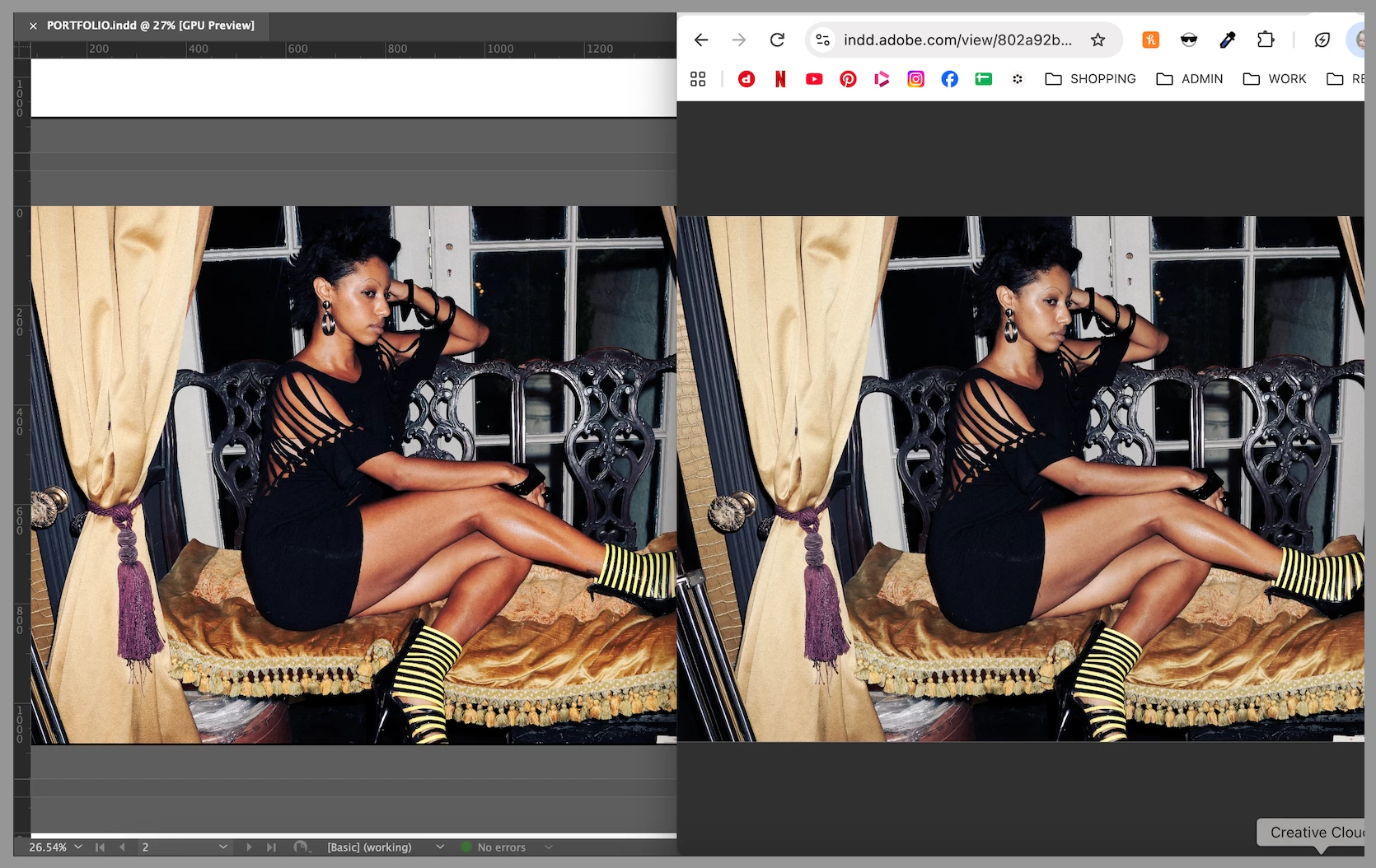
When I publish online, the images in the document all turn dull in colour and contrast, even though the graphics remain the correct colour.

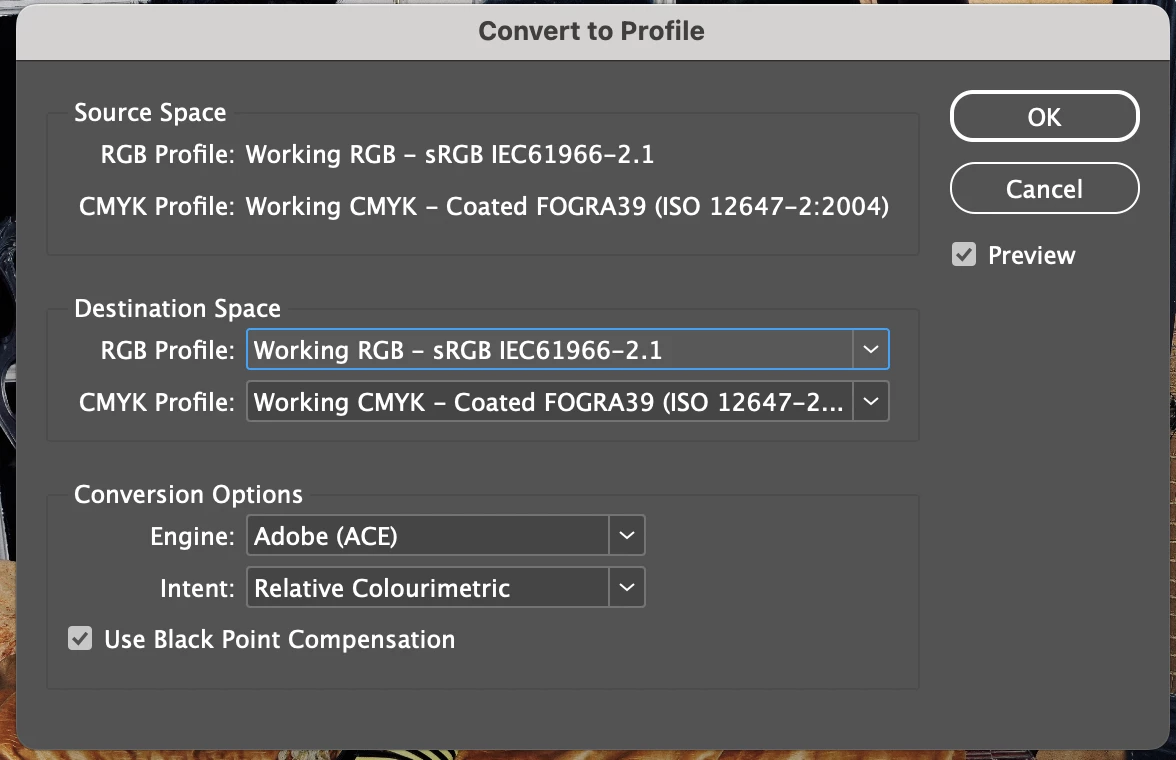
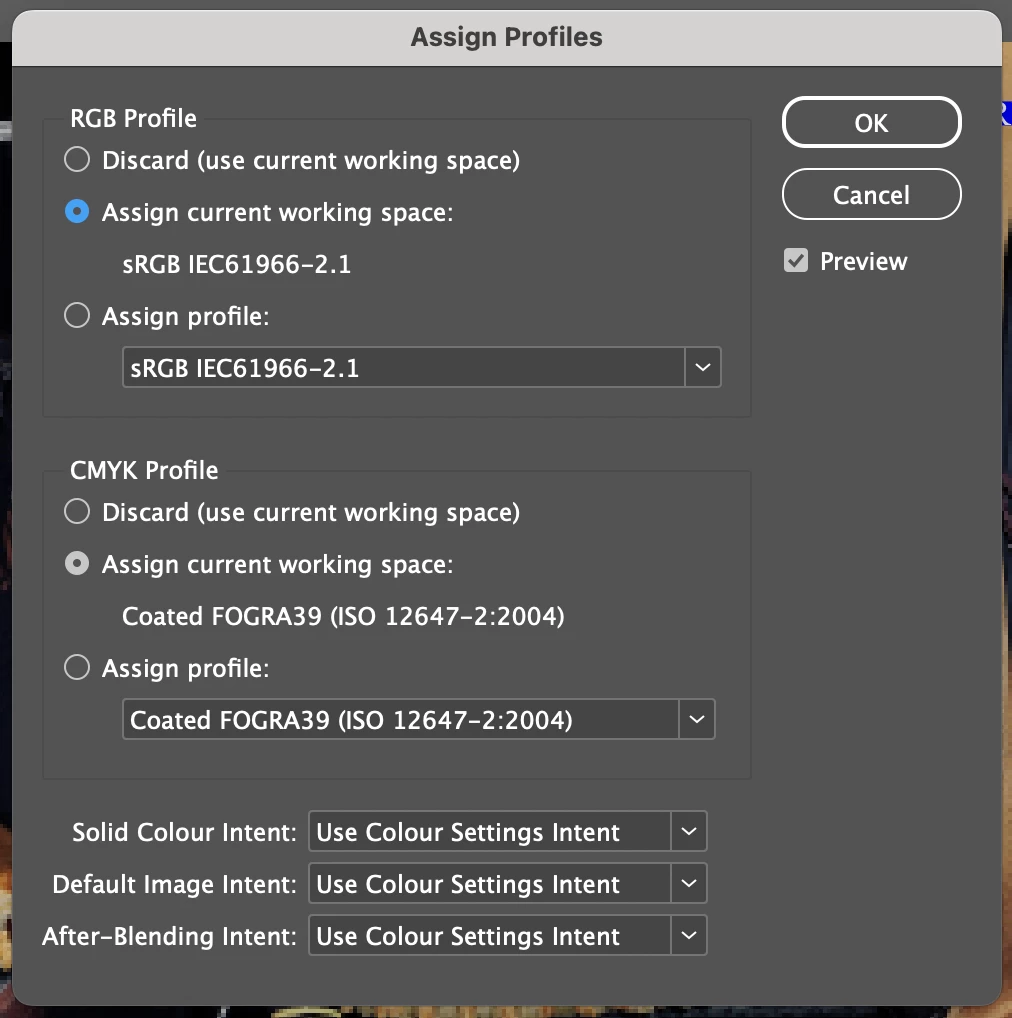
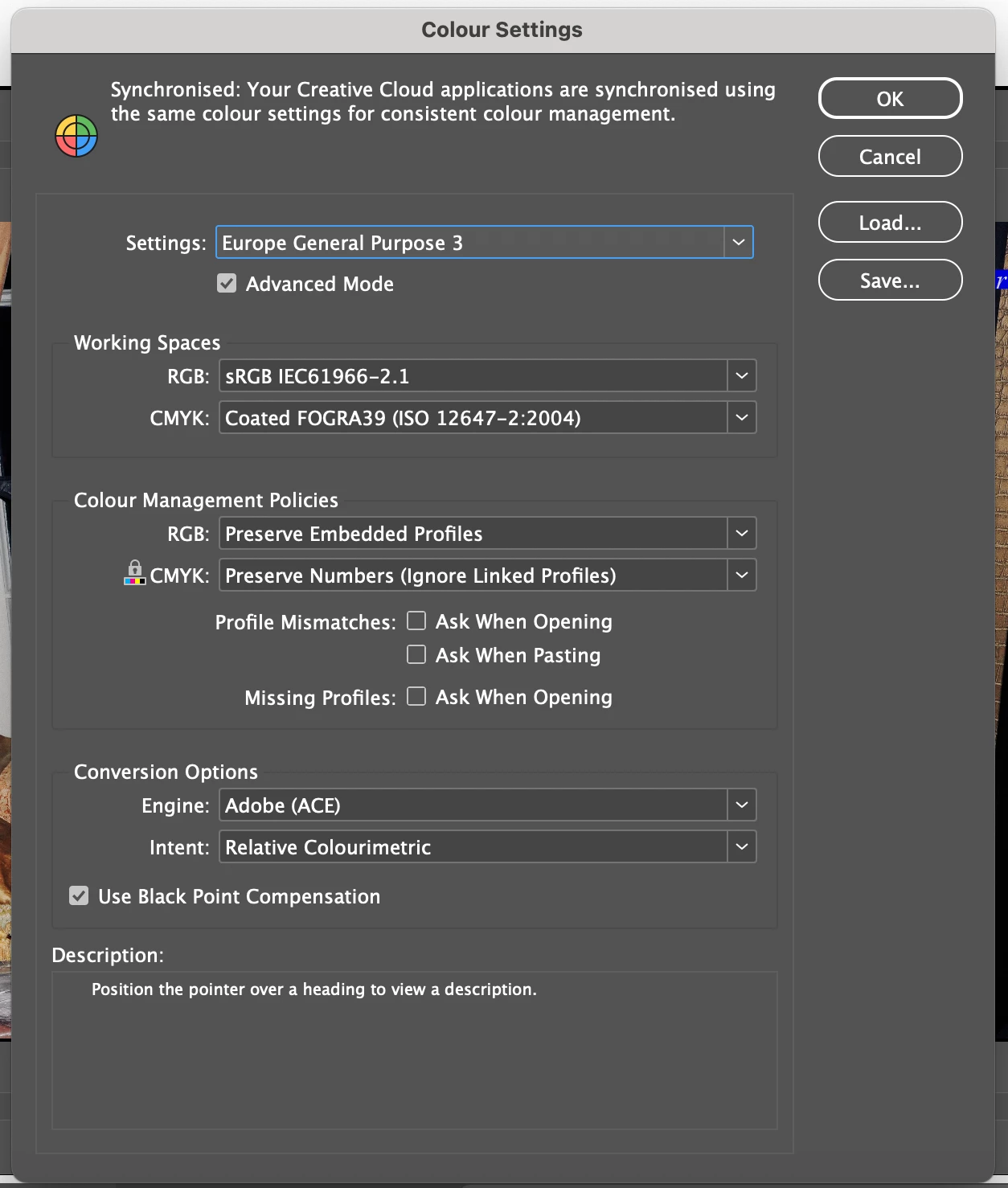
All my images are sRGB, I’m publishing in JPEG format, I’ve tried adding a transparent rectangle on each page as someone suggested. Colour settings below.

What else can I do to fix this? 
 

    返信数 5

    Anubhav M
    Community Manager
    Community Manager
    August 25, 2026

    Hello ​@jennyarrowsmith 


    I’m sorry to hear about your experience with this. I am currently checking this with the product team and will update here as soon as I have more information. Thank you for your patience.

    Anubhav

    rob day
    Community Expert
    Community Expert
    August 25, 2026

    Hi ​@Anubhav M , In case you missed my sample InDesign file from the 2023 post showing the problem, I’ve attached it here. And below is a link to a Published On Line example where the sRGB image color does not match the InDesign sRGB color with the same values:


    https://indd.adobe.com/view/9fb93562-ab0b-4615-96e3-527e5bd98d8c


    rob day
    Community Expert
    Community Expert
    August 25, 2026

    Also, this is from 3 years ago, but there are some known color management problems with Publish Online:


    rob day
    Community Expert
    Community Expert
    August 25, 2026

    Hi ​@jennyarrowsmith , Is your Transparency Blend Space Document RGB?

    Participant
    August 25, 2026

    Yep :(