Participant
January 10, 2021
Answered

Image error - Only see image when exporting to PDF

  • January 10, 2021
  • 2 replies
  • 286 views

Hello, novice Indesign user.  

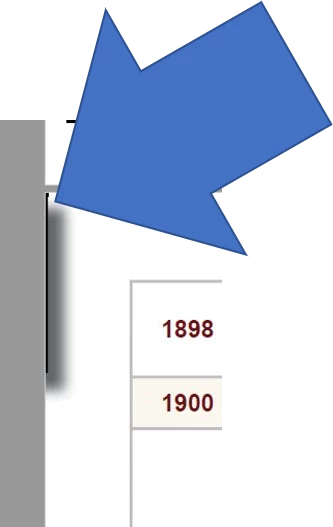
I only see this image when I export to pdf.  I cannot see the image on the actual page layout nor can I see it in MasterPages.  I am multiple Indd files in a book folder and when I export the book to pdf.  I see the "ghost" image.  If I export the individual layout to pdf, the "ghost" image does not appear.  Image appears in the bleed section of page.  I checked different postings and cannot find a solution.  Any help/guidance is greatly appreciated.


This topic has been closed for replies.
Correct answer Luke Jennings3

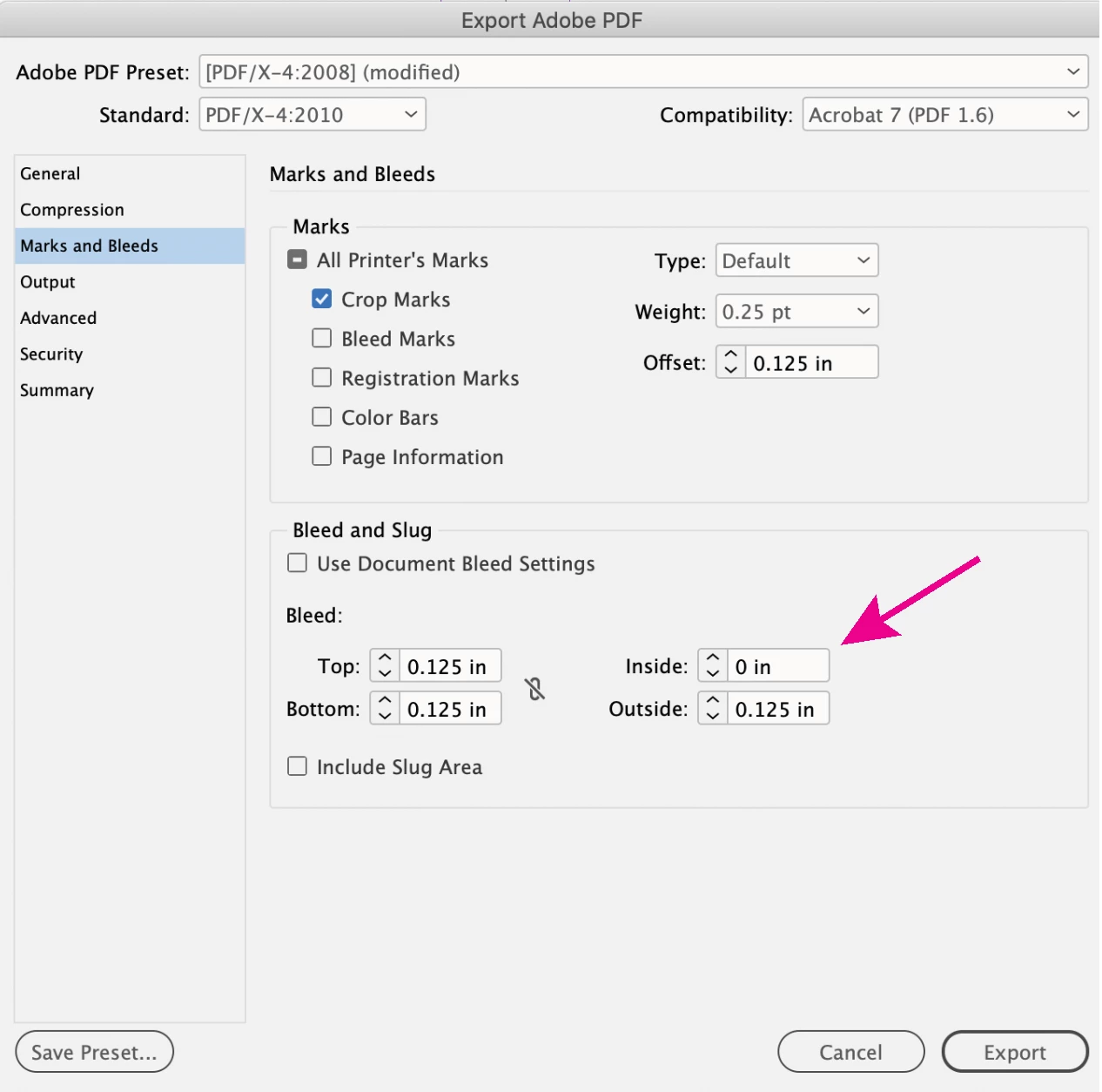
It looks like you are seeing the shadow and a sliver of a frame from the left side facing page, this is to be expected when you have bleed on all sides of the page. If this is the problem, change the inside bleed to 0 when exporting your book to PDF.

Note, you can turn on the trim & bleed boxes in Acrobat, which can help you identify the page trim line (Tools> Print Production> Output Preview).

2 replies

Luke Jennings3
Community Expert
Luke Jennings3Community ExpertCorrect answer
Community Expert
January 10, 2021

It looks like you are seeing the shadow and a sliver of a frame from the left side facing page, this is to be expected when you have bleed on all sides of the page. If this is the problem, change the inside bleed to 0 when exporting your book to PDF.

Note, you can turn on the trim & bleed boxes in Acrobat, which can help you identify the page trim line (Tools> Print Production> Output Preview).

Derek Cross
Community Expert
Community Expert
January 10, 2021

Which version of InDesign and OS?

I think we’d need to see the InDesign document to sort this out -- maybe you could post a link.