
Participant
June 25, 2024
Question

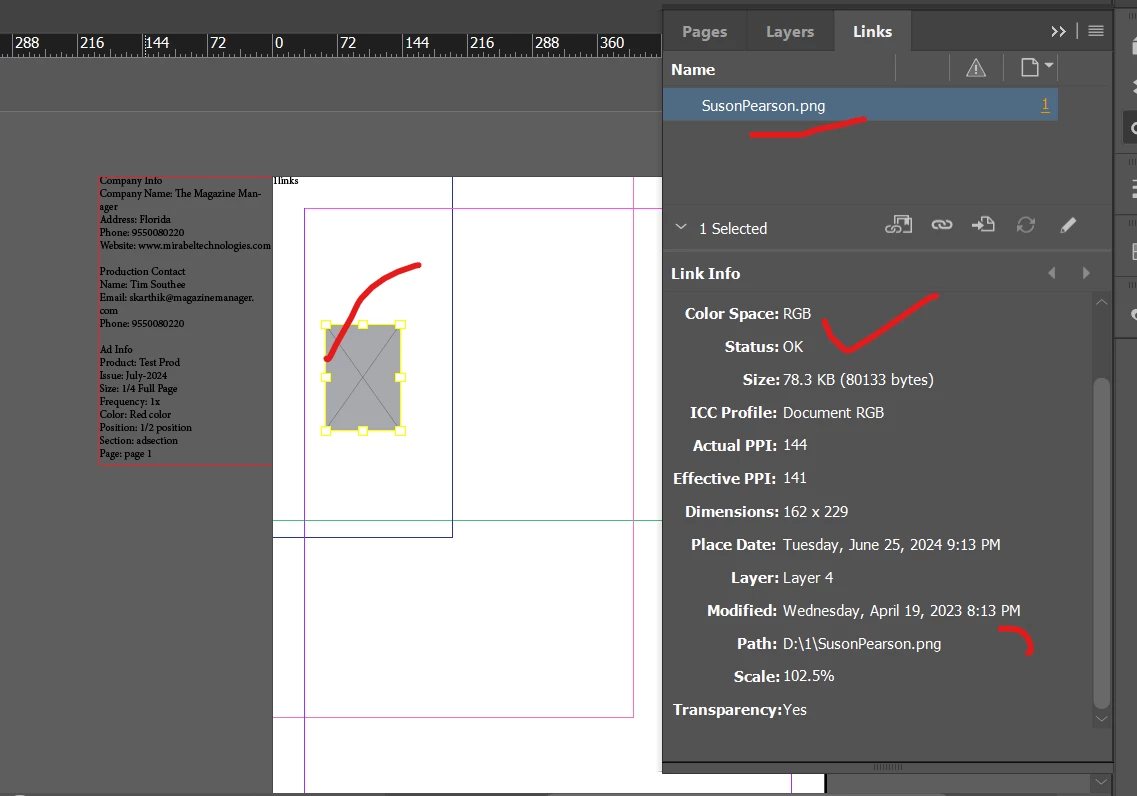
Image link is not displaying

  • June 25, 2024
  • 1 reply
  • 225 views

We hve created the .indd file using the indesign server ,  

The prepared indd file shows image as a placeholder, image is available and status is also ok , when we edit the page , the image is displayig , what is the mistake my script.

var myGraphicFile = File("D:/1/JamesBarber.png")//File.openDialog("Choose a graphic file");
// myDocument.pages.item(0).place(myGraphicFile);
imgTextFrame.contentType = ContentType.GRAPHIC_TYPE;
 imgTextFrame.place(myGraphicFile);


This topic has been closed for replies.

1 reply

Peter Spier
Community Expert
Community Expert
June 25, 2024

Is there someplace in your script to set the dispaly quality? Looks like it is set to Fast.

Participant
June 25, 2024

No , am not setting any display quality , place the image below way 
code :

var imgLayer=myDocument.layers.add();
var imgTextFrame=myDocument.pages.item(0).textFrames.add(imgLayer);

imgTextFrame.geometricBounds=[400,200,0,0];
var myGraphicFile = new File("D:/1/JamesBarber.png")//File.openDialog("Choose a graphic file");
// myDocument.pages.item(0).place(myGraphicFile);
//imgTextFrame.contentType = ContentType.GRAPHIC_TYPE;
 imgTextFrame.place(myGraphicFile);
Not sure , what is the mistake , if execute the jsx file from the indesign utilities script that is working fine , the same jsx file , which we execute from the Indesign server getting problem
please help me ..
Thank You
Peter Spier
Community Expert
Community Expert
June 25, 2024

I'm afraid I can't really offer more help -- I'm neither a scripter nor a user of InDesign Server, but this looks to me like the prefs are set to fast display in the server instance.