Inspiring
December 7, 2022
Answered

image on EPUB

  • December 7, 2022
  • 1 reply
  • 526 views

Hi,


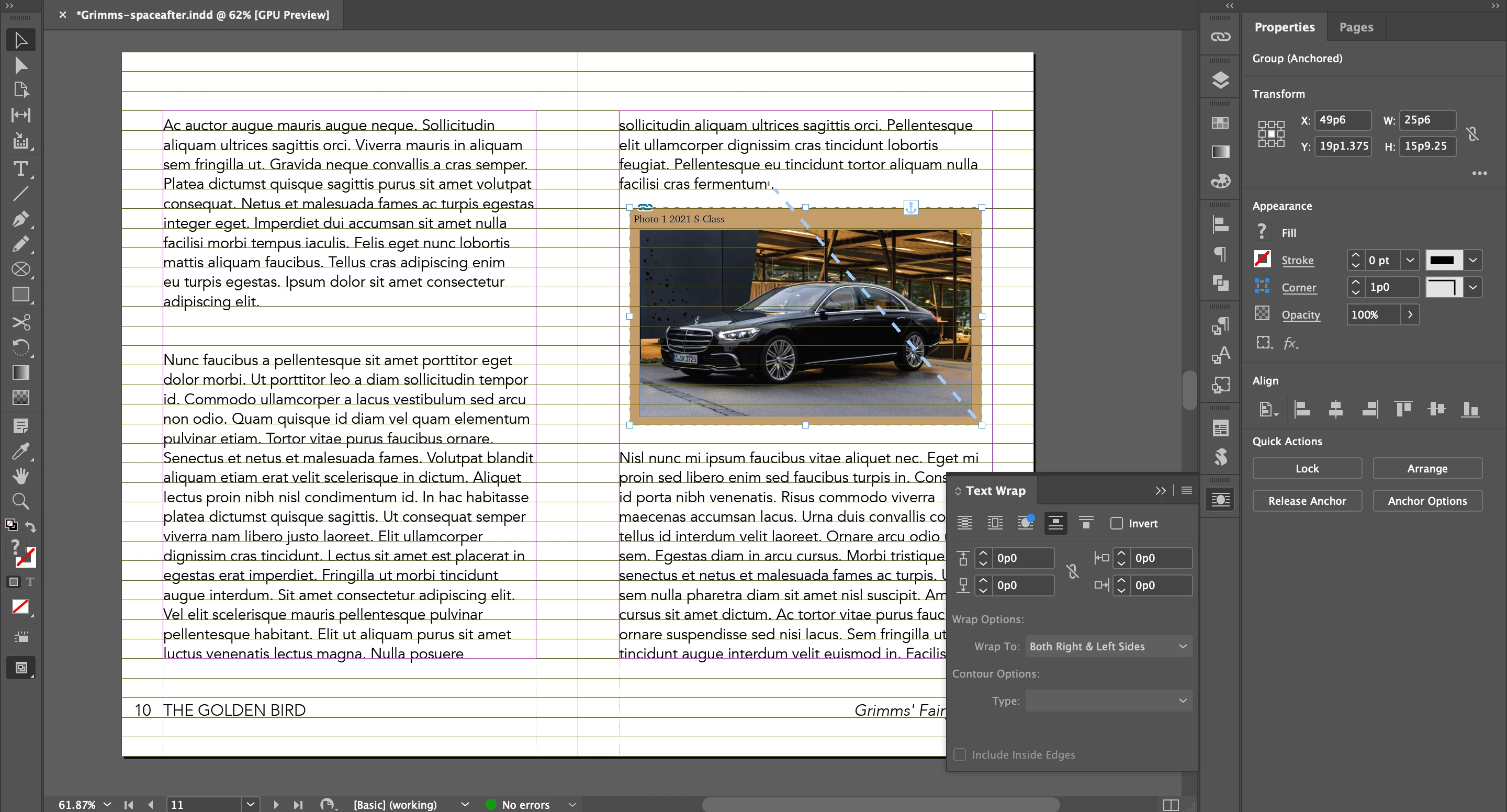
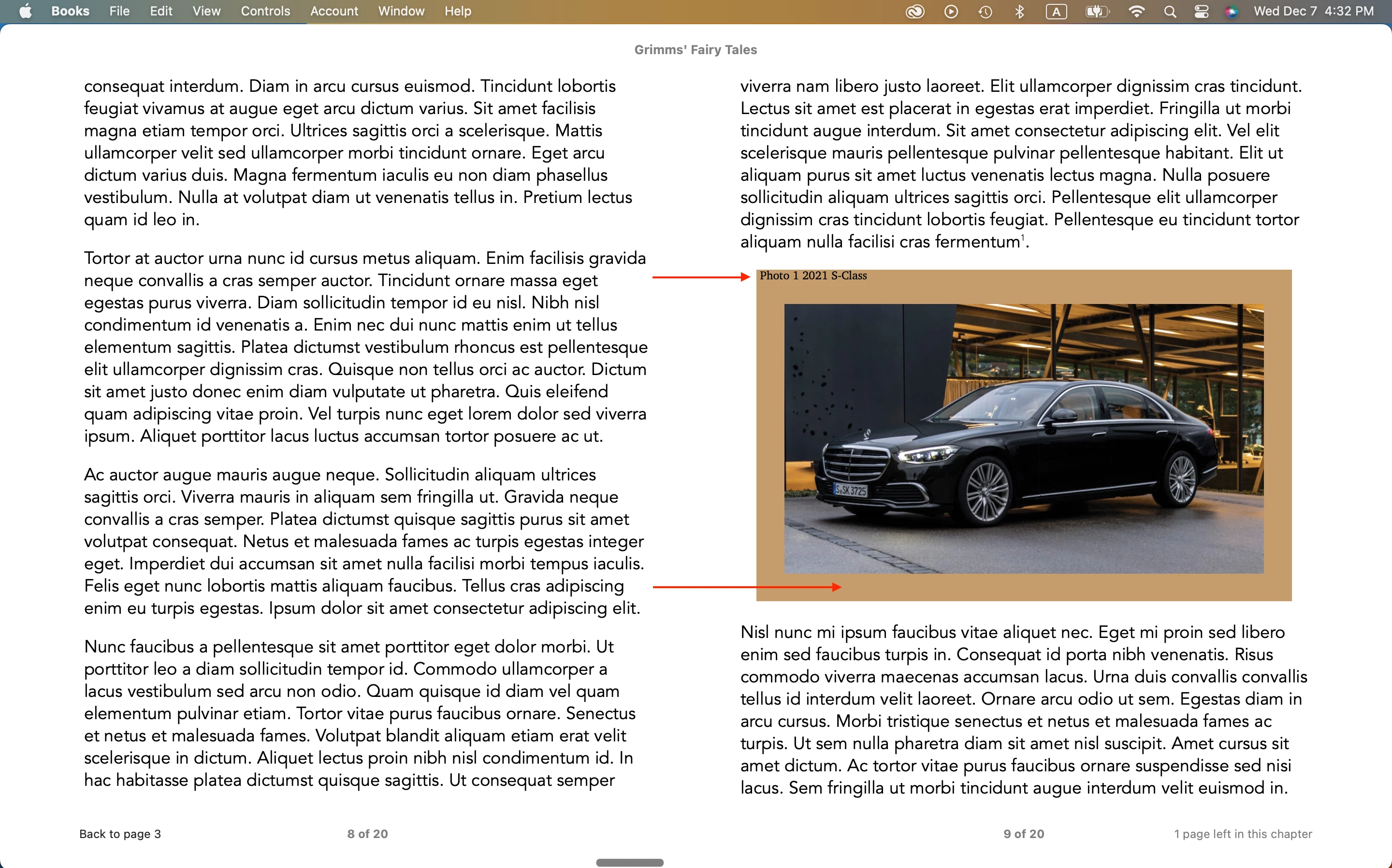
There is a difference between image on Id and image on EPUB.

- location of Photo Title

- space between image and beige rectangle at the bottom


When image was small, there was no problem.

The problem happens, when I doubled the size of the image.


Hosun


This topic has been closed for replies.
Correct answer James Gifford—NitroPress

Well, if you notice, there are other differences between your ID layout and the EPUB result. The paragraphs are considerably different in position and wrap, for example.


Fixed-page EPUB (FXL) is an old if not obsolete format, and you kind of have to take what it gives you, without much ability to control the results. In some cases, you have to adjust the live document layout to get an acceptable FXL export — that is, the live doc will be "faulty" and misaligned in order to fool the EPUB document into positioning things correctly. My usual recommendation is that if you want fixed, print-layout pages... use PDF instead. EPUB is best and best-suited for reflowable layouts.


I am not sure how that image is structured, with the tinted background and caption, but I'd start by adjusting the relative size of the tinted frame and the photo, and the spacing of the caption, and try again.


The other problem (which we've covered before) is that no two EPUB readers are quite the same in the way they present pages. If you're not using a 'vanilla' reader like Thorium or Calibre, check your EPUB results in one of those before spending too much time trying to get a good result in, say, ADE or iBooks, which are nonstandard EPUB viewers that apply their own spin to documents.

 

1 reply

James Gifford—NitroPress
Legend
December 7, 2022

Well, if you notice, there are other differences between your ID layout and the EPUB result. The paragraphs are considerably different in position and wrap, for example.


Fixed-page EPUB (FXL) is an old if not obsolete format, and you kind of have to take what it gives you, without much ability to control the results. In some cases, you have to adjust the live document layout to get an acceptable FXL export — that is, the live doc will be "faulty" and misaligned in order to fool the EPUB document into positioning things correctly. My usual recommendation is that if you want fixed, print-layout pages... use PDF instead. EPUB is best and best-suited for reflowable layouts.


I am not sure how that image is structured, with the tinted background and caption, but I'd start by adjusting the relative size of the tinted frame and the photo, and the spacing of the caption, and try again.


The other problem (which we've covered before) is that no two EPUB readers are quite the same in the way they present pages. If you're not using a 'vanilla' reader like Thorium or Calibre, check your EPUB results in one of those before spending too much time trying to get a good result in, say, ADE or iBooks, which are nonstandard EPUB viewers that apply their own spin to documents.
 

Inspiring
December 7, 2022

Hi,


I placed an image on Rectangle Frame Tool, not Rectangle Tool.

Spacing issue is fixed.


Is there any way to type inside the Rectangle Frame Tool?


Hosun