Inspiring
June 18, 2019
Answered

Image rendering issues on InDesign 2019, Windows 10

  • June 18, 2019
  • 1 reply
  • 4197 views

Hello InDesign gurus,

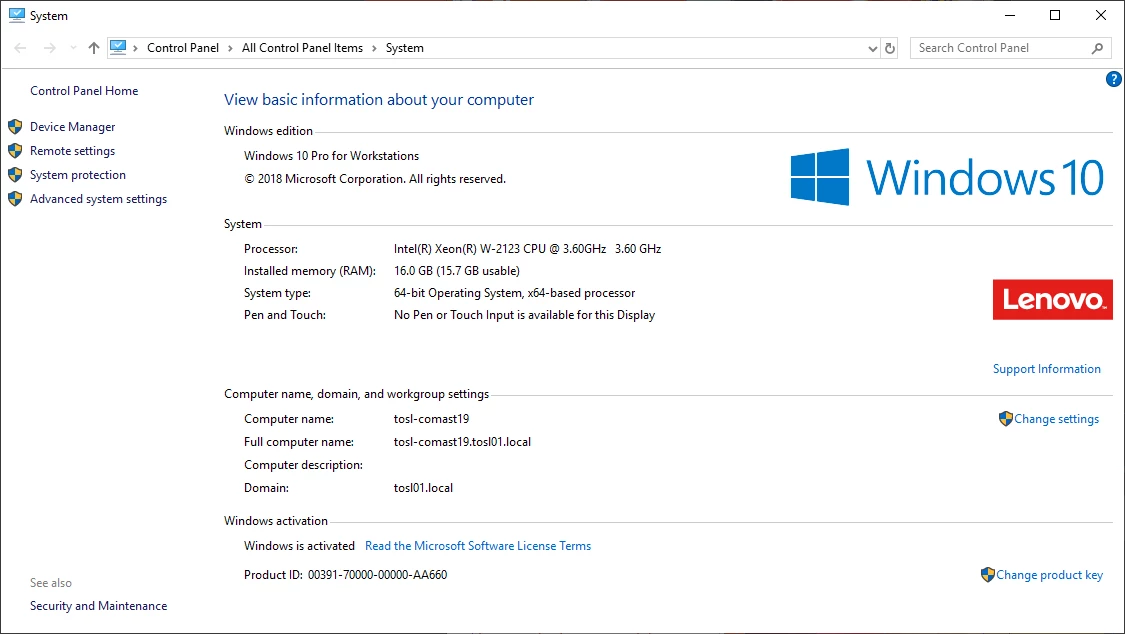
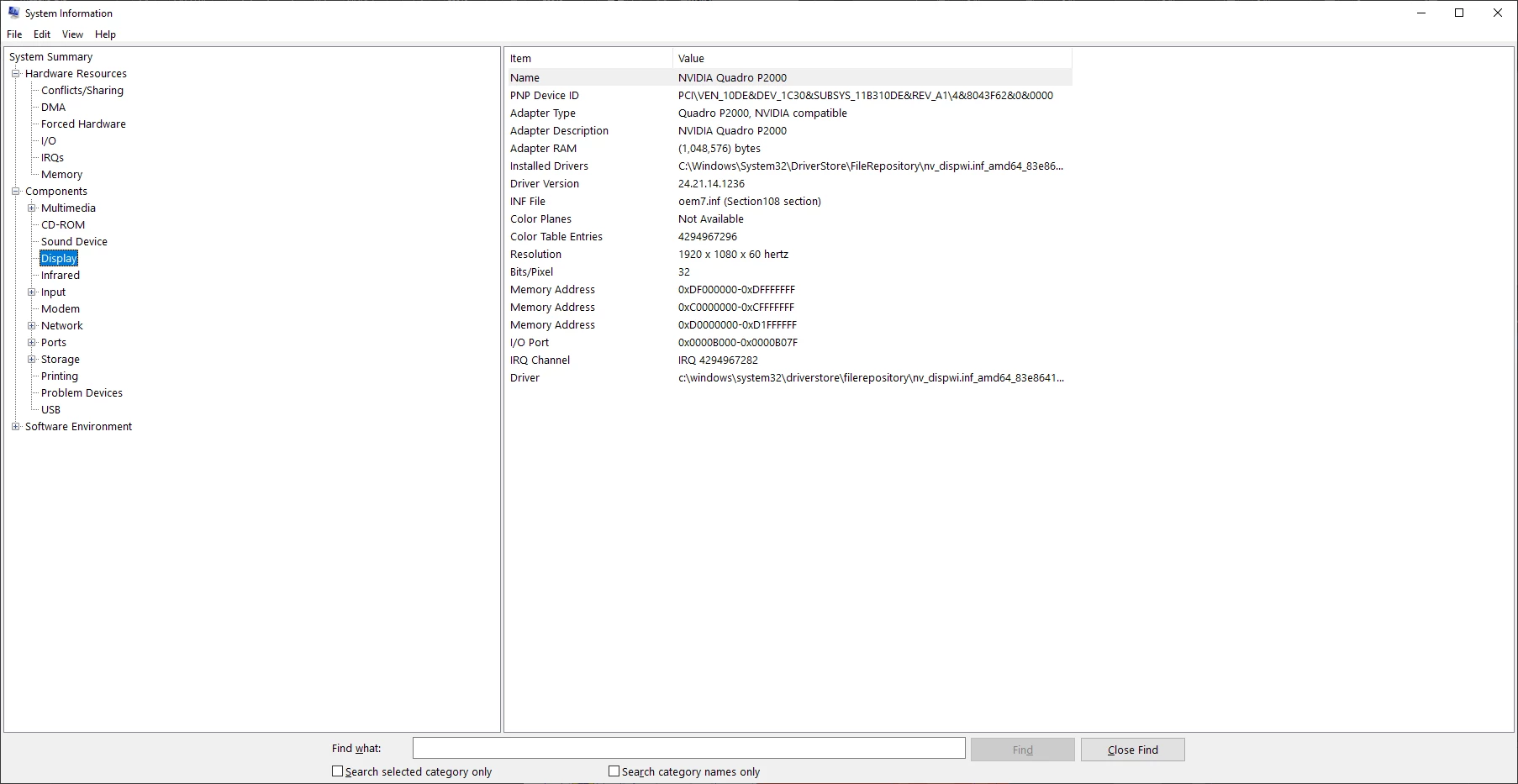
I have a brand new computer, and quite often the screen does not refresh until I scroll or change the zoom. This happens both while I am working and sometimes right when I open a file. The files are not large in size and I don't have much open on my computer. I followed Adobe's specs for building a machine that meets Premiere Pro's minimum standards, but it seems that it can't handle even the most basic tasks without this problem. I've found lots of articles to help Mac users with this problem (clicking the rocketship icon) but none to help with PC. See below for my computer specs. I've been on support with Nvidia and I have the most updated driver, according to their support anyways.
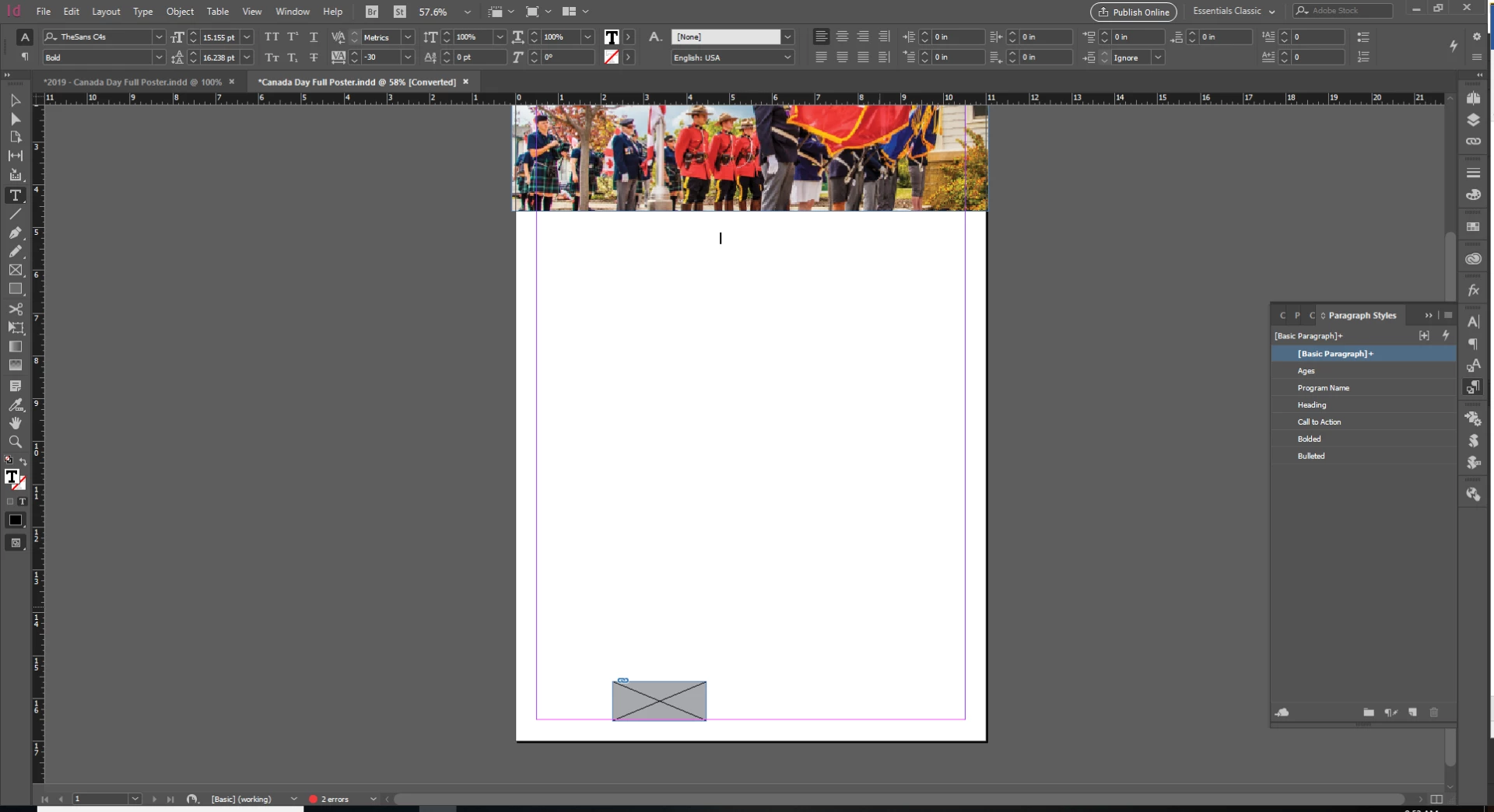
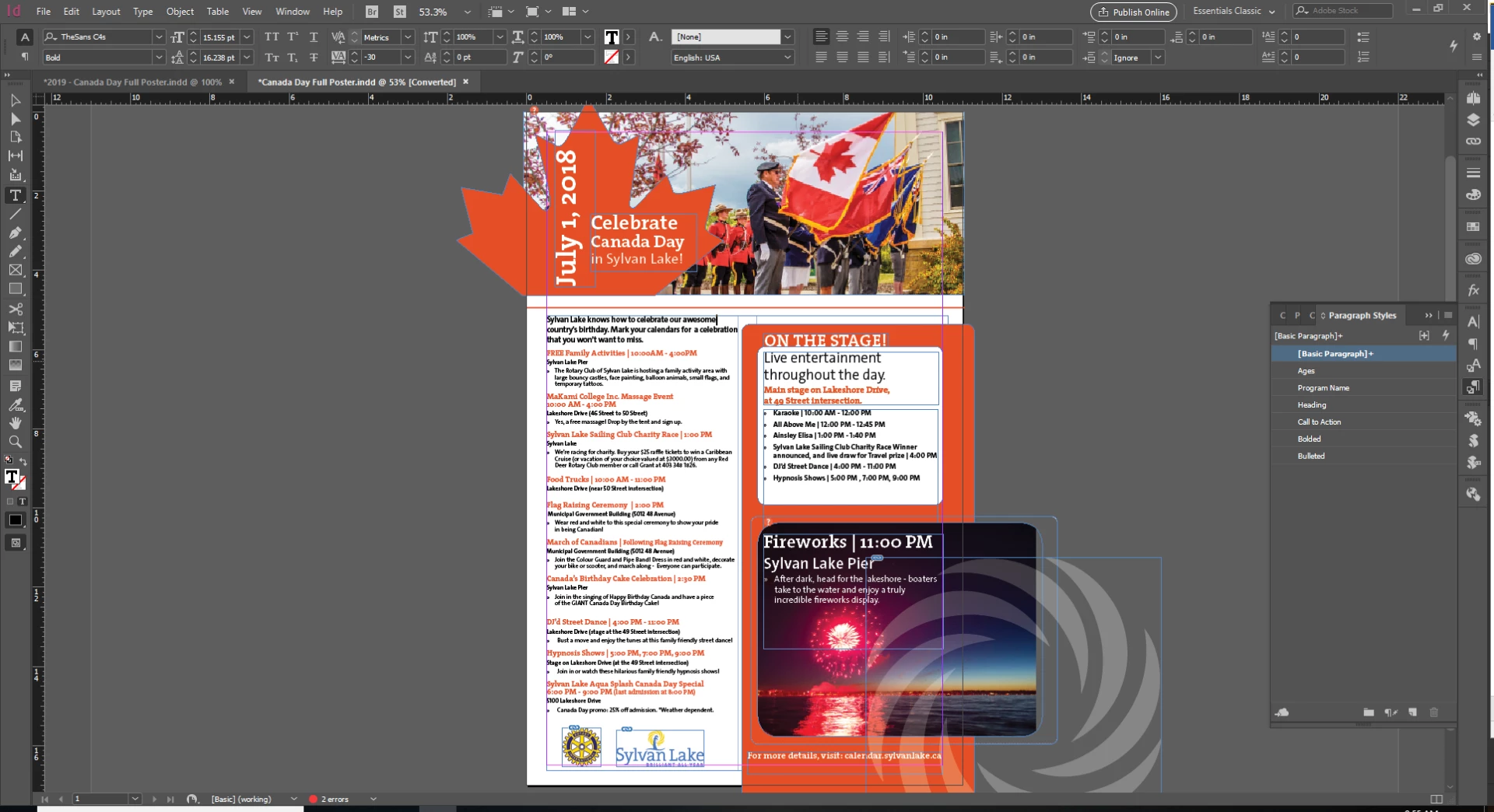
Help!!! This is really irritating, and with a brand new machine with good specs I don't think I should be having this problem. It occurs with far less complex tasks too. For example, a 6" x 6" file with no photography, only a placed tiny .eps and text with a solid colour block. I don't think I should have to use fast display performance on such tiny files.

{Renamed by MOD}

This topic has been closed for replies.
Correct answer crystalm38286890

Ok, I think that I have it figured out. I was on support with Nvidia, and the problem was that my crappy onboard graphics was being used instead of my Quadro p2000. Followed these steps to force the motherboard to always use the P2000:

First make sure latest driver is installed. Here's what Nvidia said:

1) Right click on the desktop and launch Nvidia Control Panel, under Manage 3D settings - Global Settings - Power Management Mode - set this to Prefer Maximum Performance. Also set cuda - gpus and opengl rendering gpu to the graphics card: quadro p2000

2) Once again under Nvidia Control Panel - 3D settings , click on 'Set Physx Configuration' option and under preferred processor change it from 'auto select' to Nvidia GPU.

3) Right click on the desktop and launch NVIDIA Control Panel --> Manage 3D settings. > Go to Program Settings tab.
a) Add the file you launch the application, from by clicking on Add button. (NOTE: If you are unable to locate the .exe file, you can right click on shortcut and go to properties. Select Open File location.
http://imgur.com/XImZOj9
b) In the Program Setting window,
   > Power management mode – prefer maximum performance
   > Threaded optimization – off
   > Triple buffering – off
   > Vertical sync – off
   > Maximum pre rendered frames- 3

I had no idea that a motherboard could ignore the graphics card. Now I know. Seems to have improved and solved my problems in both Indesign and Illustrator, and they both are seeming to run faster, although not sure if I'm imagining that or not. I did set the application settings in Nvidia control panel for both InDesign and Illustrator.

I've also turned my display settings back to High Quality in Indesign, and it is chugging through my small files no problem.


1 reply

Srishti Bali
Community Manager
Community Manager
June 21, 2019

Hi Crystal,

Thanks for reaching out. I understand that waiting while the file is rendering could be frustrating. That is why InDesign has various options under Display performance in order to gain a performance boost.

InDesign has three options for how images/graphics are displayed, which you can access via View > Display Performance.

  • Fast: Displays a gray box and you won’t see the image at all
  • Typical: Shows a low-resolution proxy
  • High Quality: Shows a high-resolution proxy

Viewing images at high-resolution (High Quality Display) forces InDesign to constantly re-draw elements as you move around the document, increase the CPU usage. Setting the default to Typical (InDesign/Edit > Preferences > Display Performance) renders the images at a screen-friendly resolution.

Please try "Typical Display" and let us know if it makes the rendering better.

Regards,

Srishti

Inspiring
June 21, 2019

I've changed my view settings before, and it didn't seem to help, but I'll try it again for the sake of the process of elimination. Another detail is that all of my files are on a windows network drive, could that cause the problems if there are network issues or just a slow network? 

It seems strange on a tiny file, especially with the specifications of my computer. I don't typically work on massive files. If I've purchased a computer according to the minimum Premiere Pro requirements (Adobe Premiere Pro System Requirements), why can't I edit a simple document with very few placed items without degrading my view quality?

I'll work for a while on typical display setting and then report back to you.

Srishti Bali
Community Manager
Community Manager
June 25, 2019

I hope InDesign is performing better on the typical display mode. Do let us know if you have any further queries.

Thanks!