
RandallHolbrook
Participating Frequently
October 6, 2021
Question

Image shifts when exporting to pdf

  • October 6, 2021
  • 3 replies
  • 1698 views

I have a color field footer on Master A. I have an image that buts up against it on the page, but when I export, the image overlaps the color field by a pixel or so:
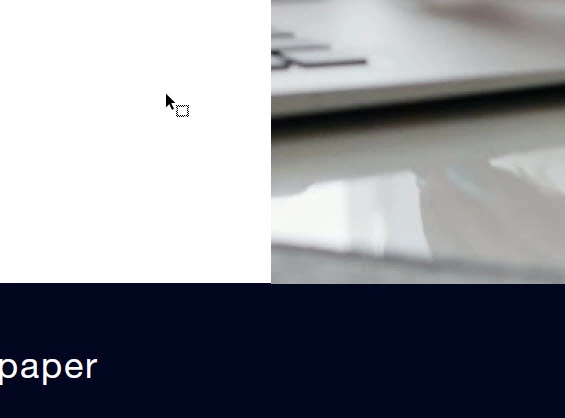
 

This topic has been closed for replies.

3 replies

rob day
Community Expert
Community Expert
October 6, 2021

I’m not seeing the problem in the ID file you shared, although I don’t have the linked image. Have you tried zooming in on the PDF to make sure it’s just not the way Acrobat is anti-aliasing the preview? This is what I get for page 7 exported to PDF/X-4 zoomed in at 1600%:


RandallHolbrook
Participating Frequently
October 6, 2021

Thanks, Rob. Yes, there is no problem in the ID file, it's just in the PDF. The interactive pdf doesn't have a PDF/X-4 option that I could see. It is probably the antialiasing that you mentioned as one picture in the file did not shift.

Brad @ Roaring Mouse
Community Expert
Community Expert
October 6, 2021

If you open the PDF in Illustrator, do the object boxes line up properly?

Brad @ Roaring Mouse
Community Expert
Community Expert
October 6, 2021

Does your colour block have a stroke on it by any chance?

RandallHolbrook
Participating Frequently
October 6, 2021

no

RandallHolbrook
Participating Frequently
October 6, 2021

I removed the footer from the master page and pasted it on each individual page. That solved the the problem for now, but I think it the issue is something that should be addressed at Adobe.


Thanx!

Community Expert
October 6, 2021

Maybe so but this is a user to user forum, so most of us are users just like you.


You can report bugs here

https://www.adobe.com/products/wishform.html


To be honest I have not seen this before but I'd have put the master page item on a new layer.


RandallHolbrook
Participating Frequently
October 6, 2021

Thanks, Eugene.