Participant
January 7, 2017
Answered

Image wrap, remove white boundaries

  • January 7, 2017
  • 2 replies
  • 667 views

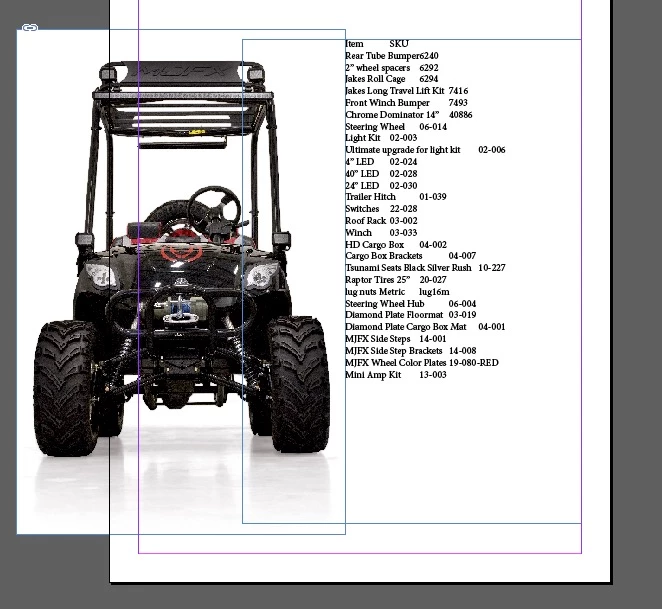
Its been a very long time (CS2), but I know you can remove extra white around an image so the text wrap, wraps tightly around the same, rather than only a box shape. Please refresh my memory.

Wrap around object shape is doing nothing for me.

THX!
    This topic has been closed for replies.
    Correct answer Obi-wan Kenobi

    Hi,

    If no mask, It could be done very quickly in ID! "À la hache! …" as we say in French!

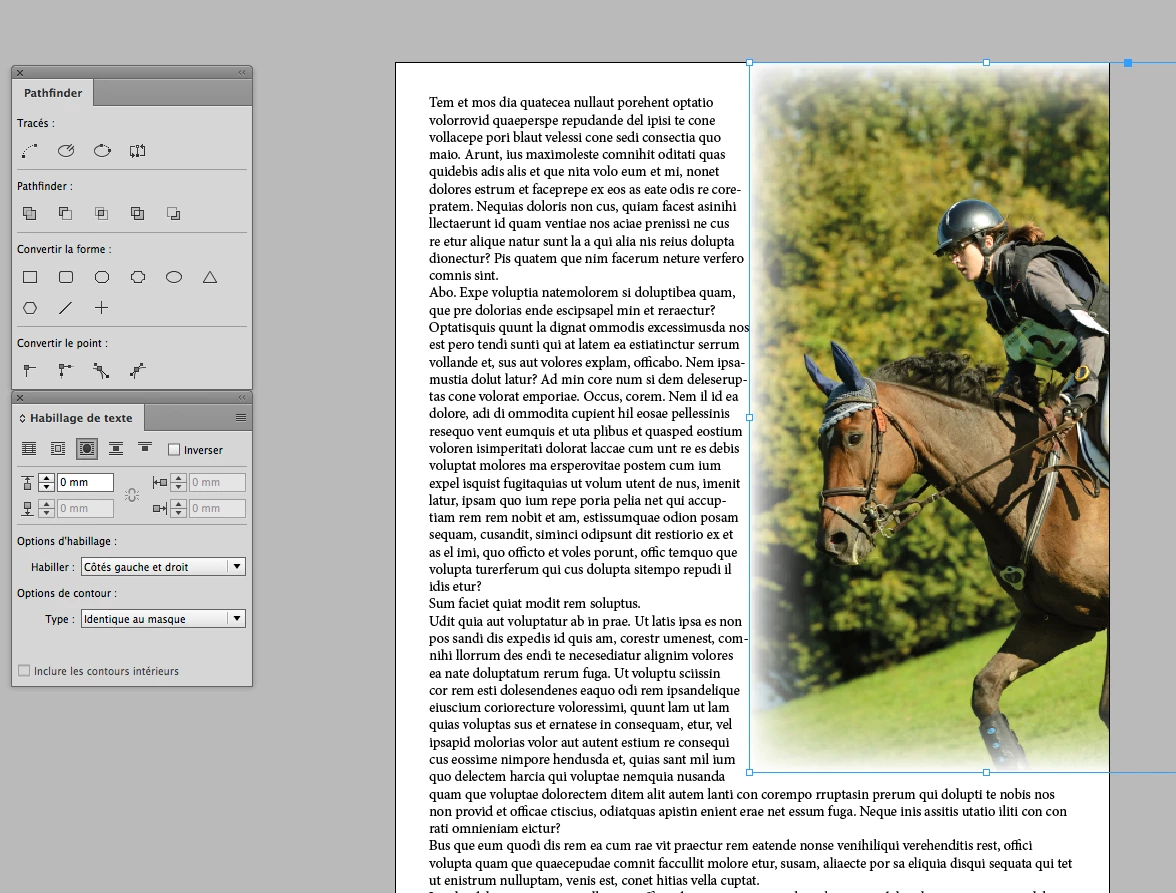
    Image with wrapping + effect (if you want):

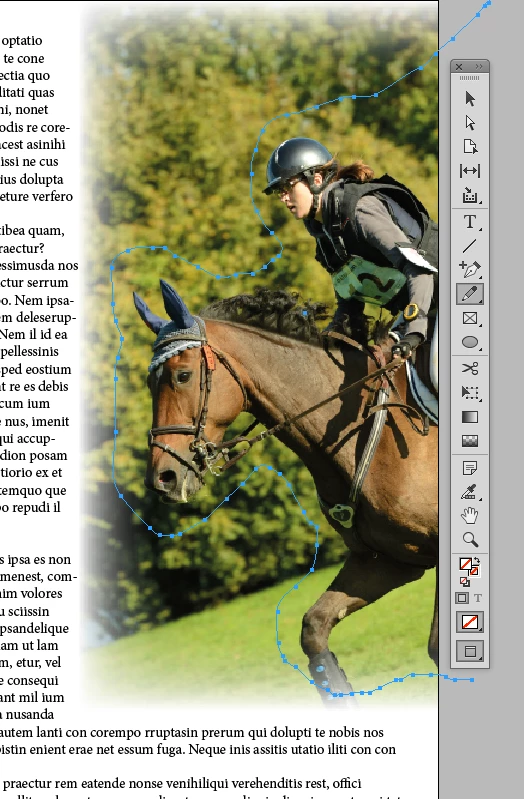
    Draw your "mask" with the pencil tool (very easy!):

    … and, selecting the image (foreground) and its mask, just play with the pathfinder:

    Done! 

    (^/)

    2 replies

    Community Expert
    January 7, 2017

    Hi Francesca,

    in this case I would stay with the rectangular approach because of higher readability of the text, that is more of a tabular character. If you want the text closer to the text wrapping image I would either ignore the wrap (a text frame option) or remove the wrap from the image or the graphic frame holding the image.

    If you do not want this, just follow Michael's suggestions…

    Regards,
    Uwe

    jane-e
    Community Expert
    Community Expert
    January 7, 2017

    I agree with Uwe. Wrapping around the image would make this hard to read.

    Do it for an exercise, if you want, but please don't send it to me in a catalog that you want me to purchase from! Thanks!

    Mike Witherell
    Community Expert
    Community Expert
    January 7, 2017

    My favorite way is to have the image opened into Photoshop, make an alpha-channel layer mask to suppress the white background, save, and place into InDesign as a .PSD file. This non-destructive technique gives the most editing flexibility in production. By the way, when you have an alpha-channel transparency mask in a PSD file, the moment you place it into InDesign, the transparency is already at work on the page in InDesign.

    I dislike the old method of Object > Clipping Path ...

    Mike Witherell
    Obi-wan Kenobi
    Obi-wan KenobiCorrect answer
    Legend
    January 7, 2017

    Hi,

    If no mask, It could be done very quickly in ID! "À la hache! …" as we say in French!

    Image with wrapping + effect (if you want):

    Draw your "mask" with the pencil tool (very easy!):

    … and, selecting the image (foreground) and its mask, just play with the pathfinder:

    Done! 

    (^/)

    Participant
    January 7, 2017

    Thank you Obi-Wan, this is exactly what I was  looking to do!