
Participant
November 10, 2022
Answered

ImageCatalog Script: Help with layout

  • November 10, 2022
  • 3 replies
  • 562 views

Hello!

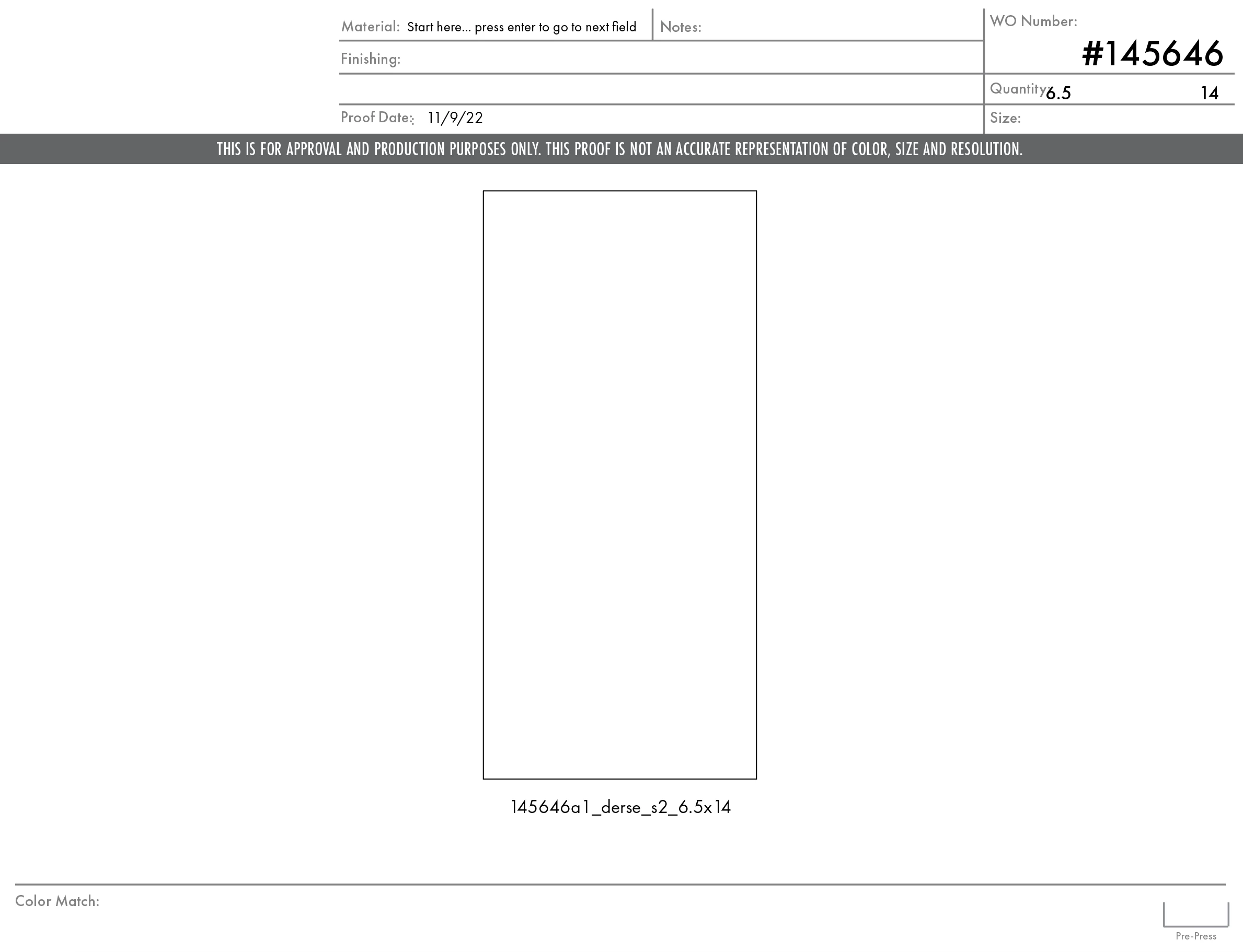
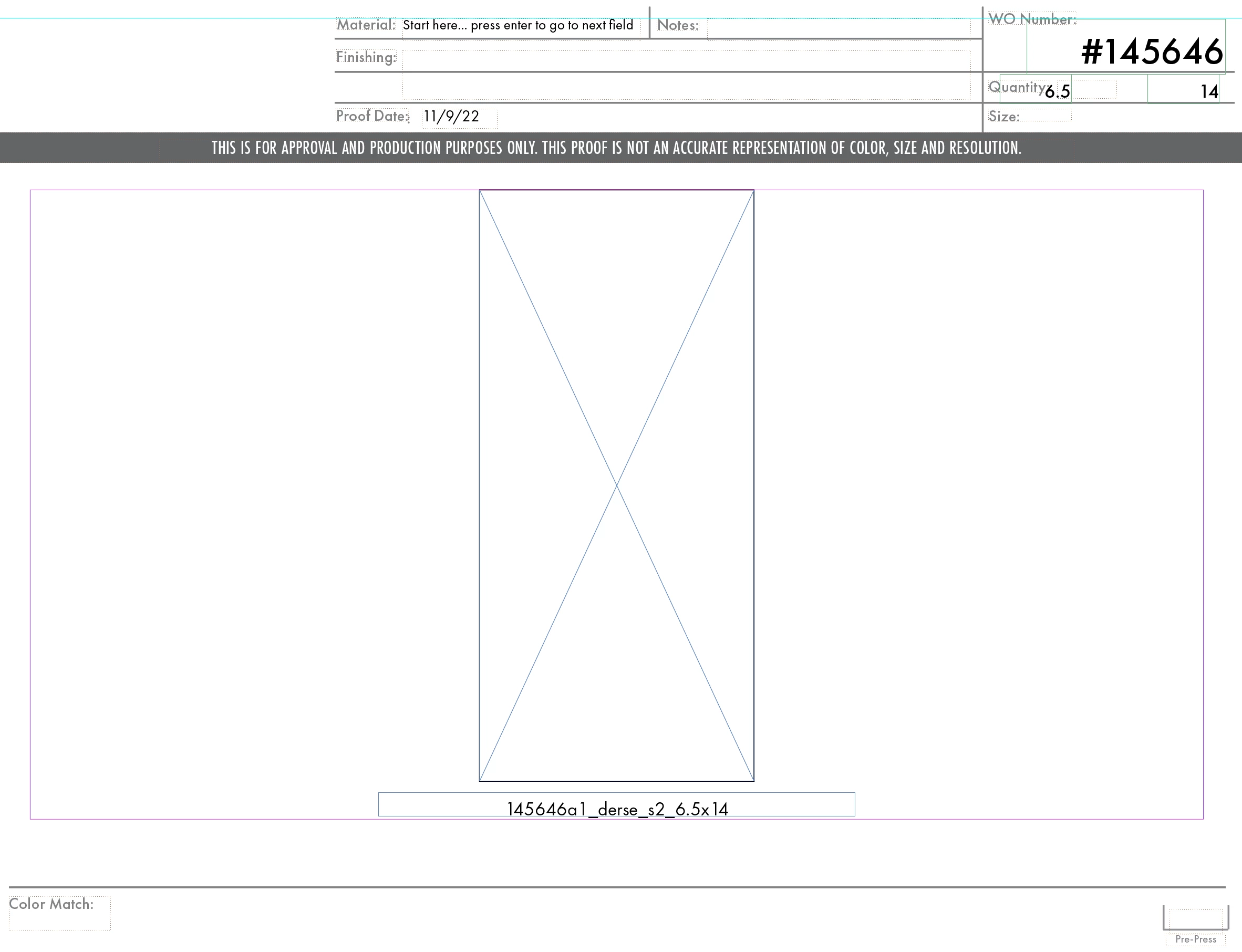
So I'm pretty new to scripting in general and I'm trying to figure out how to place my sizes in the right spot. Right nowI have them landing in the quantity area by changing numbers in the geometricboyunds area, but I can't seem to get them to go down on eline into the size section. I attached some screenshots too. Any help would be greatly appreciated! 

Here is the snippet of code I've been working from:


var myTextFrame = myFrame.parent.textFrames.add(myDocument.layers.item(1), undefined, undefined,{geometricBounds: [300, 637, 53.5, 682] , contents:myLabel .replace('.ai', '') .replace('.tif', '') .replace('.pdf', '') .replace('.psd', '') .replace('.jpg', '') .replace('.eps', '') .replace('_Back', '') .replace('_Front', '') .replace('_back', '') .replace('_front', '') .replace('_Halfscale', '') .replace('_halfscale', '') .replace('_10thscale', '') .replace('_tenthscale','') .replace('_Tenthscale','') .replace('_quarterscale','') .replace('_Quarterscale','') .replace('_Gang','') .replace('_gang','')});
myTextFrame.textFramePreferences.firstBaselineOffset = FirstBaseline.leadingOffset;
myTextFrame.parentStory.texts.item(0).appliedParagraphStyle = "Width";

var myTextFrame = myFrame.parent.textFrames.add(myDocument.layers.item(1), undefined, undefined,{geometricBounds: [300, 730, 53.5, 775] , contents:myLabel .replace('x', 'X') .replace('.ai', '') .replace('.tif', '') .replace('.pdf', '') .replace('.psd', '') .replace('.jpg', '') .replace('.eps', '') .replace('_Back', '') .replace('_Front', '') .replace('_back', '') .replace('_front', '') .replace('_Halfscale', '') .replace('_halfscale', '') .replace('_10thscale', '') .replace('_tenthscale','') .replace('_Tenthscale','') .replace('_quarterscale','') .replace('_Quarterscale','') .replace('x', 'X') .replace('x', 'X') .replace('x', 'X') .replace('_Gang','') .replace('_gang','')});
myTextFrame.textFramePreferences.firstBaselineOffset = FirstBaseline.leadingOffset;
myTextFrame.parentStory.texts.item(0).appliedParagraphStyle = "Height";


This topic has been closed for replies.
Correct answer Loic.Aigon

Hi,

What you can do is actually to hand place a reference frame and note coordinates and size in the transform panel. Then you can use those in your script as it (or almost). The Geometric bounds are expressed as [y1, x1, y2, x2] so once you have set the right value, you should be able to use them. Of course, you need to be sure a document is not set with a different reference point or different coordinates units.

Apart from that, you may consider using a regex to shorten and make clearer your replace call. 

3 replies

rob day
Community Expert
Community Expert
November 11, 2022

Hi @Rocio_Davidge , Not sure if this helps, but you could get the label frame bounds from the image bounds. This creates a label using Mark’s grep and the image frame bounds for a direct selected image:


//set the scripting units
app.scriptPreferences.measurementUnit = MeasurementUnits.POINTS;
var removeThese = /[\._](ai|tif|pdf|psd|jpg|eps|Back|Front|back|front|Halfscale|halfscale|10thscale|tenthscale|Tenthscale|quarterscale|Quarterscale|Gang|gang)/g;

//the label height
var lh = 32;
var doc = app.activeDocument
var lLayer = doc.layers.item(1)

//a selected image
var myImage = doc.selection[0];
if (sel.constructor.name == "Image") {
    //get the image name and strip ext.
    var lc = myImage.itemLink.name.replace(removeThese, '')
    //get the container frame’s bounds
    var b = myImage.parent.geometricBounds;
    //the parent page
    var pp = myImage.parentPage;
    //the label frame placed underneath the image frame
    var myTextFrame = pp.textFrames.add ({ geometricBounds: [b[2], b[1], b[2]+lh, b[3]], itemLayer:lLayer, fillColor:"None", contents:lc});
}

app.scriptPreferences.measurementUnit = AutoEnum.AUTO_VALUE;


m1b
Community Expert
Community Expert
November 10, 2022

Edit: just noticed @Loic.Aigon suggested the same thing. Well, here's an example of what Loic meant...


Hi @Rocio_Davidge, this is not answering your question, but just might be helpful ... you can condense all your string replacements into one RegExp. Like this, for example:


var removeThese = /[\._](ai|tif|pdf|psd|jpg|eps|Back|Front|back|front|Halfscale|halfscale|10thscale|tenthscale|Tenthscale|quarterscale|Quarterscale|Gang|gang)/g;

var myTextFrame = myFrame.parent.textFrames.add(myDocument.layers.item(1), undefined, undefined, { geometricBounds: [300, 637, 53.5, 682], contents: myLabel.replace(removeThese, '') });


It first matches either . or _ followed by any of the words delimited by the bar ( | ). "g" at the end means it keeps matching after the first match, and you can add "i" after "g" to make the matching case insensitive (in which case you can remove Back or back, etc.).

- Mark

Loic.Aigon
Loic.AigonCorrect answer
Legend
November 10, 2022

Hi,

What you can do is actually to hand place a reference frame and note coordinates and size in the transform panel. Then you can use those in your script as it (or almost). The Geometric bounds are expressed as [y1, x1, y2, x2] so once you have set the right value, you should be able to use them. Of course, you need to be sure a document is not set with a different reference point or different coordinates units.

Apart from that, you may consider using a regex to shorten and make clearer your replace call. 

Robert at ID-Tasker
Legend
November 10, 2022

I'm pretty sure it's [y1, x1, y2, x2]?


Loic.Aigon
Legend
November 10, 2022

A typo of course 😉