
Participant
February 26, 2024
Answered

Images get strange result in Overprint Preview

  • February 26, 2024
  • 1 reply
  • 331 views

Hi There,

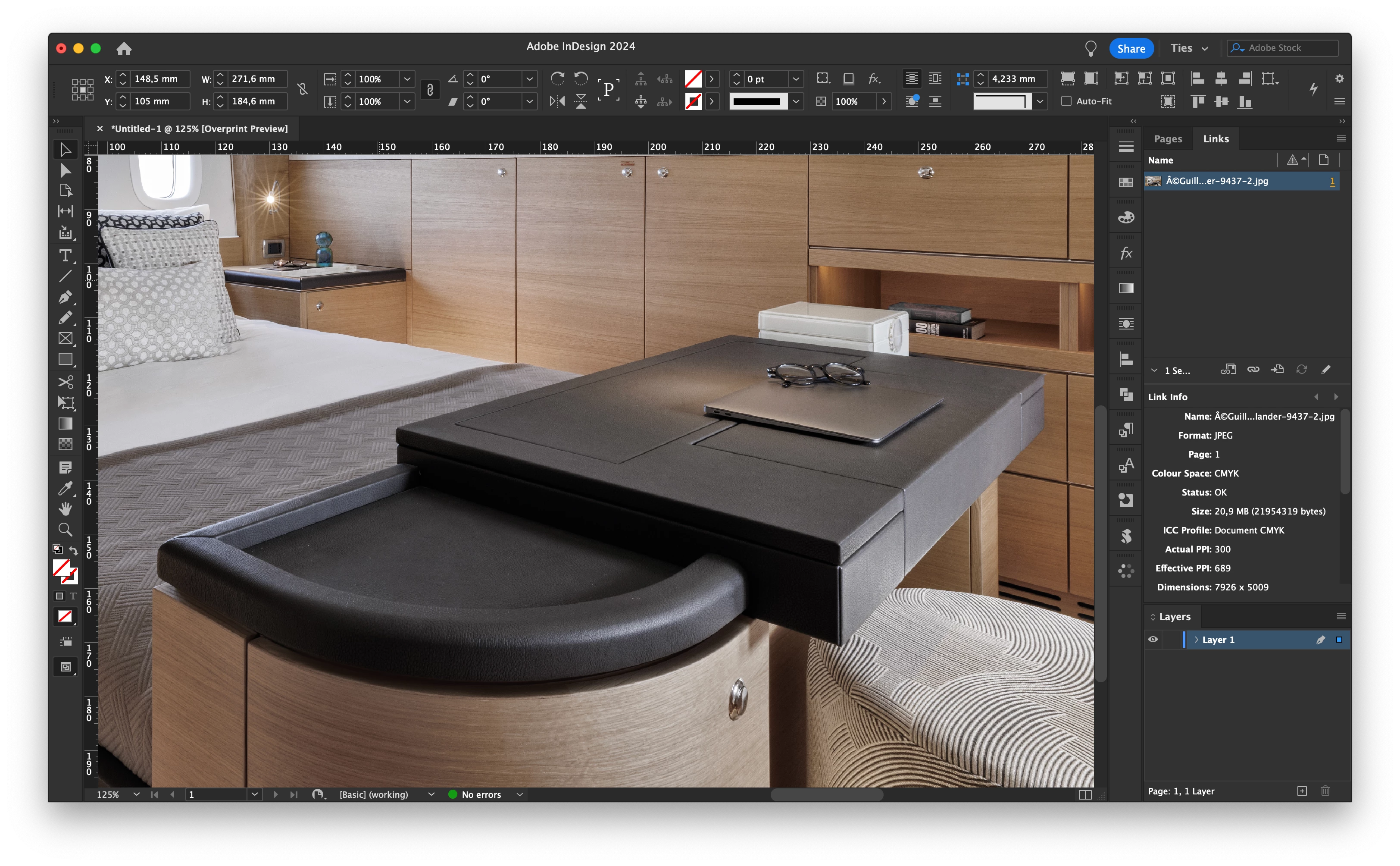
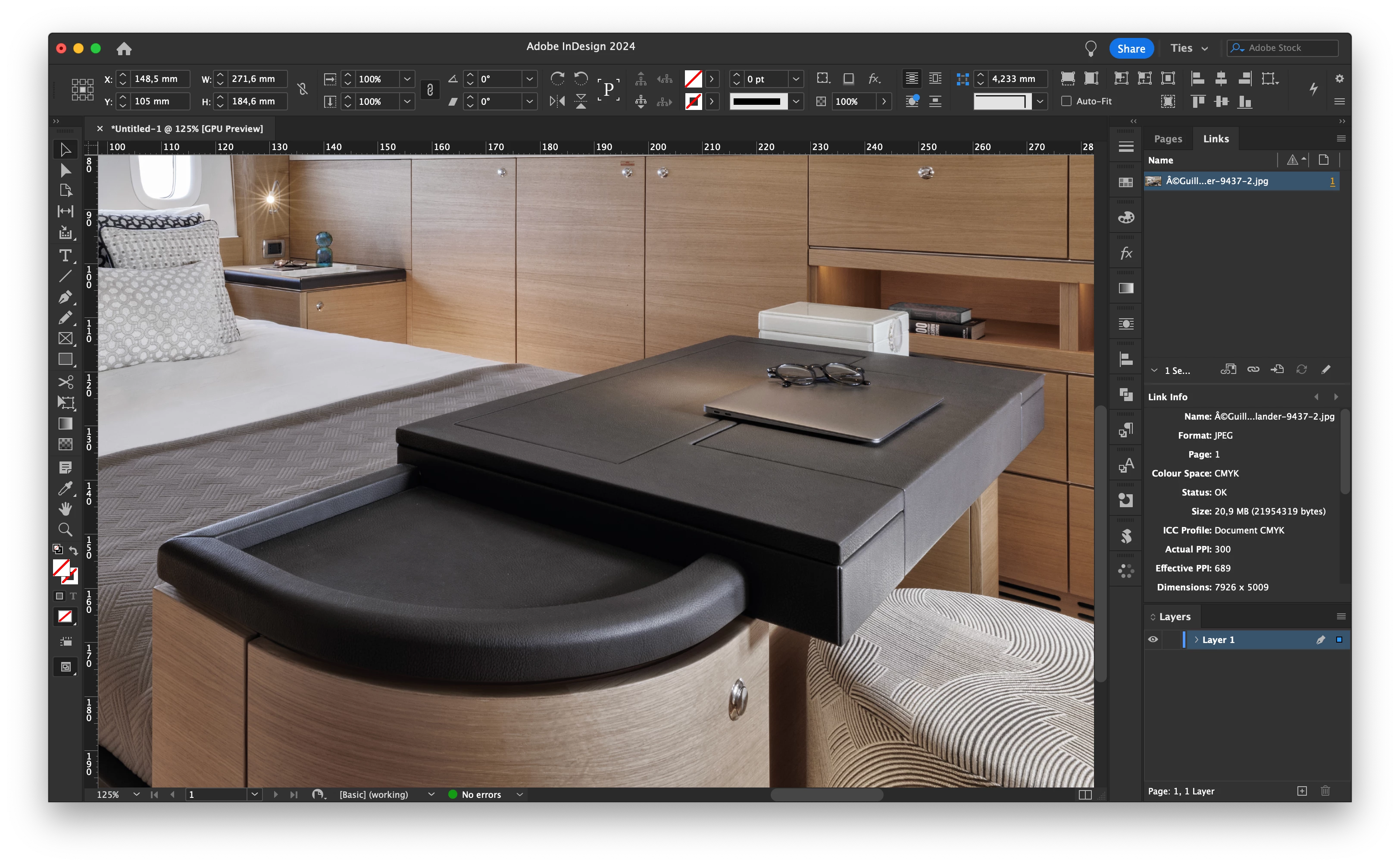
I'm getting problems printing result... I've got a highress image (7926x5009px, at 300DPI, with a FOGRA39 CMYK colorprofile on it.) When I'm reviewing this image in Overprint view i get jacked lines in certain areas. In CPU view that is not the case. The printing result is also with the jacked lines.. I can't find a solution on the internet, so the help of you guys would be nice!
This topic has been closed for replies.
Correct answer rob day

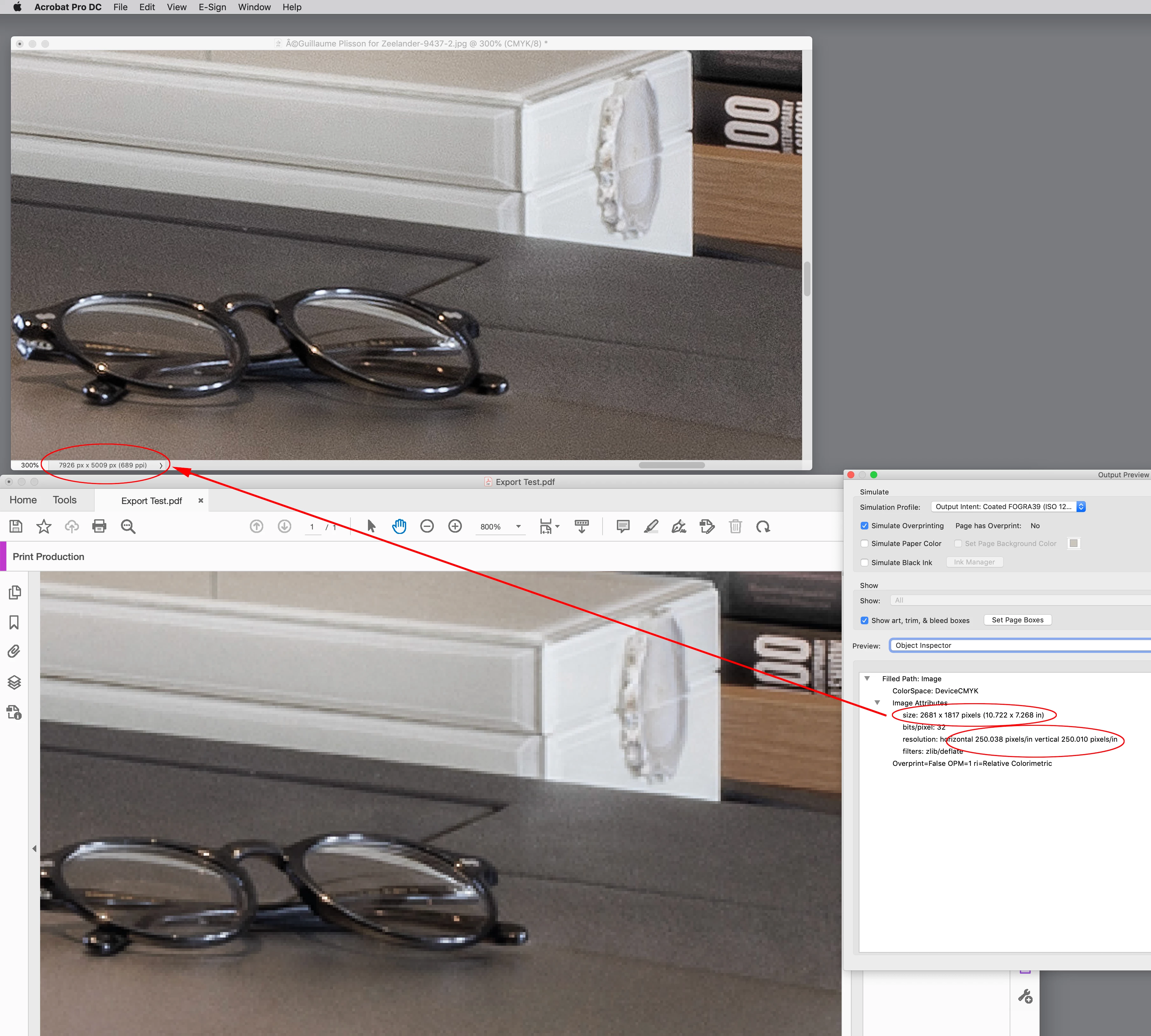
Your PDF has considerably less resolution than the Effective Resolution of the image (689ppi). If I inspect the image in AcrobatPro the image resolution is 250ppi with a pixel dimension of 2681 x 1817—not enough for the high contrast details in an image like yours. Check your Export Compression settings and either turn off downsampling or set Downsampling to a higher resolution than 250ppi.


1 reply

rob day
Community Expert
Community Expert
February 26, 2024

Hi @TIES DEN HARTOGH , By print do you mean you are printing directly from InDesign? Do you see the probelm if you Export to one of the default PDF/X presets and you zoom in? 

Participant
February 26, 2024

Hi @rob day,
No, I meant printing by a press, they get a PDF that they print for me.
If I test your idea with a PDF (see attachment), you see the same problem at 100% (as we saw in the test). If I zoom in to 200/300%, you don't have that problem.

rob day
Community Expert
rob dayCommunity ExpertCorrect answer
Community Expert
February 26, 2024

Your PDF has considerably less resolution than the Effective Resolution of the image (689ppi). If I inspect the image in AcrobatPro the image resolution is 250ppi with a pixel dimension of 2681 x 1817—not enough for the high contrast details in an image like yours. Check your Export Compression settings and either turn off downsampling or set Downsampling to a higher resolution than 250ppi.