
Images in Reflowable ePub in a Fixed Position
Hi All,
Hope you all are doing amazing.
I have been investigating around an issue that I have about inserting images into InDesign but I haven't found the answer yet, hope anyone can help me out.
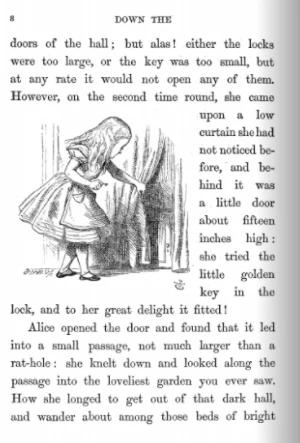
The issue that I have is kind of the same that was exposed in this post - Images in Reflowable Epub - however, what I would like to do is to add an image into an specific position of the sheet surrounded by text, something like the attached image below (I took it from Internet just as an example).
Some of the actions I took before creating this post were:
- Anchoring the image (object) to an specific word and wrap the text aroud.
- Use text box instead of images and wrap the text around.
- Use of layers with the image and use wrap/contour options
But still, when I export the file to Reflowable ePub 3.0 and read it into iBook, the image doesn't appear in the position I put it. Do you know if there is a way to do this? I'm very new in InDesign and probably I'm doing something incorrect.
Your feedback is highly appreciated.
 AdChoices