
Participant
December 5, 2024
Question

Images moving after publish online

  • December 5, 2024
  • 3 replies
  • 1524 views

I have a large catalogue document which needs to be published online with interactivity. I did this last year with no issues and now an updated version of the same document is giving me grief.

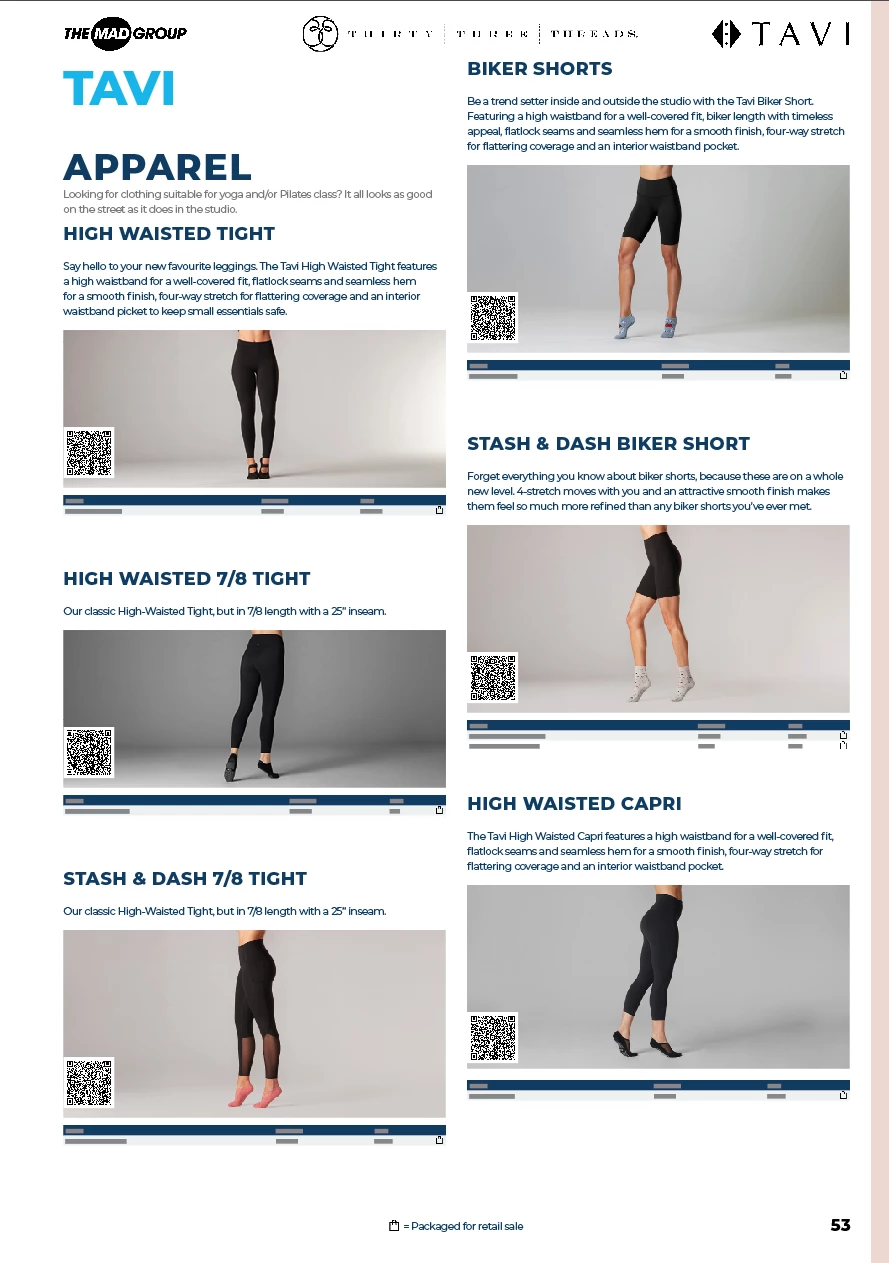
The products are all within threaded text frames. Each product is inside its own table (to stop the product breaking over columns/pages). Each product table has a cell with a product image, and anchored images for a QR code and an icon, as well as various text and another table of the product details within the product table.

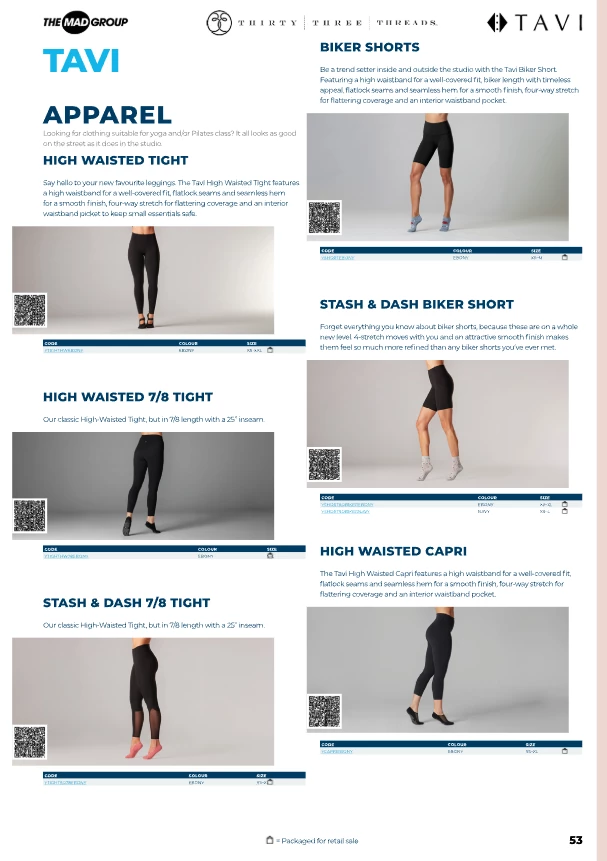
When I publish online all of the product images, QR codes, and icons are all moving about ~1cm to the left. No other images in the document are affected.

Before publish online:
After publish online:
 

3 replies

natasha@readings
Participant
February 27, 2025

I also have this issue with Publish Online with the latest version of InDesign 20.1 and had it last year in InDesign 20.0.1. Images are set up as anchored frames in text. An interactive button is placed on a separate layer on top of these anchored images, and exports where it should be.


The only way I was able to get oround it was by opening the file in InDesign 19.5.2, converting the file and updating the existing Publish Online document link from there. We've been uploading this magazine with the same structure monthly via Publish Online since 2021 and this has only been an issue since using InDesign 2025.

Harshika Verma
Community Manager
Community Manager
March 21, 2025

Hi there,

Sorry for the delayed response. We would like to follow up on your issue. Are you still experiencing the issue in the current version of InDesign (20.2)?


We will try our best to help you.


Thanks,

Harshika

Participant
December 19, 2024

I seem to be experiencing a similar problem. Sending a packaged InDesign file with embedded inages to be uploaded to my website and on some pages, images jump leftwards about 3 mm.  The packaged InDesign file is fine, a PDF produced from it is fine.

Srishti_Bali
Legend
December 20, 2024

Hi @FPClaire


Thank you for sharing the screenshot. I can see the images have shifted slightly to the left. When I tested this on my machine, everything appeared fine. However, as Abhishek mentioned earlier, he was able to replicate the issue with the file shared by @davide33779291.

The issue has already been escalated to the team, but I’d also request you to share your file. You can upload it to a network drive like Creative Cloud or Dropbox and share the download link. This will help us replicate the problem in-house and identify the root cause.


Regards,

Srishti

Participant
December 23, 2024

The magazine has been uploaded to this Adobe site: FPMag ONLINE.  The problem is evident on several pages, the screenshot came from page 23. This first happened with our previous issue, uploaded on 27th November.

Abhishek Rao
Community Manager
Community Manager
December 5, 2024

Hi @davide33779291,


Thank you for bringing this up. Let's tackle this step by step:

  1. Could you share the version of InDesign you're using and details about your operating system?
  2. Is the issue isolated to this particular document, or does it happen with others when using "Publish Online"?
  3. It would be helpful if you could share the original file, along with a packaged version, so we can test this on our end. Here's a guide on creating a packaged file: Assignment Packages in InDesign.

In the meanwhile, the issue may be caused by alignment or anchoring settings for the images and QR codes inside your tables. Would you mind trying the below:

  • Ensure the QR codes and icons are properly anchored to the correct cell in your table. Sometimes, improper anchoring leads to displacement during publishing.
  • If you’re using object styles for these elements, verify the alignment settings. Switch to 'Align Center' or test other alignment settings.
  • Try exporting the document to an interactive PDF first and then re-publishing it online. This process can sometimes help identify and resolve issues with alignment.
  • If you’re using the latest version, ensure all preferences are reset. Reference: https://adobe.ly/3B3QiZd

If you can share the file, I’ll test and provide an exact fix based on my findings. Let me know how it goes!


Best,
Abhishek Rao

Participant
December 5, 2024

Thanks for your reply. I have packaged together a version of the document with just a couple of pages, to save it being GBs of data and checked that the issue still persists. Download here: https://we.tl/t-FBn9zM65Mz

Details:
Windows 11 Business 10.0.26100
Indesign 2025 version 20.0.1
Issue is isolated to this document. Last year's catalogue had the exact same structure of anchored images inside tables etc but worked 
Everything seems to be anchored properly as far as I can tell, however it is not an area of the software I am very familiar with so I could be wrong.
I fiddled with the object styles - all the affected images do use the same 'Product Image' style (the QR and icons override it because I didn't give them their own style)
I checked it as an interactive PDF which works fine, no change puclishing online afterwards
I have reset the preferences, but I don't think I've ever changed them anyway

Abhishek Rao
Community Manager
Community Manager
December 5, 2024

Hello @davide33779291,


Thank you for sharing the packaged file and the additional details. I was able to replicate the issue with the file you provided. It seems that the problem might be related to how the images and QR codes are handled when publishing online.

I will escalate this to our product team for further analysis and work on this to find a solution. I’ll keep you updated as soon as I have more information or a fix to share.

Thank you for your patience, and I appreciate you providing the file for testing.


Best,
Abhishek Rao