Participant
April 28, 2019
Question

Images not staying within margins & bleed

  • April 28, 2019
  • 3 replies
  • 258 views

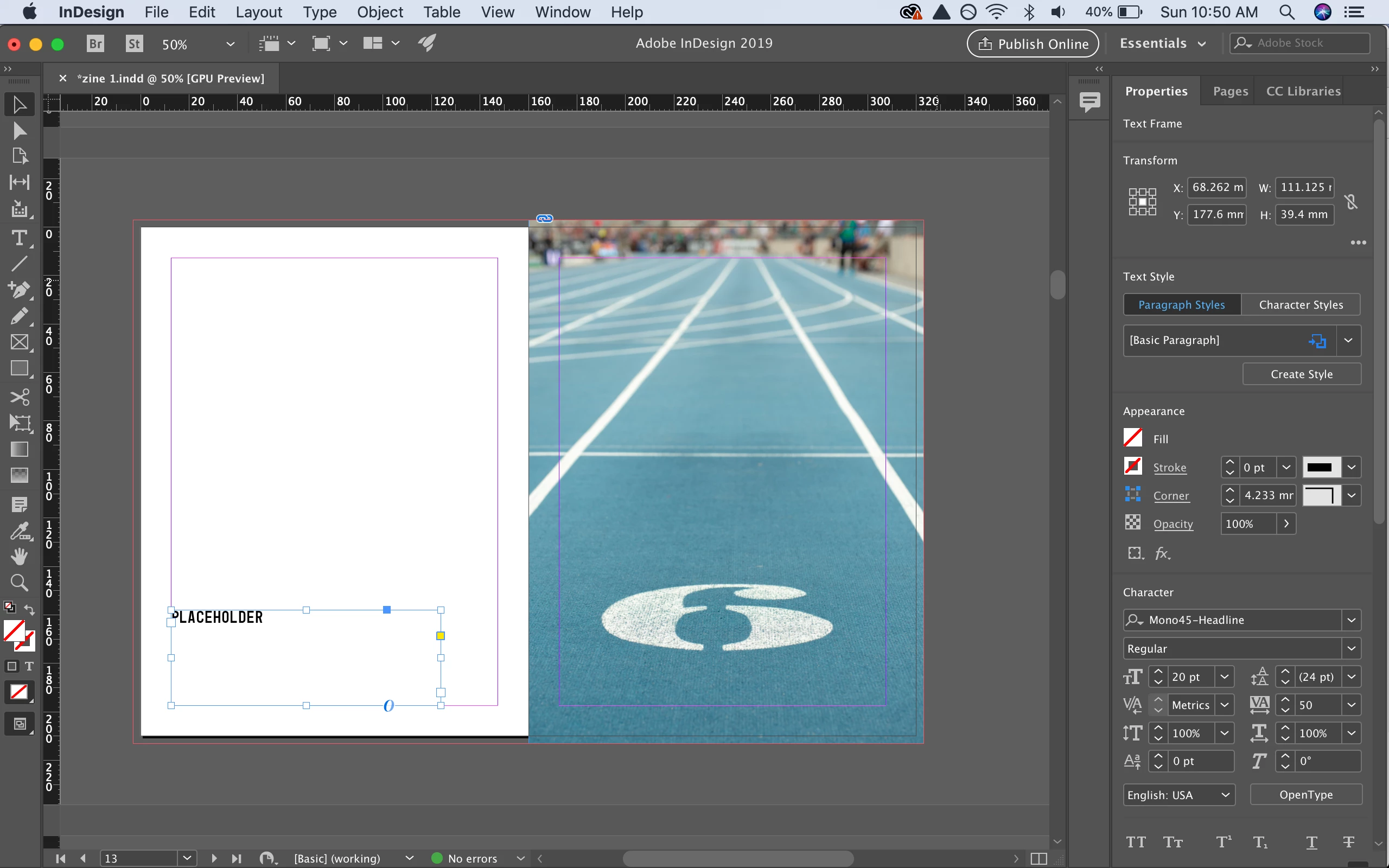
I'm working on a layout for a photo book and want some pages to have full bleed images. I have extended the pictures to the page separation in InDesign and out to the bleed marks. But when I export it to PDFx-1a things get a little wonky.

Here's what it looks like in the editor:
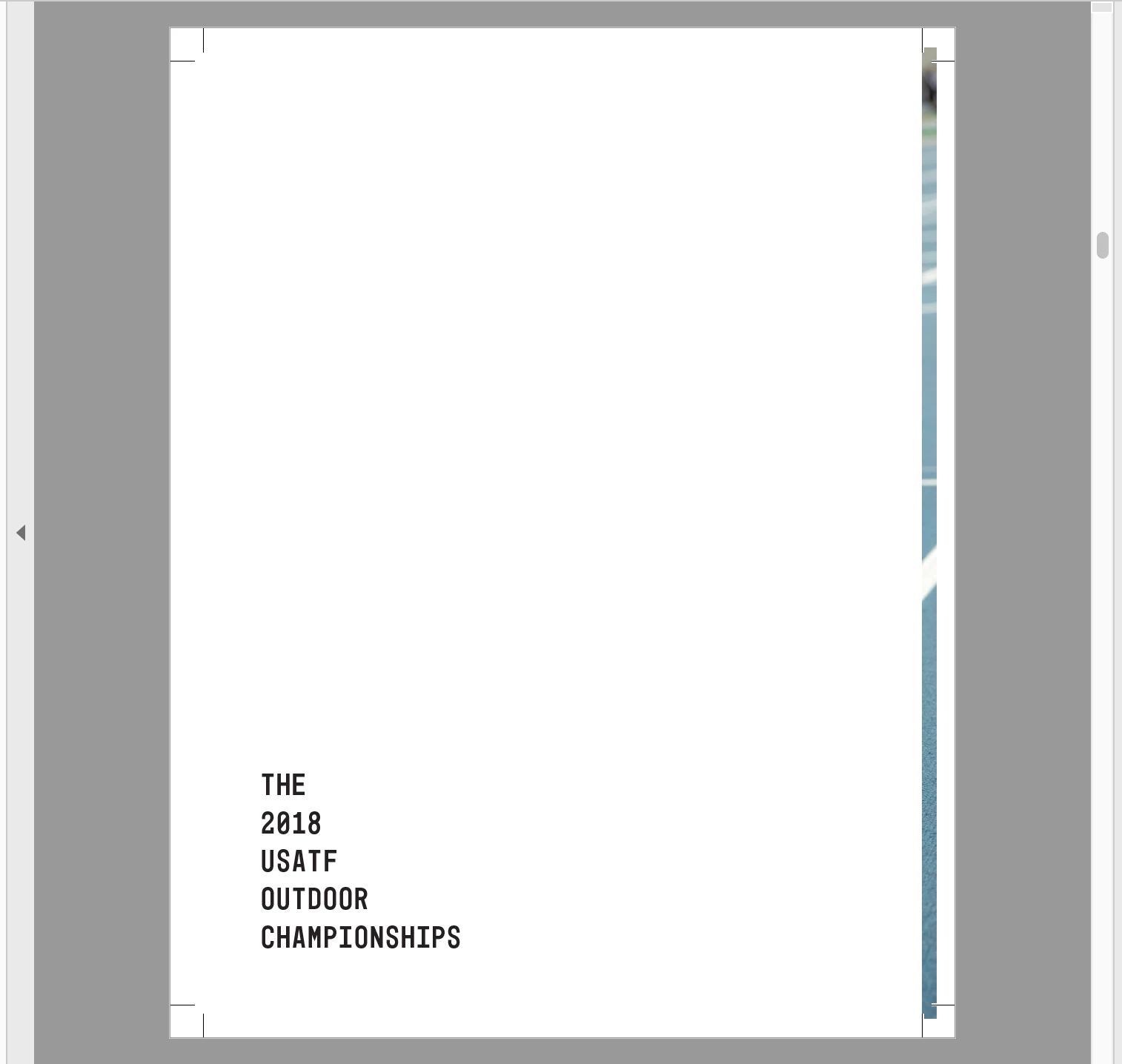
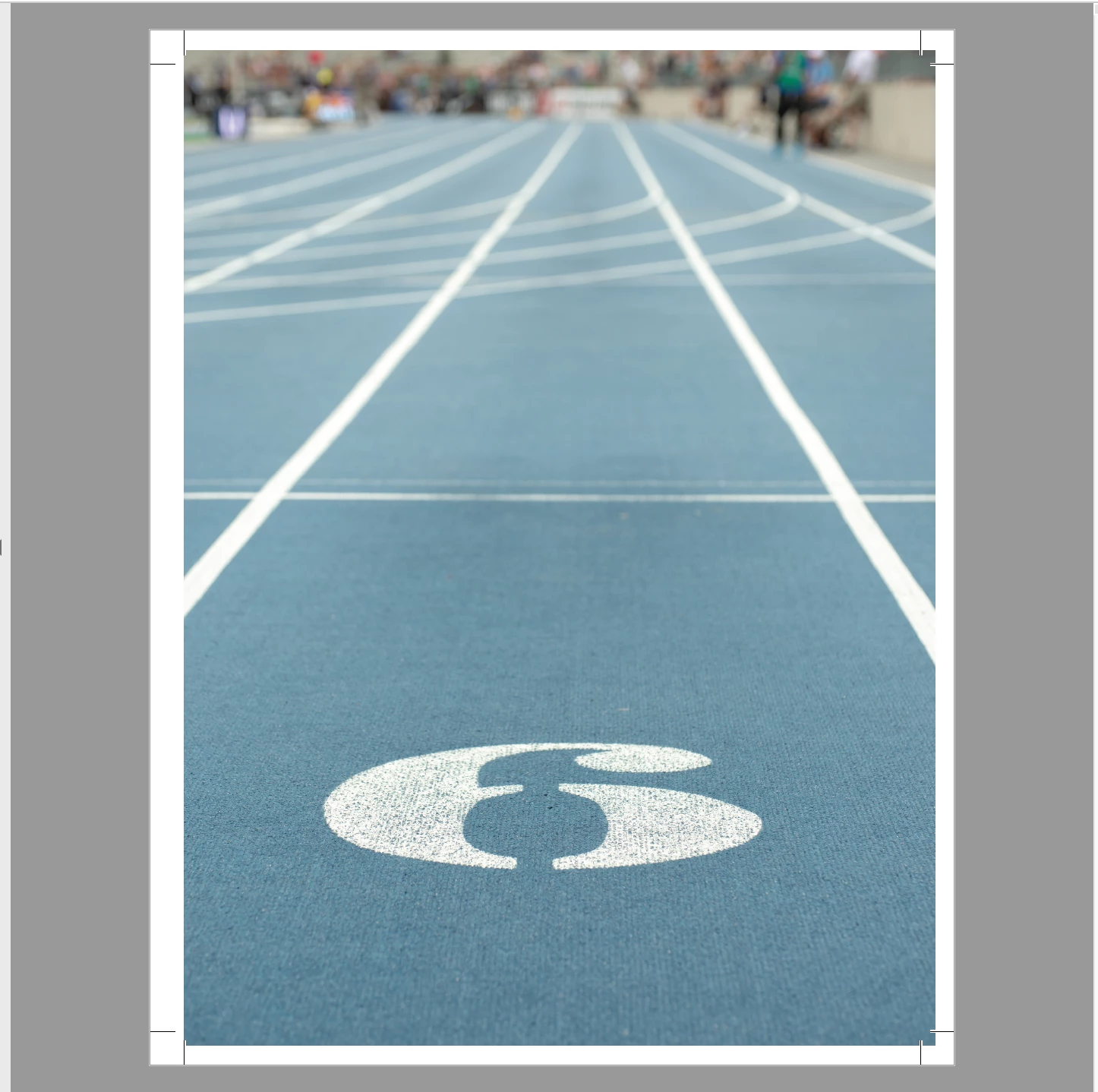
And here's what it looks like in PDF view after I have exported it. The page with the image on it doesn't fully extend to through the bleed, and that part seems to have migrated to the page with the text. Any suggestions on how to fix this? Or is this how it should be due to binding when printed and assembled?
This topic has been closed for replies.

3 replies

rob day
Community Expert
Community Expert
April 28, 2019

When you include an inside bleed with a Facing Page document, the inside bleed has to come from the opposite page. For most binding methods the book gets imposed for the signature sheet, and the inner bleed gets removed—the spine edge is folded not trimmed. If the printer is requesting an inside bleed, your PDF is correct. You have to export pages  (not spreads) for documents  that need imposition.

Bill Silbert
Community Expert
Community Expert
April 28, 2019

The pdf as shown is exactly as it should be when exported from InDesign as single pages. You're seeing some of the image on the blank page because your bleed settings are (correctly) acting as if the blank page is a single page (instead of part of a spread). It is thus showing the image as part of the single page bleed. Since this is a spread why not export it as a spread?

Derek Cross
Community Expert
Community Expert
April 28, 2019

I think that'll be alright. You might want to offset the crop marks a little.