
Participant
April 18, 2018
Question

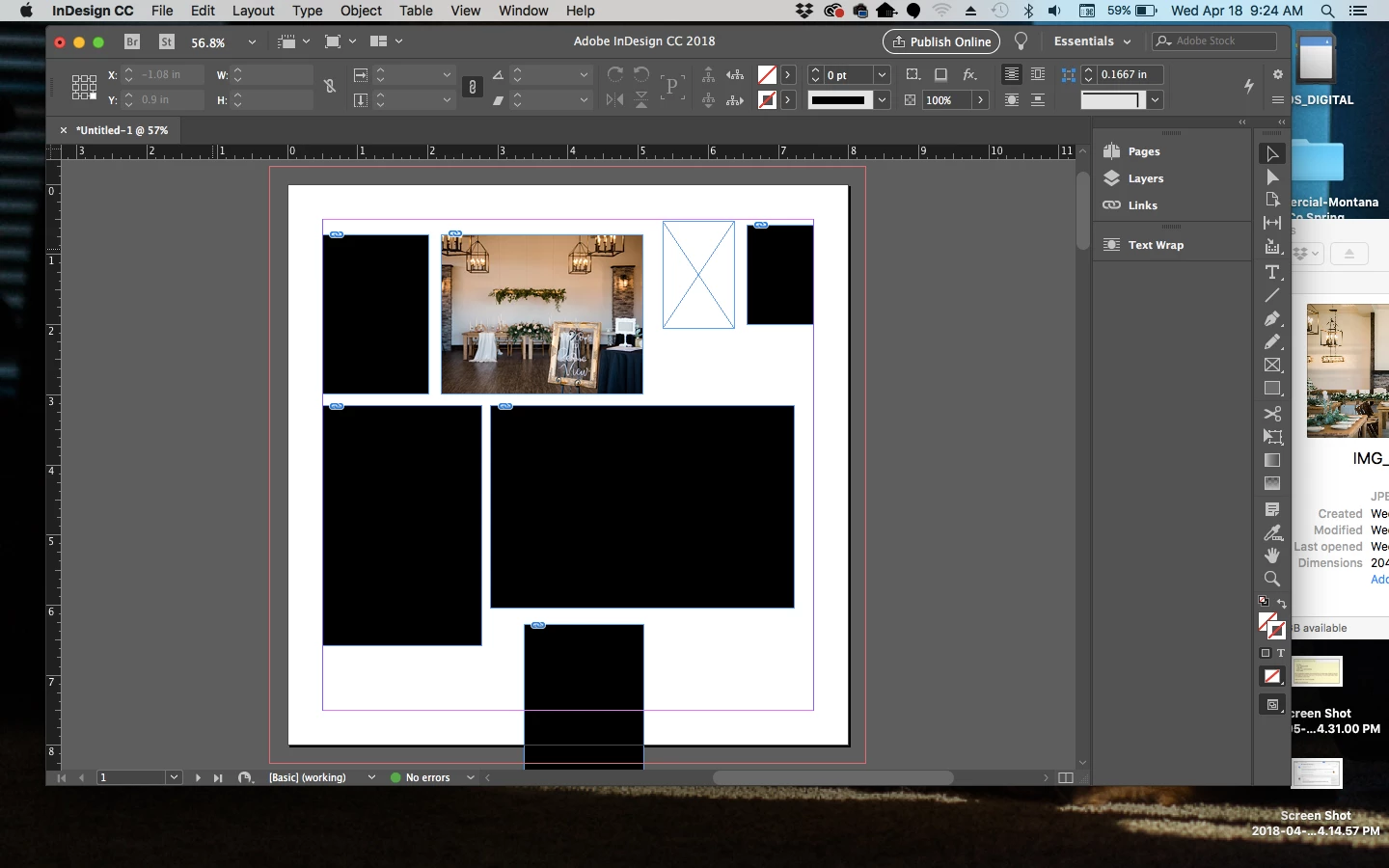
Imported Images are Black or Distorted

  • April 18, 2018
  • 2 replies
  • 1380 views

I updated my Indesign and now I'm having an issue where my images are either imported distorted or just as black boxes.
I've updated my computer, I've uninstalled and reinstalled InDesign. I'm at a loss! Help!!
This topic has been closed for replies.

2 replies

Bill Silbert
Community Expert
Community Expert
April 18, 2018

When you uninstalled and reinstalled did you do it through the desktop app? Before reinstalling did you use the Creative Cloud Cleaner tool Use the Creative Cloud Cleaner Tool to solve installation problems ? If it turns out to not, as Derek suggested, be a problem with GPU Performance then try trashing your InDesign preferences.

To do so:

With InDesign closed Launch a Finder Window in column view and click on your home folder. With the Option Key pressed choose Library from the Finder Go Menu. Within the Library folder find the folder called Preferences and within it find the following two files and delete them: “Adobe InDesign” and “com.adobe.InDesign.plist”. When InDesign is next launched it will create new preference files and the program will be restored to its defaults.

The advantage of manually deleting preference files in this manner is that after you’ve reset up the program (make sure that no document window is open) to your liking, you can create copies of your personalized “mint” preference files (make sure that you quit the program before copying them—that finalizes your customization) and use them in the future to replace any corrupt versions you may need to delete.

Participant
April 19, 2018

I'm not finding any files with those names!!

rob day
Community Expert
Community Expert
April 20, 2018

I'm not finding any files with those names!!

Before you delete preferences check the GPU preference is unchecked.

Looks like you are placing JPEGs, if they did not originate from Photoshop try resaving them as .PSDs (in case the problem is with the file creator).

To delete your caches delete this folder:

/Users/yourusername/Library/Caches/Adobe InDesign/Version 13.0

To reset your prefs delete this folder:

/Users/yourusername/Library/Preferences/Adobe InDesign/Version 13.0

Derek Cross
Community Expert
Community Expert
April 18, 2018

Which version of InDesign and OS?

Try turning off GPU in Indesign preferences.

Participant
April 19, 2018

I'm running Indesign CC 2018 running on Mac OS 10.11.6

I've uninstalled creative cloud and ran the cleaner tool, and I'm still running into the same issue. Now instead of black boxes, I'm getting distorted images. I haven't tried the GPU Performace yet, but I'll update when I do.

This is what I'm getting now.

rob day
Community Expert
Community Expert
April 19, 2018

If GPU doesn’t work try opening the images in Photoshop and resaving them as .psds