Participant
June 8, 2026
Question

Imported images not coming in a the correct size

  • June 8, 2026
  • 2 replies
  • 30 views

Hi All, I have taken over a document from an ex colleague. It is set-up to iPad Pro (12.9in).
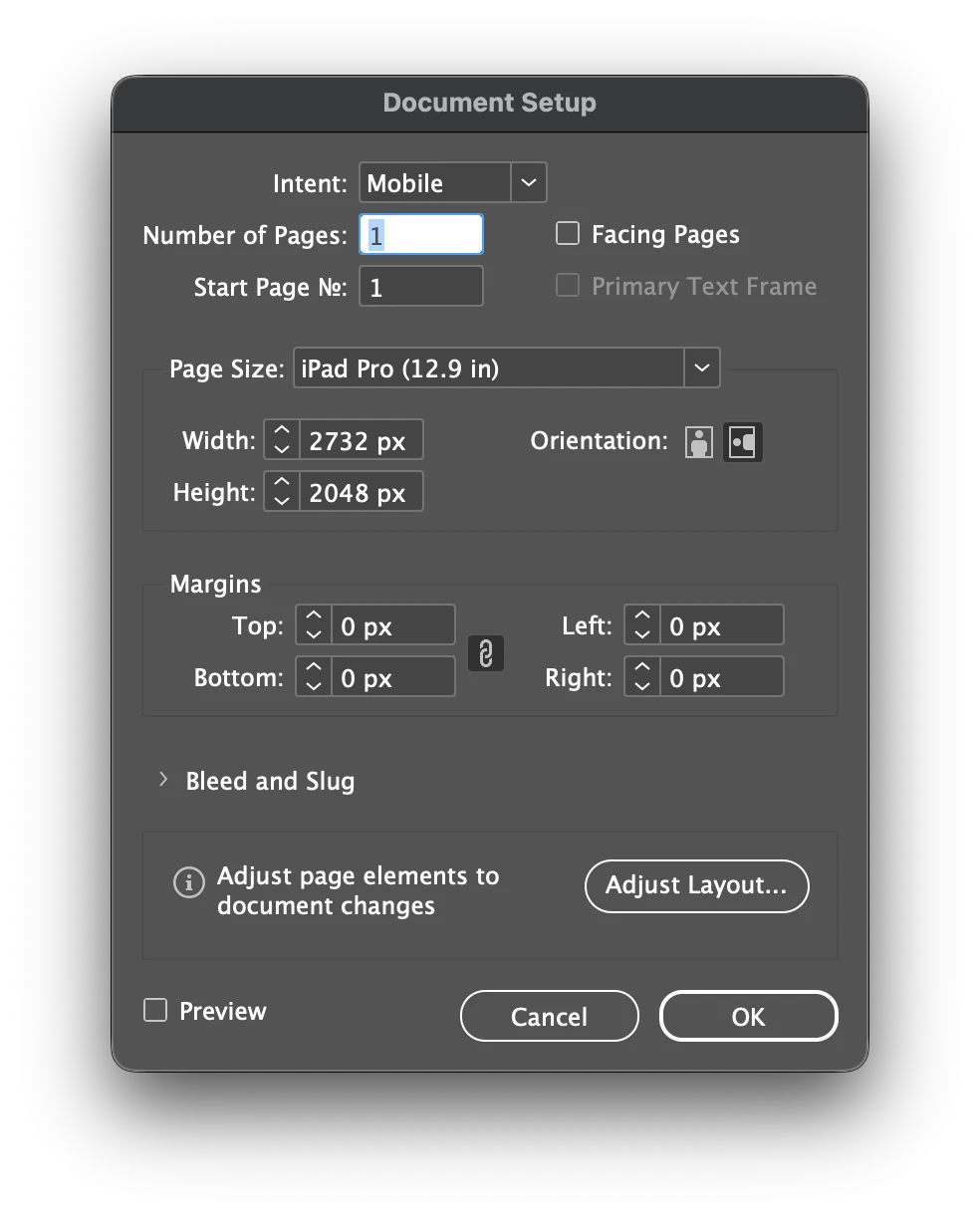
He had massive images in small picture boxes that, when exported to an epub file, is approaching 1.4gb. I am in the process of streamlining and organising this document to see if I can drastically bring the exported file size right down. I have set-up a grid of picture boxes at 624px wide by 334px high. These will contain thumbnail images and, when converted to buttons, will take you to another page. To populate these picture boxes, I have set-up a Photoshop document at the same size as the picture boxes of 624px wide by 334px high and at 300ppi. The PSD has 32 layers, so I have used the Export Layers to Files option, but the images pulled-in to the picture boxes don’t not appear at the sizes the images have been exported to. They are all 624px wide by 334px high at 300 ppi but come in at 149.76px wide by 80.16px high but with the actual and effective ppi being 300. Am I missing something? Should they not come in at the correct size at 300ppi?

If I use the Save for Web option, then images come in at the correct pixel size of 624px wide by 334px high, but at 72ppi. I get this as it is a Save For Web option etc.

I have tried this with a normal ‘print’ document and not a Web or Mobile version and I get the same results. Very strange.

Any insights into what is going on would be fantastic.
    2 replies

    rob day
    Community Expert
    Community Expert
    June 8, 2026

    Hi ​@1425Mark , InDesign has a static Pixel ruler unit which equals 1/72” but has no relationship to image resolution—an InDesign page is a vector object and has no resolution.


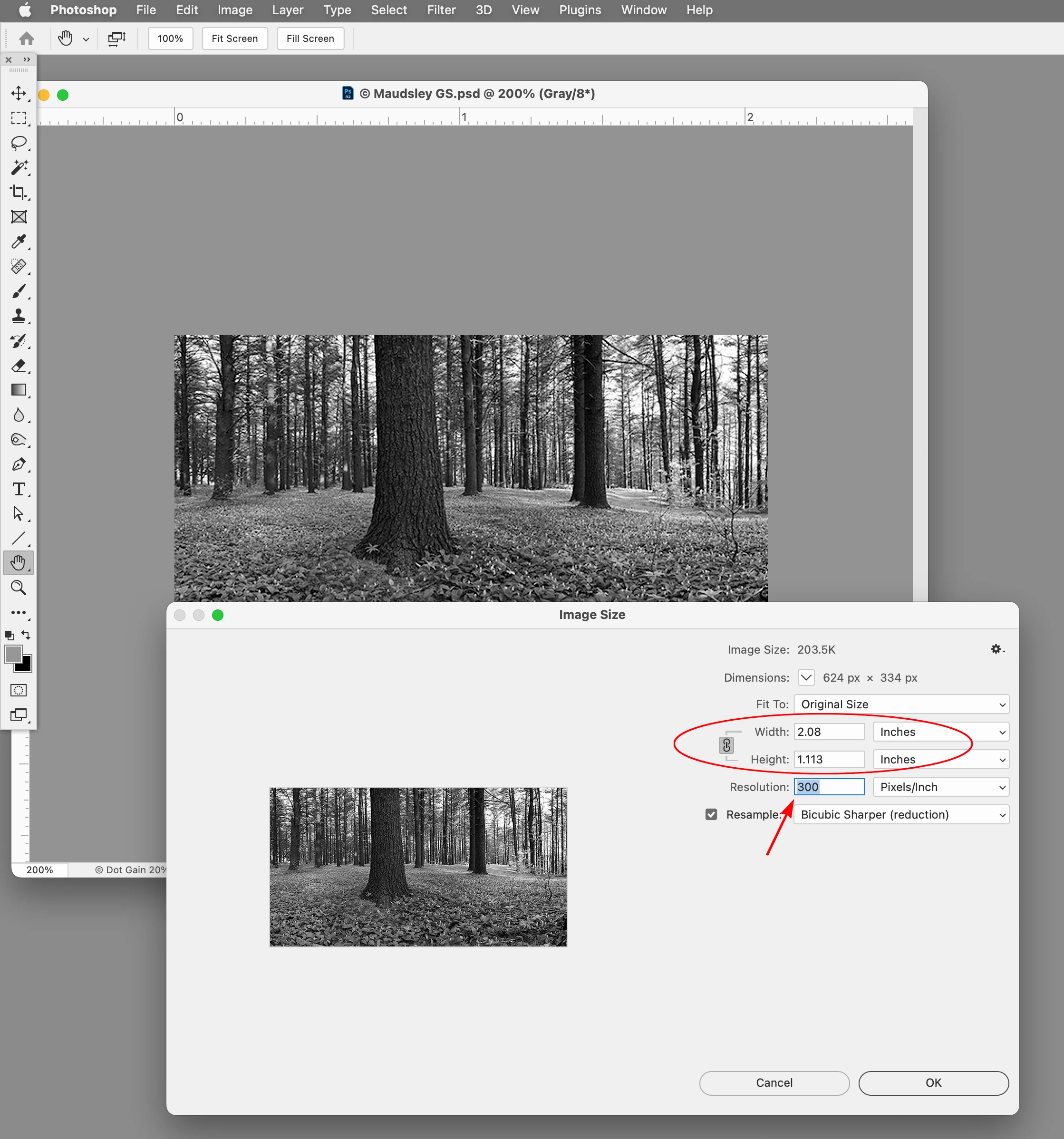
    To illustrate ​@BobLevine ’s post, if I check Photoshop’s Image Size for a 624 x 334 px image set to 300 Pixels/Inch, its Width and Height in Inches equals 2.08 x 1.113 inches (624/300 = 2.08)


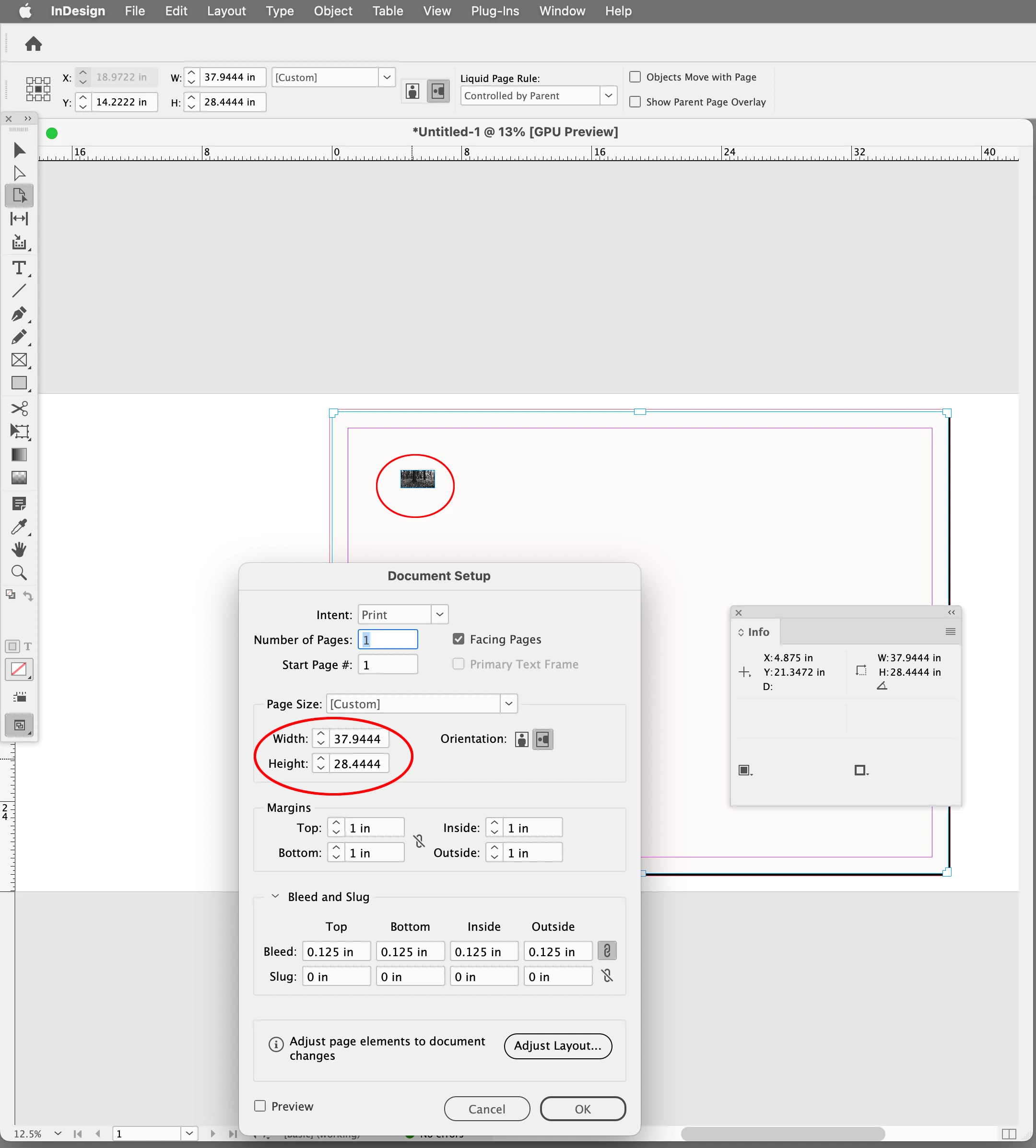
    If I create a 2732 x 2048 px document in InDesign and change its ruler units from Pixels to Inches, the page measures as 37.9” x 28.4” (2732/72=37.94).


    My 2.08 x 1.113 image placed at 100% on my 37.9 x 28.4 inch page:


    BobLevine
    Community Expert
    Community Expert
    June 8, 2026

    InDesign sees pixels as 1/72 of an inch. You’ll need to design with that in mind and untrain your thought processes if they are print-based.

    1425MarkAuthor
    Participant
    June 8, 2026

    Hi Bob,

    Thanks very much for getting back to me so quickly.

    I tested it in a Print document to see if I was getting the same issue as with a screen document, which I did. The finished outcome will be an epub file so I guess the screen resolution of 72ppi would be fine, I was just perplexed with the differing sizes of the imports with how they were exported from Photoshop by either Save for Web or Export Layers to Files.

    I m sure I will get to the bottom of this tomorrow.

    Thanks again

    BobLevine
    Community Expert
    Community Expert
    June 8, 2026

    If you really want to see it in action, change the units on your document to inches. That should give you a good idea of what’s happening under the hood.