Inspiring
March 23, 2017
Answered

Importing a gradient swatch from Illustrator to Indesign

  • March 23, 2017
  • 4 replies
  • 18190 views

Hi,

I was told from adobe that I can't add a gradient swatch in Libraries. So does anyone know how to move the swatch between these programs?

Thanks!

Correct answer Steve Werner

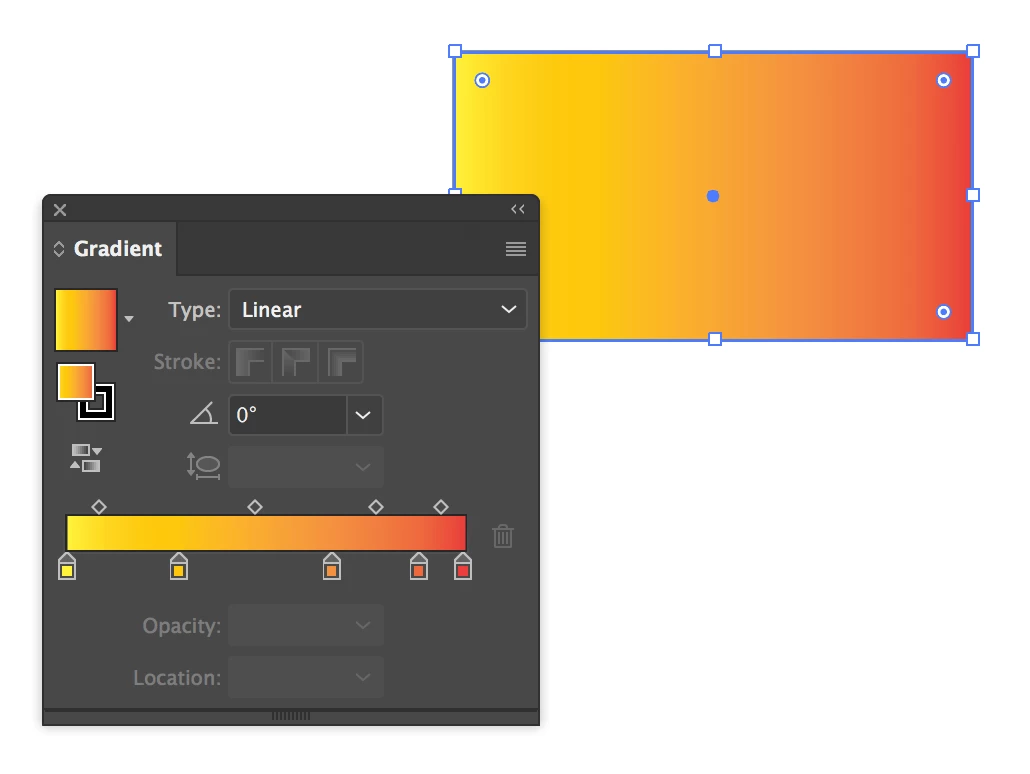
Start as SJRiegel describes by copying a rectangle filled with the gradient from Illustrator (with the setting she describes):
(2) Paste into InDesign.

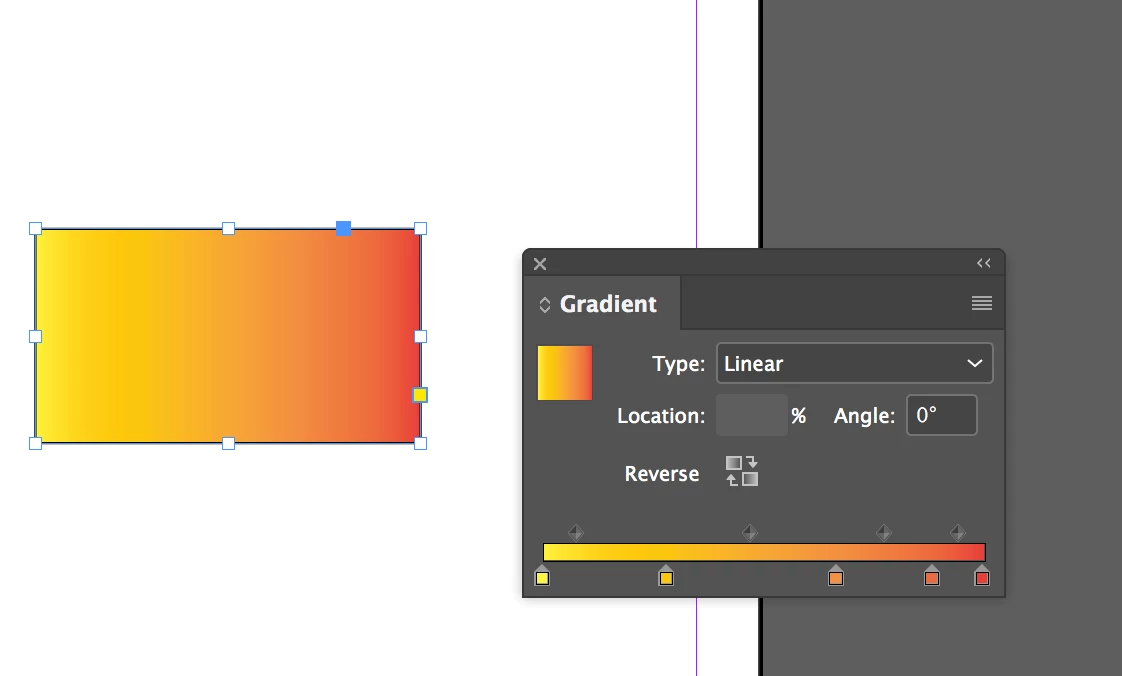
(3) Choose Object > Ungroup. Select with the Direct Selection tool to see the gradient (or click the Content Grabber).
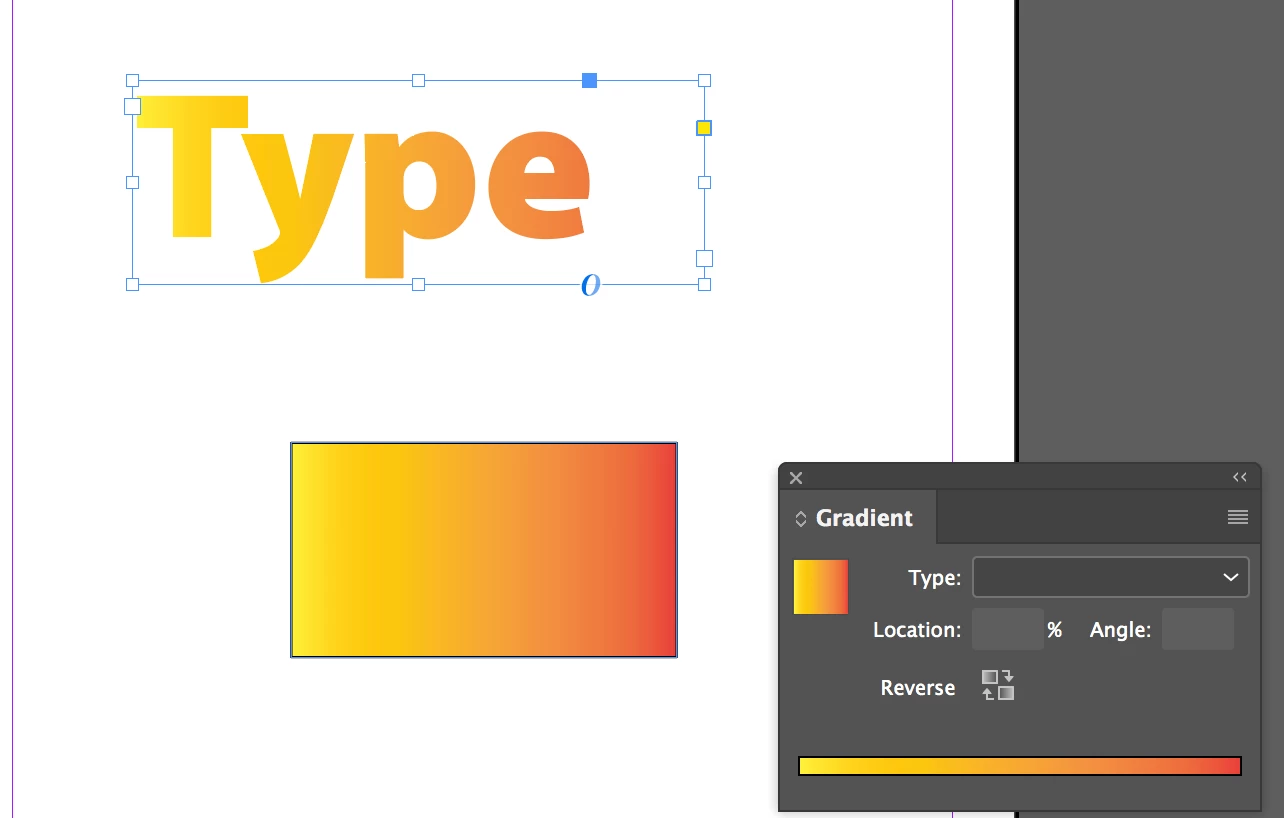
(4) Add a new Gradient Swatch

(5) Color the text.
4 replies

nickd76203846
Participant
October 19, 2017

FYI I seem to be having trouble copying in the RGB mode but in CMYK it works

Participant
November 3, 2022

Thanks! I can confirm this still works as of November 2022.

Inspiring
March 23, 2017

More about gradients from Illustrator: never ever try to copy/paste a gradient containing registration color (cmyk 100-100-100-100) from Illustrator to InDesign (better not to use this color at all, except for print marks). Start to happen bad things like Invalid ColorSpace in your exported PDFs from InDesign (Invalid ColorSpace error in Acrobat, Illustrator, Photoshop and InDesign too by place command). Such affected PDFs can be without problem opened in Affinity Designer/Photo, but not in any Adobe application.

Upon paste from Illustrator, InDesign match 100-100-100-100 in gradient with predefined [Registration] color and use it in new created gradient swatch (normally is not possible to use [Registration] color in InDesign’s gradient swatch definition, just 100-100-100-100, but not [Registration]). To avoid Invalid ColorSpace in PDFs, change that color in swatch dialog to any other normally allowed color.

I reported this bug to Adobe.

Eric Dumas
Community Expert
Community Expert
March 24, 2017

It is a shame that saving the swatches as an .ase file doesn't support tints or gradients.

Steve Werner
Community Expert
Community Expert
March 24, 2017

Eric,

Re: the ASE format: My guess is that it's because of Photoshop vs. InDesign/Illustrator differences in the way gradients are handled. And I don't think Photoshop has a concept of a tint.

ASE was designed to move colors between InDesign, Illustrator and Photoshop.

Legend
March 23, 2017

You can copy and paste a gradient from Illustrator to InDesign, but you will need to Uncheck Prefer PDF When Pasting in InDesign's Clipboard Handling preferences.

SmallBearAuthor
Inspiring
March 23, 2017

I tried, and Illustrator doesn't allow me to copy the swatch. Can you take it step by step please?

vinny38
Legend
March 23, 2017

Just create any object in Illustrator and apply your gradient to it.

Then copy your object and paste in Indesign. See new Gradient swatch appearing in the Swatch panel.

Just delete the object and you are done ^^

Eternal Warrior
Inspiring
March 23, 2017

What exactly are you trying to do in terms of context?

SmallBearAuthor
Inspiring
March 23, 2017

I want to use a gradient swatch that I have in Illustrator on some text in Indesign.

Steve Werner
Community Expert
Steve WernerCommunity ExpertCorrect answer
Community Expert
March 23, 2017

Start as SJRiegel describes by copying a rectangle filled with the gradient from Illustrator (with the setting she describes):

(2) Paste into InDesign.

(3) Choose Object > Ungroup. Select with the Direct Selection tool to see the gradient (or click the Content Grabber).

(4) Add a new Gradient Swatch

(5) Color the text.