Importing indesign file into another
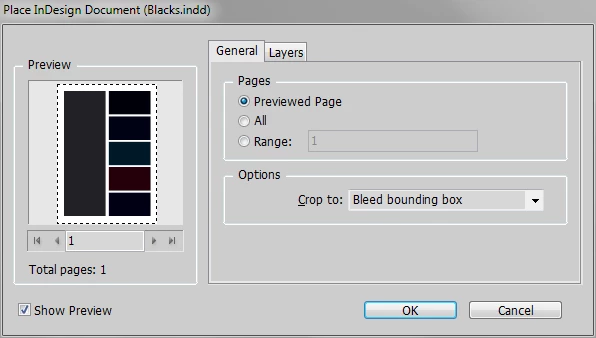
Hi, I build a magazine in indesign, which contains ads, that I made in indesign docs. I place the ads onto the page as a placed doc. This way, if I make changes it will alert me to update, and I don't go thru all the hassle of making pdfs to place on the page. The ads all have bleeds and sometimes, a little something goes outside the border into the bleed. It always worked.
Yesterday, I got an alert that something was wrong with my Creative Cloud, and i had to reload the desktop program. I did not update Indesign, it still says I need to do that, but the background defaulted to the darker color, and my custom workspace is gone. I can fix all of that.
But now, when I place an ad (indesign file with bleeds) into another indesign file, the bleeds are not there. I've gone thru preferences and do not see anything.
Please help! I will have to change my whole workflow if I can't find out what is different here.
Thank you,
 AdChoices