



Habib EMG
Participant
Nov 3, 2025 9:33 AM UTC
Answered

Importing (Placing) Cyrillic Bold Italic from word is not working (fine with latin)
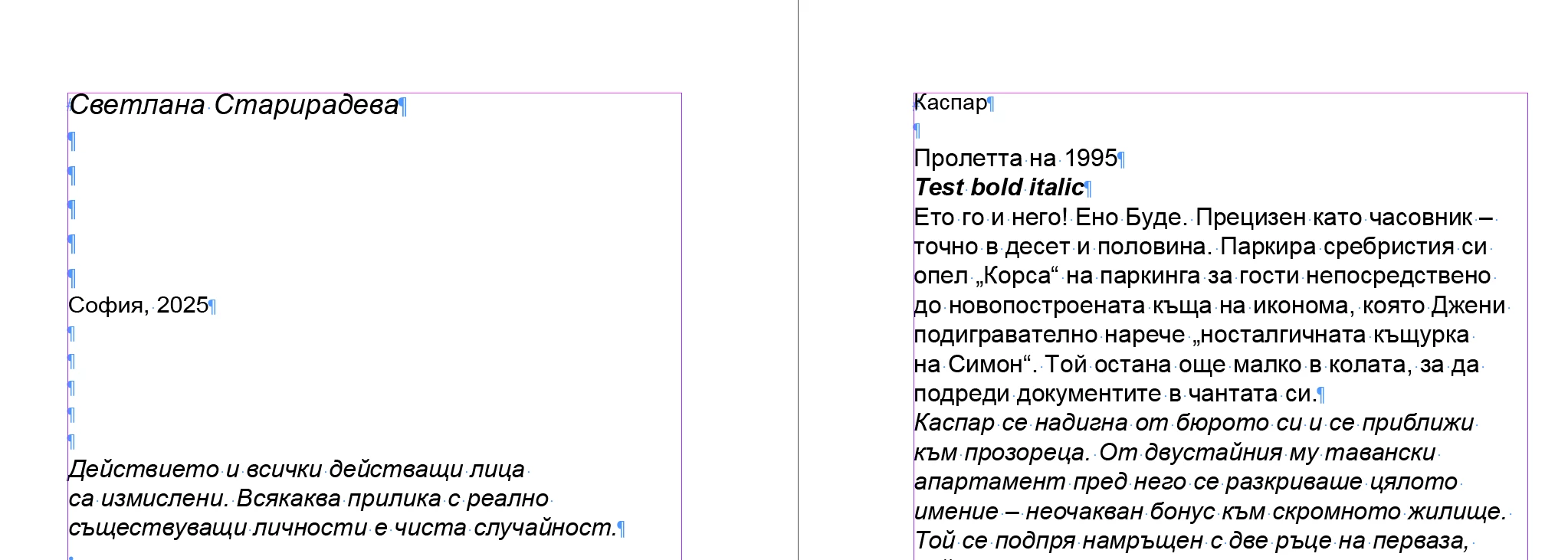
Hello,

I've tried every possibilities I know of (formatting word, using different import options, updating fonts...) but can't solve this one. Placing does not work with cyrillic bold italic, only copy paste. The text is a 450+ pages novel and I'm reluctant to use copy paste as a standard workflow for future project.

Can someone help?

Thanks

mujtba_1056Correct answer
Participant
Nov 3, 2025 3:49 PM UTC


That usually happens due to missing font support for Cyrillic bold italics. Try using a Unicode-compatible font like Arial Unicode MS or Times New Roman before importing. You can also check if the export format preserves font styles sometimes converting to .docx or .rtf first fixes the issue.

3 replies

mujtba_1056Correct answer
Participant
Nov 3, 2025 3:49 PM UTC


That usually happens due to missing font support for Cyrillic bold italics. Try using a Unicode-compatible font like Arial Unicode MS or Times New Roman before importing. You can also check if the export format preserves font styles sometimes converting to .docx or .rtf first fixes the issue.

Translate
Habib EMG
Habib EMGAuthor
Participant
Nov 3, 2025 4:16 PM UTC

Converting to RTF did the trick!

Thanks a lot

Translate
Anubhav M
Community Manager
Community Manager
Nov 3, 2025 12:34 PM UTC

Hello @Habib EMG,

Thanks for reaching out. Would you mind sharing more details, like the version of the OS/InDesign installed and a link to a sample AI and Word file after uploading them to a file-sharing service, so we can try and replicate this on our end?

Looking forward to hearing from you.
Anubhav

Translate