dublove
Legend
April 14, 2026
Answered

In a spread, how can I use the center line as a boundary to determine whether an object is on the left or right page?

  • April 14, 2026
  • 2 replies
  • 56 views

Hello everyone
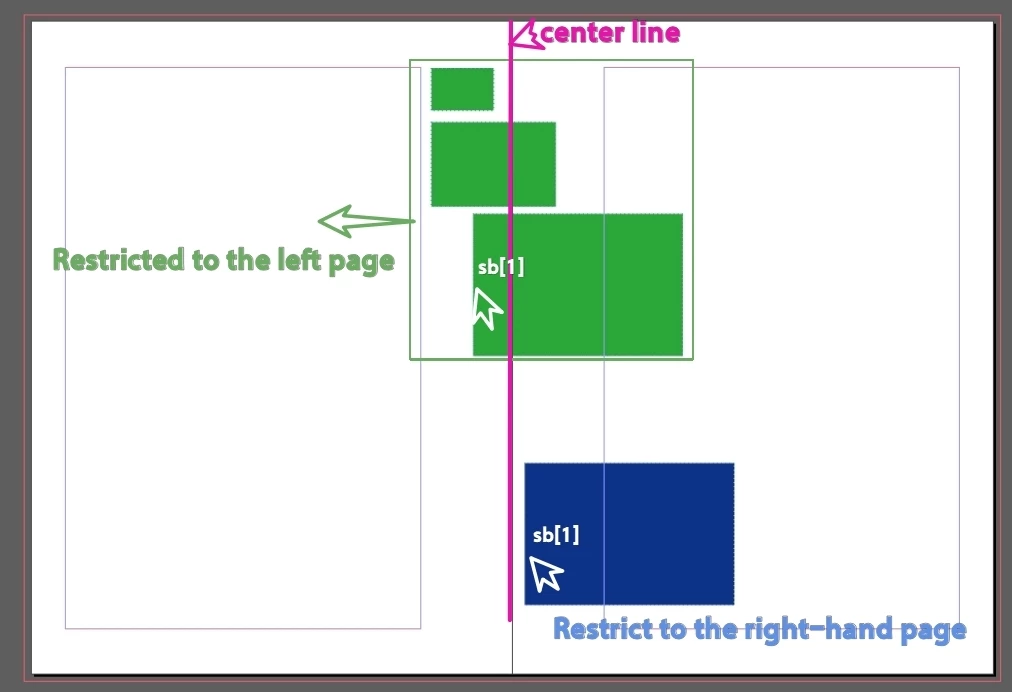
In a spread, I want to use the center line as a boundary to distinguish between the following two cases:
A. If the object’s left edge (sb[1]) is on the left side, regardless of sb[3], the object is considered to be on the left page.
B. If the object’s left edge (sb[1]) is on the right side, regardless of sb[3], the object is considered to be on the right page.

My ultimate goal is to decide whether they should move to the left or to the right.

Thank you.

var d = app.activeDocument;
var s = d.selection[0]; 
p = s.parentPage;
var sb = s.geometricBounds;
var pb = p.bounds;
lm = p.marginPreferences.left;
rm = p.marginPreferences.right;

 

    Correct answer rob day

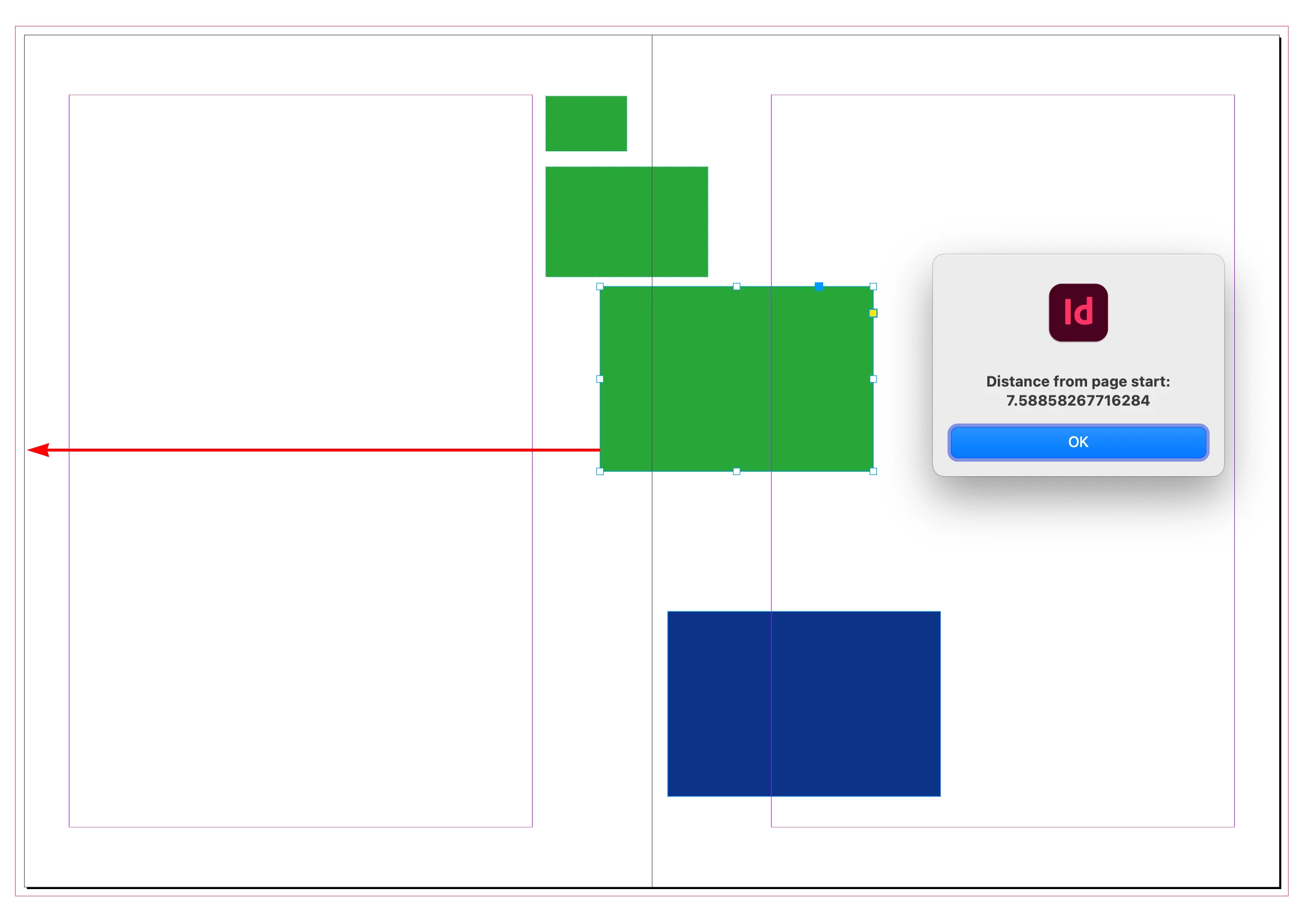
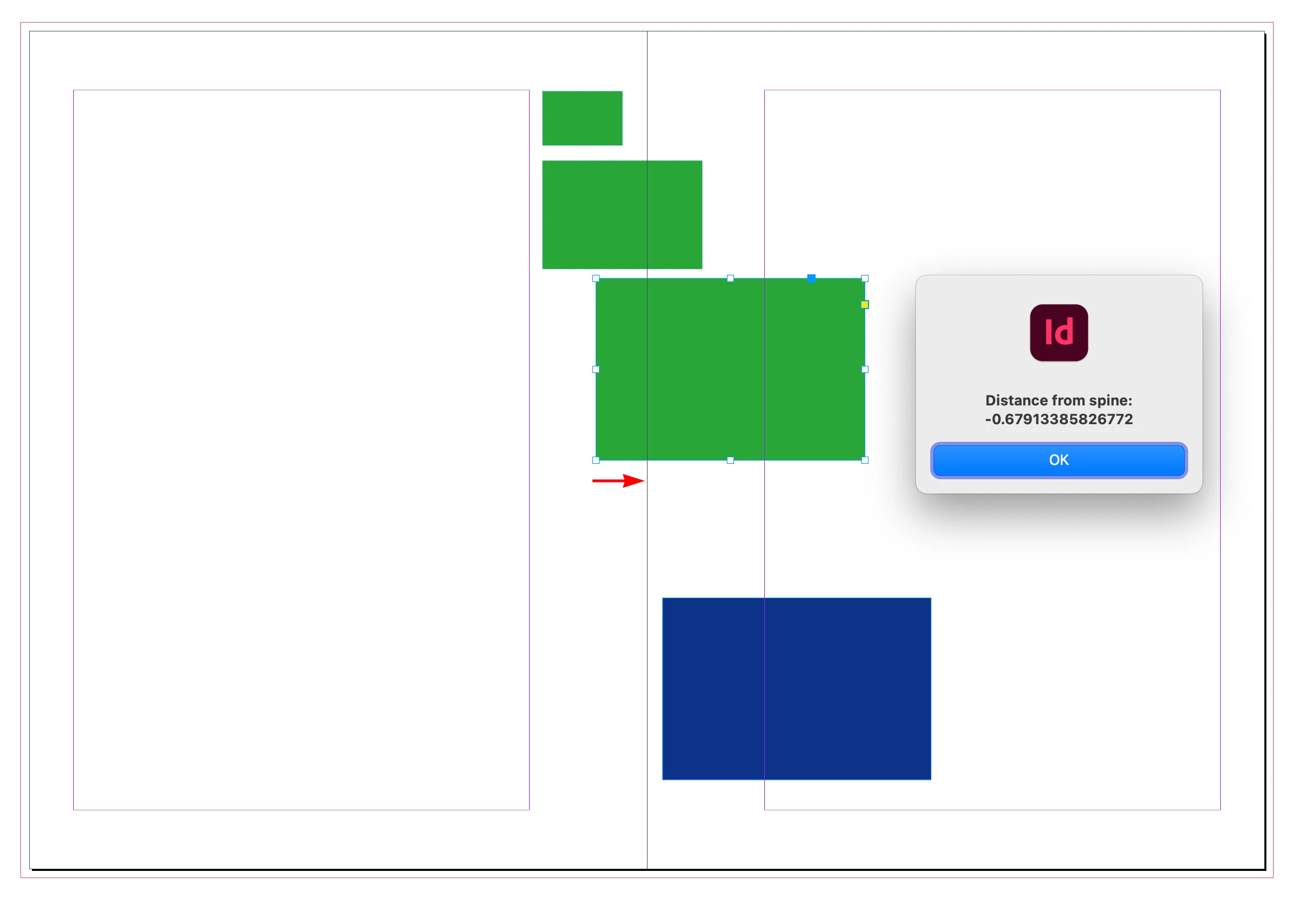
    The reported geometricBounds of a selection depends on your rulerOrigin settings, so:


    var d = app.activeDocument;
    var s = d.selection[0];
    d.viewPreferences.rulerOrigin = RulerOrigin.SPINE_ORIGIN
    alert("Distance from spine: " + s.geometricBounds[1])
    d.viewPreferences.rulerOrigin = RulerOrigin.PAGE_ORIGIN
    alert("Distance from page start: " + s.geometricBounds[1])


    2 replies

    rob day
    Community Expert
    Community Expert
    April 14, 2026

    Also, if you just want to know if the selection’s left edge is to the left of the spine then maybe:


    var d = app.activeDocument;
    //set rulers to spine origin
    d.viewPreferences.rulerOrigin = RulerOrigin.SPINE_ORIGIN
    var s = d.selection[0];
    //left edge of selection
    var l = s.geometricBounds[1]
    //check left or right
    if (l<0) {
    alert("Selection starts left of spine")
    } else {
    alert("Selection starts right of spine")
    }


    rob day
    Community Expert
    Community Expert
    April 14, 2026

    A page has the side property, so:


    var d = app.activeDocument;
    var s = d.selection[0];
    var p = s.parentPage.side

    alert("Selection is on the " + p.toString() + " Side")


    Note that a document setup with Facing Pages unchecked could still have spreads of more than one page. In that case the pages would all return as Single Sided


    dublove
    dubloveAuthor
    Legend
    April 15, 2026

    I found that whether the midpoint of the selected object lies on the centerline determines whether it belongs to the left or the right side.

    rob day
    Community Expert
    rob dayCommunity ExpertCorrect answer
    Community Expert
    April 15, 2026

    The reported geometricBounds of a selection depends on your rulerOrigin settings, so:


    var d = app.activeDocument;
    var s = d.selection[0];
    d.viewPreferences.rulerOrigin = RulerOrigin.SPINE_ORIGIN
    alert("Distance from spine: " + s.geometricBounds[1])
    d.viewPreferences.rulerOrigin = RulerOrigin.PAGE_ORIGIN
    alert("Distance from page start: " + s.geometricBounds[1])