dublove
Legend
November 16, 2021
Question

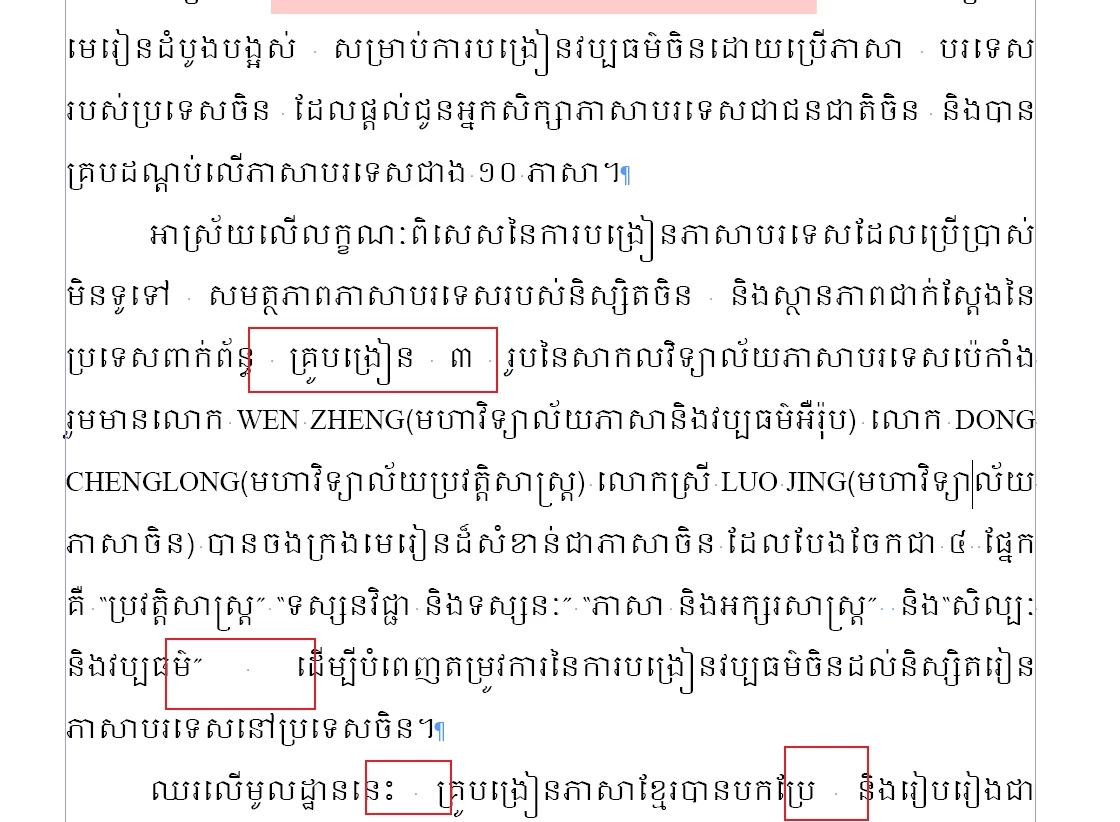
In Cambodian (khmer) typesetting, the character spacing is too wide. How to adjust it?

  • November 16, 2021
  • 2 replies
  • 814 views

In Cambodian (khmer) typesetting, the character spacing is too wide. How to adjust it?

I came across several books in Cambodian.

After typesetting, I found that the spacing of some characters is too wide. Here, "ligature" and punctuation extrusion don't seem to work.

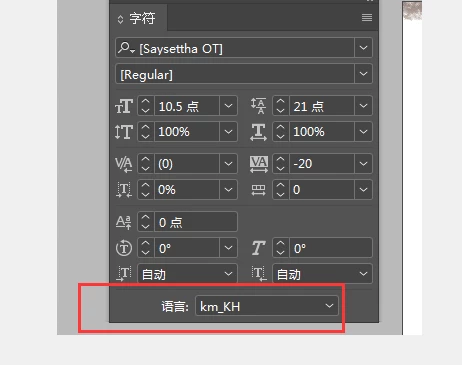
The language "Khmer (Cambodia)" already exists in InDesign, but it seems wrong.

Someone asked how to install: km_ KH language?

I also want to know where the "km_kh" language comes from and how it is installed in InDesign


The File is here:
Down the ID file 


This topic has been closed for replies.

2 replies

Community Expert
November 16, 2021

Hi dublove,

John is right, I think.

The original applied font is missing and the text is shown with a font substitution.

One can tell that by the brackets around the font's family name and the style name.

That's probably the cause of the strange character spacing.


Regards,
Uwe Laubender

( ACP )

John Mensinger
Community Expert
Community Expert
November 16, 2021

No expert on the subject here, but I suspect your issue is more with the font than InDesign's implemenation of the language. Is this the only font you've tried?

dublove
dubloveAuthor
Legend
November 17, 2021

There are fonts used in the packed folder

Maybe it's the font, because some words are composed of two characters

jmlevy
Community Expert
Community Expert
November 17, 2021

I opened your file and I have noticed that there are a lot of soft returns and your text is justified, but I also think as John that you are using a poorly built font, because even if you remove the soft returns, spaces are very wide.