Participant
January 27, 2020
Question

In Design - Crash on startup : EXCEPTION_ACCESS_VIOLATION

  • January 27, 2020
  • 1 reply
  • 3136 views

I've been struggling few months with this error when starting In Design .


And this happens on mutliple computers , different hardware and same OS (Windows10) , and only In Design fails, other Adobe products works.
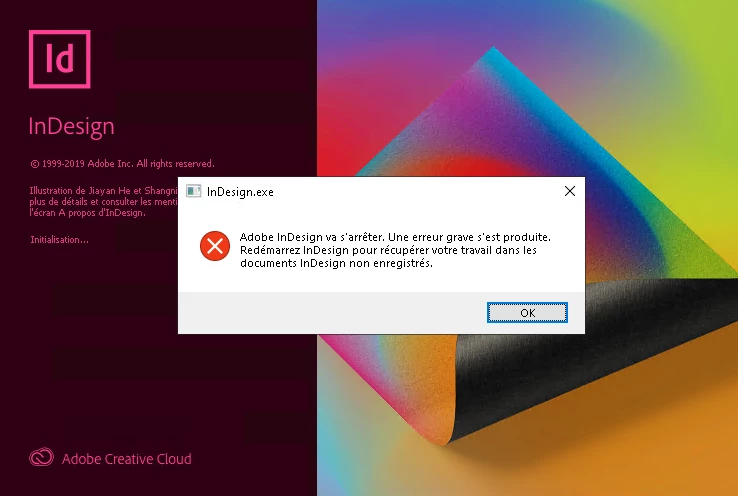
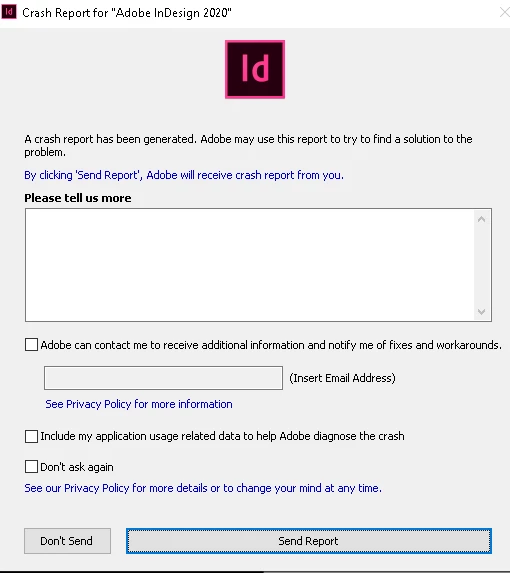


Spend hours with Adobe support on the phone and their only answers is usually to uninstall the product , delete pref & try again. And then no more answer from 2nd line support for weeks....

I FINALLY manage to get to a solution ,  after spending ages running tests (Not to mention we pay a fortune for those products, and then you have to figure out the solution by yourself, and eventually be nice enough to post the solution for others.....)


There are files inside Appdata\Local\Adobe , that are blocked by our Antivirus (but without any error messages, otherwise it would have been to simple) , and i'm not talking about admin rights there...


SOLVED :Create an anitvirus exception on the following file : C:\Users\%username%\AppData\Local\Adobe\InDesign\Version 15.0\AdobeWLCMCache.dat


Let's be clear ,  removing a complete folder from the Antivirus is not a safe or viable solution .


I hope we'll get a fix one day.


This topic has been closed for replies.

1 reply

BobLevine
Community Expert
Community Expert
January 27, 2020

So, how is this Adobe's fault? There's plenty to complain about but I don't see how an overzealous antivirus program is one of them.

FWIW, and I'm sure some will disagree, but I see no need for anything more than Windows Defender installed as part of Windows 10. 

Participant
January 27, 2020

I was expecting some kind of nonsense answer like this one. 
Among the 50 softwares we do install in our infranstructure , "In Design" is the only one having this issue (All the Adobe suite works well) , in your logic , i'll have to pay another Antivirus , or remove it , just because a poorly developped solution like In Design creates problem?  And if Windows Defender also block the file\folder as well , what will you say then.?!

When you sell a product that becomes a risk among some Antivirus (not overzealous BTW) , you might need to reconsider how some files are generated and stored on the drive. And that's why i took more time to post this Fix ,so it helps community and the Adobe support as well.

But you are right on one point , i do disagree with you . i would not recommend on big IT Infrastructure to run only with Windows Defender. 


BobLevine
Community Expert
Community Expert
January 27, 2020
But you're asking Adobe to fix a problem with a false positive / conflict with a third party product.

Why not report it to the anti-virus vendor (which, by the way, you failed to name)?