Participant
July 5, 2017
Answered

In Design - Object>Clipping Path option

  • July 5, 2017
  • 2 replies
  • 672 views

I'm having trouble with the clipping path  option in In Design CC.

I can get the pop up window to appear, but when I try to select any of the options, Detect Edges, Photoshop path etc, it won't select any of the options, it just jumps back to None.

I updated In Design to the latest version last week so I can assume it's been that like it since then.

Any ideas anyone? 😕😕
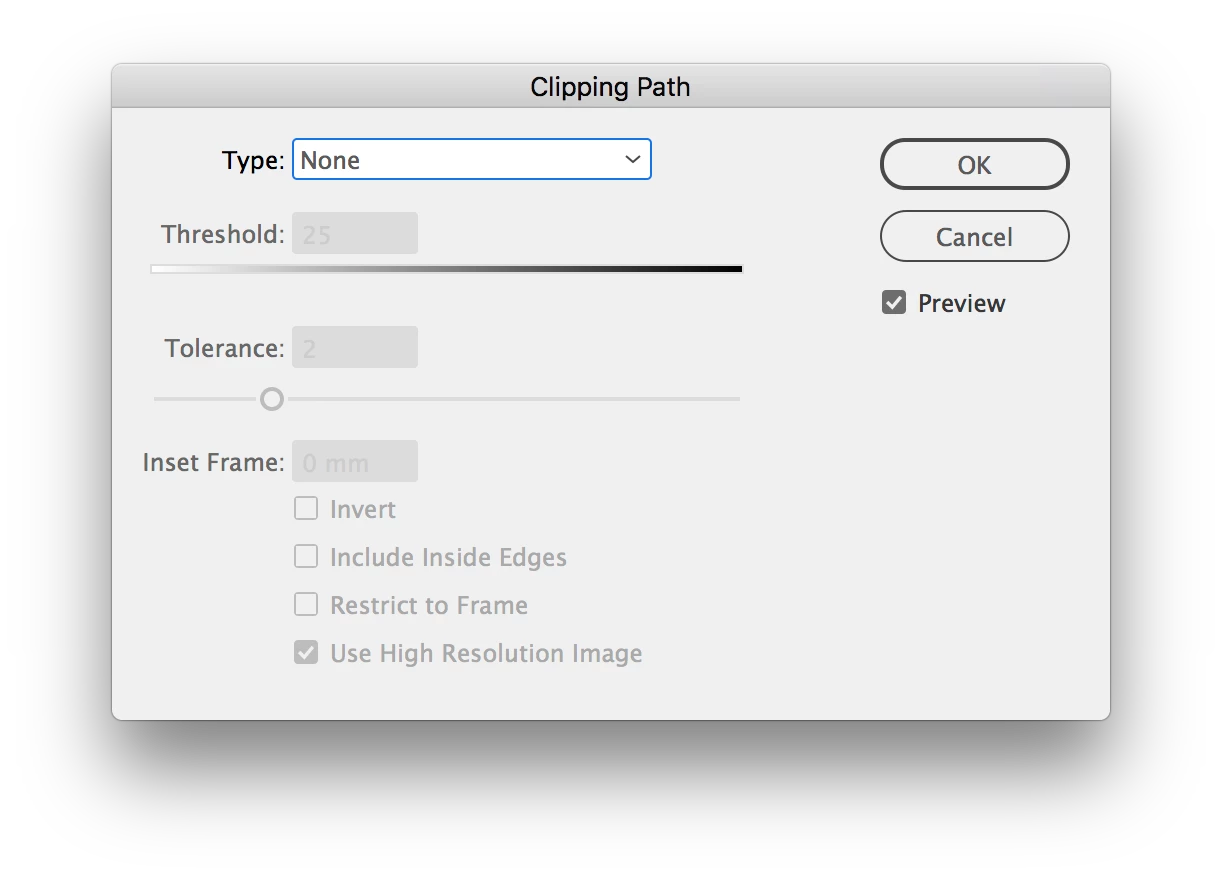
    This topic has been closed for replies.
    Correct answer Steve Werner

    Try restoring your InDesign preferences:

    Trash, Replace, Reset, or Restore the application Preferences

    2 replies

    Participant
    July 5, 2017

    Thanks. Wierdly it's resolved itself after it crashed trying to do something else.

    amaarora
    Inspiring
    July 5, 2017

    Hi,

    Glad that finally the issue was resolved.

    If you do not mind, can you send me the document at amaarora@adobe.com along with specifying the steps what caused the crash. If possible, please specify the image that was causing the problem on applying the clipping path.

    Thanks.

    -Aman

    amaarora@adobe.com

    Willi Adelberger
    Community Expert
    Community Expert
    July 5, 2017

    What image file did you select?

    Participant
    July 5, 2017

    It's a TIFF file with a clipping path

    Steve Werner
    Community Expert
    Steve WernerCommunity ExpertCorrect answer
    Community Expert
    July 5, 2017