Known Participant
October 2, 2017
Question

In Design TOC

  • October 2, 2017
  • 2 replies
  • 641 views

Hi there,

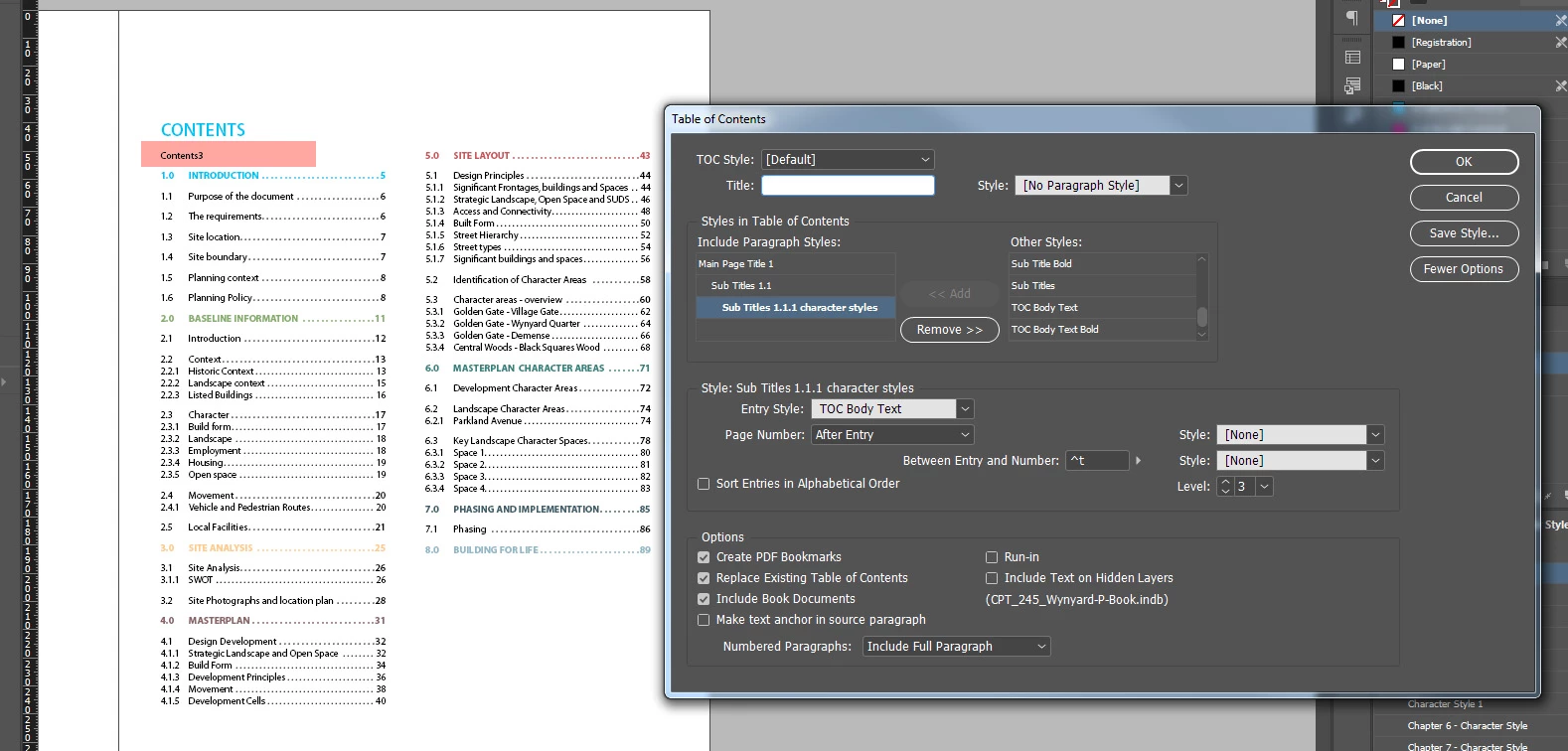
Can you tell me what is it and how to remove the "Contents3" text from the TOC in document.(highlighted red)

Pls note i have removed Contents text from TOC text box. 

See image.

Thanks

Kamila
    This topic has been closed for replies.

    2 replies

    jane-e
    Community Expert
    Community Expert
    October 2, 2017

    Is the blue "Contents" being generated or did you type it? Whatever is in the "title" (Contents by default) appears with the style listed to the right--in your case, "no paragraph style".

    Did you regenerate the TOC after deleting the Title text? There is nothing there now, so it might go away.

    If not, try doing a Find for "Contents 3" to see if it appears somewhere strange, such as on your pasteboard.

    Report back if that doesn't work.

    KamilaBAuthor
    Known Participant
    October 2, 2017

    Hi,

    Thanks for the reply.

    I have typed in the blue contents text cause i wanted to have more control over that text. Therefor i have left the Title box blank with No Paragraph Style.

    I have regenerated it and update it as well.

    Still no luck.

    vladan saveljic
    Inspiring
    October 2, 2017

    You have applied perhaps at CONTENTS paragraph style Main Page Title 1?

    In this case you have to create a new style for the title CONTENTS

    KamilaBAuthor
    Known Participant
    October 2, 2017

    Hi,

    Thanks for the reply. No i do not wan to have another style. thank you.

    vladan saveljic
    Inspiring
    October 2, 2017

    if you digit your title CONTENTS and then you have applied one of the tree styles (colour red in screenshot) well "Contents3" will always beinsert in automatic in your TOC.

    You should create a new style for your title CONTENTS with the same caracteristics if you want but with different name (colour green)